SAML overview
Understand Unidy as a SAML identity provider, its assertion contract, and integration limits.
SAML overview
Unidy acts as a SAML 2.0 identity provider (IdP). Your application is the service provider (SP): it requests sign-in, receives an assertion from Unidy, validates it, and creates its own application session. This integration does not make Unidy a service provider for an external SAML identity provider.
Use Metadata and certificates to connect an SP and SAML configurations to administer its registration. If your application needs configurable identity claims, also consider OpenID Connect.
Browser sign-in flow
- The SP creates an
AuthnRequestand sends the browser to Unidy's/saml/authendpoint using HTTP-Redirect or HTTP-POST. - Unidy asks the person to sign in if they have no Unidy session. Required profile fields and, for applicable accounts, a real email address must be completed. Brand site lock may also require HTTP basic authentication.
- Unidy resolves the request's issuer to a registered SP, checks the response destination, and checks request freshness.
- Unidy returns an HTML form that automatically posts
SAMLResponseandRelayStateto the SP's assertion consumer service (ACS). A submit button is available when JavaScript is disabled. - The SP validates the assertion and creates its own session. The application's session and Unidy's browser session have separate lifecycles.
The freshness window starts at the SP's IssueInstant, including time spent signing in or completing a profile. If that takes too long, return to the application and start a new request.
Endpoints
Use the agreed brand host and read the actual IdP entity ID and endpoint locations from its metadata.
| Endpoint | Purpose |
|---|---|
GET /saml/metadata | Signed IdP metadata containing its entity ID, SSO endpoints, and signing certificate. No Unidy login session is required; brand site lock can require HTTP basic authentication. |
GET or POST /saml/auth | Browser sign-in initiated by the SP. Unidy returns the assertion using HTTP-POST to the ACS. |
GET, POST, or DELETE /saml/logout | Ends the Unidy browser session and redirects. This is not a SAML Single Logout exchange. |
For accounts with multiple brand hosts, agree which host the SP will use and verify that host's returned metadata and assertion issuer during setup. Do not construct an issuer solely from a presumed hostname pattern.
Assertion contract
The assertion contains the signed-in person's email address as NameID and the following fixed attributes. Map using the assertion's Name, with exact capitalization.
| Assertion attribute | Value | Integration guidance |
|---|---|---|
name | Email address | Map this to your email field. It is not a display name. |
fullName | First and last name joined with a space | May have no AttributeValue when both names are blank. If your SP requires a name, make account completion part of acceptance testing. |
group | The constant string unidy | This does not describe roles, group membership, or permission to use your application. Apply your own authorization rules. |
For example, the attribute portion of an assertion for Ada could look like this. This is an illustrative fragment, not a complete signed response:
<AttributeStatement xmlns="urn:oasis:names:tc:SAML:2.0:assertion">
  <Attribute Name="name" NameFormat="urn:oasis:names:tc:SAML:2.0:attrname-format:uri" FriendlyName="name">
    <AttributeValue>ada@example.com</AttributeValue>
  </Attribute>
  <Attribute Name="fullName" NameFormat="urn:oasis:names:tc:SAML:2.0:attrname-format:uri" FriendlyName="fullName">
    <AttributeValue>Ada Lovelace</AttributeValue>
  </Attribute>
  <Attribute Name="group" NameFormat="urn:oasis:names:tc:SAML:2.0:attrname-format:uri" FriendlyName="group">
    <AttributeValue>unidy</AttributeValue>
  </Attribute>
</AttributeStatement>| Property | Current behavior |
|---|---|
| Issuer | The configured IdP entity ID. Check it against the trusted metadata. |
| Audience | The SP issuer from the AuthnRequest; it must identify your application. |
| Response destination and subject recipient | The resolved ACS URL. A stored ACS URL takes precedence over the request's URL. |
InResponseTo | The originating request ID. Your SP should match it to a pending sign-in request. |
| Signature | The assertion is signed using RSA-SHA256; the response envelope is not separately signed. No assertion encryption is configured. |
NameID | The person's email address, with format urn:oasis:names:tc:SAML:2.0:nameid-format:emailAddress. |
| Subject confirmation expiry | Three minutes after assertion issuance. |
| Assertion conditions | NotBefore is five seconds before issuance; NotOnOrAfter is one hour after issuance. Validate subject confirmation as well as these conditions. |
| Authentication context | The fixed urn:oasis:names:tc:SAML:2.0:ac:classes:Password value, including sign-ins that used another method. It is not evidence of password use or MFA. |
| Session fields | SessionIndex identifies the assertion; SessionNotOnOrAfter is set to two months after issuance. Neither guarantees that the Unidy session or your application's session remains active for that duration. |
The current NameID format URI uses the 2.0 prefix. Some SPs expect the 1.1 email-address URI and need compatibility review. Although metadata also lists transient and persistent, the current sign-in flow selects the email formatter; requesting a different format does not switch it. Email can change, so agree how your application handles an email change without creating a duplicate account.
Request requirements
- Send your registered SP entity ID as the request issuer. Compare it exactly with the connection's Issuer field.
- Use the agreed ACS URL and explicit response hosts. Response hosts are exact bare hostnames, not wildcard patterns.
- Supply an ISO 8601
IssueInstantno more than ten minutes in the past or one minute in the future. Synchronize the SP's clock. - Configure the SP to require a valid signed assertion and validate issuer, audience, destination, recipient, request correlation, and time constraints before creating a session.
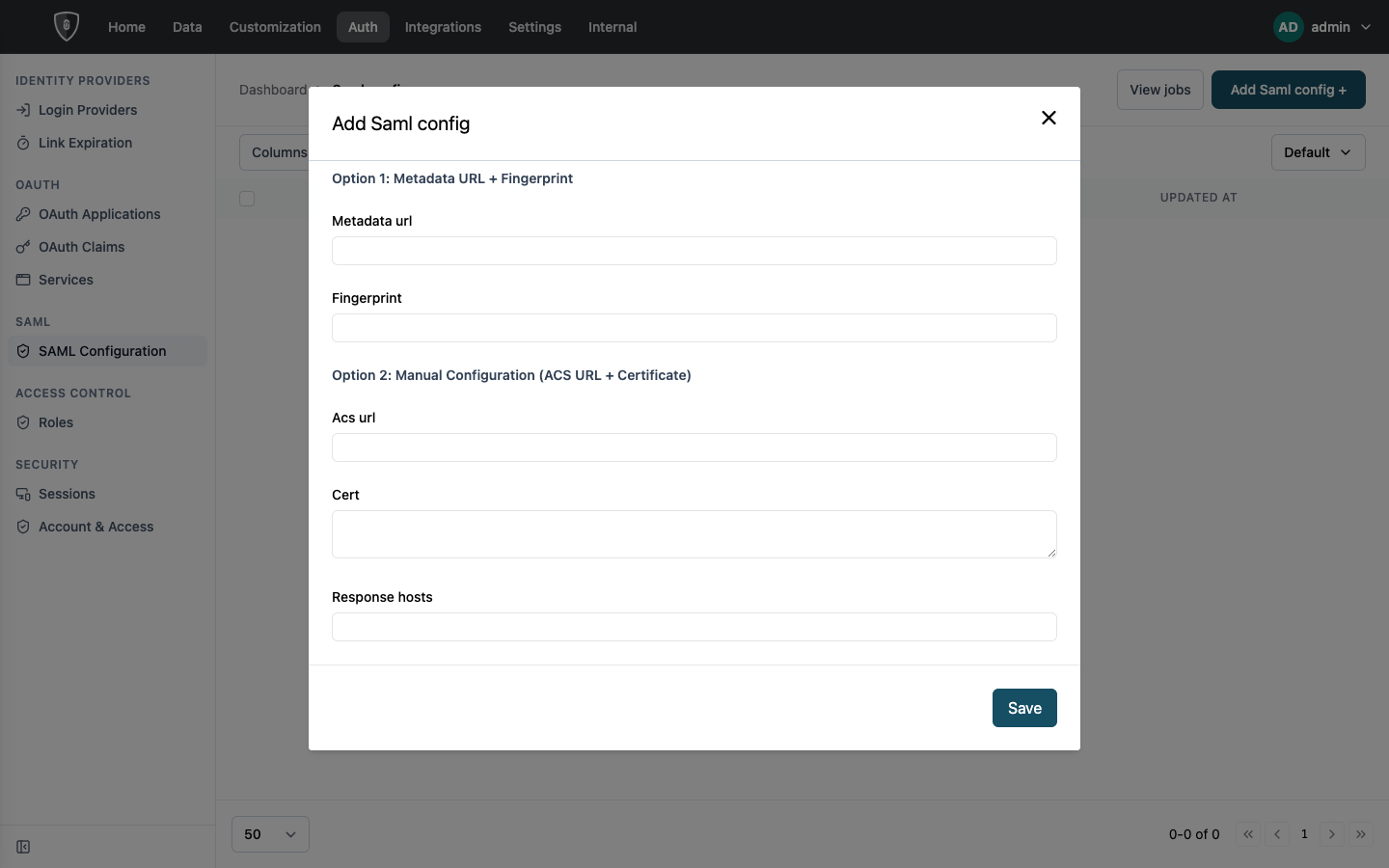
Auth → SAML Configuration → Add Saml config +, scrolled to the end. The form is six fields and stops: Issuer, then two alternative pairs, then Response hosts, then Save. There is no attribute section below the fold, and no brand, service or enabled control anywhere on it.
Integration limitations
| Requirement | What to plan for |
|---|---|
| Custom attributes or per-connection mapping | The assertion attribute set is fixed. Discuss additional claims before committing to the integration; OIDC offers configurable claims. |
| Signed AuthnRequests | Storing an SP certificate or fingerprint does not currently enable AuthnRequest signature enforcement. If enforced request signatures are a requirement, resolve that requirement with Unidy before launch. |
| Authentication assurance | Requested authentication context does not select or prove a particular login method. Do not infer MFA from the assertion's context value. |
| SAML Single Logout | Metadata advertises logout endpoints, but the current endpoint does not process a SAML logout exchange or notify other SPs. End your own application session explicitly. |
| Immediate connection revocation | Deleting the dashboard registration is not a verified immediate shutdown procedure because running servers cache registrations. Coordinate invalidation and verify rejected sign-in before treating access as disabled. |
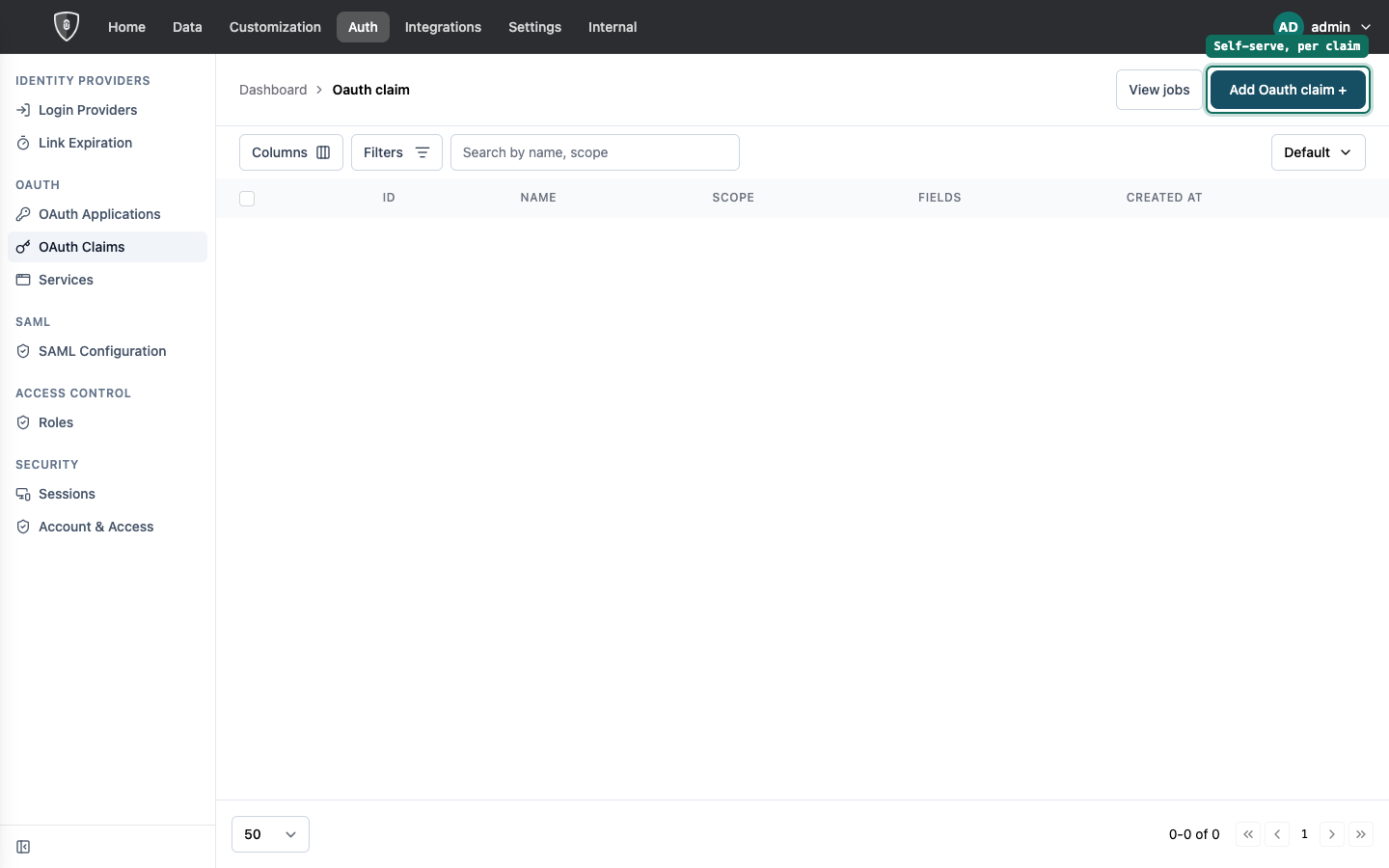
Auth → OAuth Claims — the screen SAML has no equivalent of · highlight on Add Oauth claim +. The list is empty on the seeded tenant, but the screen exists and an administrator can add a claim to it. The SAML group in the same sidebar holds one screen, and that screen has no attribute field of any kind.
For the logout redirect, an allowed returnTo URL is used when supplied; otherwise the browser returns to the Unidy site root. Other application sessions and issued tokens do not automatically end with this redirect.
Next steps
- Metadata and certificates: exchange trust information and configure the SP.
- SAML configurations: create and maintain the Unidy registration.
- Test and troubleshoot SAML: confirm success and diagnose browser or SP failures.