OIDC overview
Understand discovery, scopes, claims, and supported flows.
OIDC overview
Unidy is an OpenID Connect provider. Register an OAuth application, request openid through an authorization-code flow, and validate the returned ID token to establish the user's identity in your application. OAuth access tokens separately authorize calls to UserInfo and API endpoints.
Use this page to configure discovery, understand issuer behavior, and locate the endpoint contract. For the implementation steps, start with Authorization Code with PKCE or Authorization Code for confidential clients. If you are still choosing an approach, see Choose OIDC, OAuth, SAML, or hosted login.
Register the application
Ask an administrator to create an OAuth application with:
- Your exact sign-in redirect URI and the scopes the application needs.
- The correct public or confidential client type.
- Your post-logout redirect URI, if you implement RP-initiated logout.
Also agree a customer-facing name and description, any required user attributes, and an optional application logo. The logo must be PNG, below 1 MB, and 50–500 pixels in each dimension. For a Service application, supply its Connect URI, which starts the application's connection flow from Unidy. Required attributes can send the user to their profile before authorization completes; request only the fields your integration needs.
The application's UID is your client_id. Browser and native applications are public clients and must not contain a client secret. A confidential client exchanges the code on its server and authenticates with its client secret. Use S256 PKCE for both: PKCE binds the code exchange to its authorization request, while client authentication proves which confidential application is exchanging it.
Configure a trusted issuer
Obtain the issuer for your tenant and brand from your integration configuration. Fetch discovery from that trusted location:
curl --fail-with-body --silent --show-error \
  'https://login.example.com/.well-known/openid-configuration'
Discovery needs no user credentials. Your OIDC library should verify the published issuer against the issuer configured for this integration. Do not trust an arbitrary host merely because it returns 200, and do not follow an issuer URL taken from an unverified ID token.
Unidy supports two issuer configurations:
| Configuration | Issuer behavior |
|---|---|
| One configured issuer | The provider uses that configured issuer value. |
| An allowlist of request hosts | The provider uses the approved request host as the issuer. A request on a host outside the configured list is rejected. |
In a deployment using the second mode, different brand domains can be different issuers even when they share a tenant and signing key. Configure each trusted issuer deliberately; do not copy one brand's issuer into another brand's client setup. Issuer-host configuration belongs to the deployment operator, so adding a brand domain in the dashboard alone does not complete OIDC setup for it.
Discovery fields
Use discovery for the provider's advertised endpoints, issuer, and signing keys. Tenant-created scopes and claims may not appear in its metadata.
| Field | Purpose |
|---|---|
issuer | Expected iss in an ID token. |
authorization_endpoint | Browser entry point for authorization. |
token_endpoint | Code exchange, refresh, and other configured grants. |
userinfo_endpoint | Current identity claims for a user access token. |
jwks_uri | Public signing keys for validating ID tokens. |
end_session_endpoint | Browser navigation for RP-initiated logout. |
revocation_endpoint | OAuth token revocation. |
introspection_endpoint | OAuth access-token status, subject to client authorization. |
scopes_supported, claims_supported | Advertised built-in metadata; not a complete inventory of tenant customizations or your application's grant. |
Endpoint reference
The paths below are relative to your approved Unidy host. Prefer the full URLs supplied by discovery when configuring your client.
| Endpoint | Method | Credential or context | Guide |
|---|---|---|---|
/.well-known/openid-configuration | GET | Public | This page |
/oauth/discovery/keys | GET | Public | ID tokens and claims |
/oauth/authorize | Browser GET | Application UID, redirect URI, scopes, and transaction parameters | PKCE |
/oauth/token | POST | Grant parameters and the client authentication appropriate to the registration | Confidential clients, refresh |
/oauth/userinfo | GET | Bearer access token with openid | ID tokens and claims |
/oauth/revoke | POST | OAuth token and applicable client credentials | Token lifecycle |
/oauth/introspect | POST | OAuth access token and authorized client context | Token lifecycle |
/oauth/logout | Browser GET | Unidy browser session, ID-token hint, and optional registered return URI | Logout |
Send token-endpoint parameters as form data. Keep client secrets and refresh tokens out of URLs, logs, and public frontend code. An ID token is not an access token for UserInfo, introspection, or the REST API.
Flows and client-library compatibility
Build new interactive integrations with response_type=code and S256 PKCE. Confidential clients also authenticate at the token endpoint. Use client_credentials for supported machine-to-machine API access, without treating its access token as a user's identity.
The current provider also advertises legacy password and implicit flows. Their presence is not a reason to use them for a new integration. The implicit grant's discovery value can appear as implicit_oidc; use the authorization-code flow instead.
The token authentication metadata advertises client_secret_basic and client_secret_post. Public clients can still exchange a code without a secret using their client ID and PKCE verifier, even when none is absent from that metadata. Choose the public-client authentication option documented by your particular library. Do not invent a configuration property or send a dummy secret. The PKCE starter shows the supported configuration used in these docs.
ID tokens use RS256. Configure the OIDC library's trusted algorithm policy and JWKS handling rather than accepting whichever algorithm a token header requests. Library key caches are distinct from HTTP caches; use bounded caching and key refresh on an unknown kid instead of assuming one HTTP caching rule describes every client.
Authorization parameters
The PKCE request reference covers client_id, redirect_uri, scope, state, nonce, and the challenge parameters. These additional options matter when maintaining an existing integration:
| Parameter | Contract |
|---|---|
response_type | code returns a code for token exchange. Legacy id_token returns an ID token directly; token returns an access token directly. Some deployments advertise combinations such as code id_token; confirm the exact response_types_supported in discovery rather than assuming any combination is enabled. |
response_mode | Controls delivery to the callback. The default depends on the response type: a code normally arrives in the query, while an implicit ID/access token arrives in the fragment. form_post, when supported for that response type, submits the result as an HTML form to your callback. Check response_modes_supported and configure your callback to accept that transport. |
prompt | Omitting it permits the normal session/consent flow; it does not force a fresh login. none requests no interaction. Explicit login can end the shared Unidy sign-in first. See silent authentication and other prompt values. |
login_hint | Prefills the login email, for example person@example.com. If it differs from the current user's email, the current flow can sign that user out. It is a hint, not evidence of identity or authorization. |
state | Returned to correlate the authorization response. Validate a fresh, nonempty value against your stored transaction. It is browser-visible; use an opaque random value and keep personal data and secrets out of it. |
Encode query values with your OIDC library or URLSearchParams, including scopes and redirect URLs. Each connected application has its own client ID, permitted scopes, and redirect registration. Existing registrations can use patterns such as https://shop.example.com/products/*; this is compatibility support, not a recommendation to broaden new callbacks. Register the smallest exact callback your application can use.
Legacy implicit integrations
An existing identity-only client may request response_type=id_token with at least scope=openid, its client ID, registered redirect URI, state, and nonce. The browser authenticates at Unidy and returns directly to that callback with the ID token; there is no server code exchange or client secret in this flow. A fragment response has this shape:
https://app.example.com/callback#id_token=ID_TOKEN&state=TRANSACTION_STATEValidate the transaction and the ID token's signature, issuer, audience, expiry, and nonce before establishing a session. Validation uses the issuer's public JWKS; the ID token is not sent back as a bearer credential for verification. A decoded payload alone is insufficient. Do not send production tokens to public JWT debuggers.
Keep this behavior only for an agreed existing integration, including the one-time-token authorization handoff. Build new identity-only applications with Authorization Code and S256 PKCE too; API access is not a prerequisite for choosing the code flow. Direct browser token delivery and the publicly shared demo client IDs from older examples are not production setup instructions.
Requested, configured, and granted scopes
These are different sets:
- Supported: scopes known to the tenant, including any custom claim scopes.
- Configured: scopes assigned to your OAuth application.
- Granted: scopes on the token returned for a particular authorization.
Inspect the returned grant before relying on a claim or attempting an API operation. A scope being advertised in discovery does not grant it to your application.
| Scope family | Examples | Effect |
|---|---|---|
| Identity | openid, profile, email, phone, address, roles | Release identity claims. Unset optional profile fields can still be absent. |
| API access | users:read, tickets:read, transactions:write | Permit the corresponding API operations, subject to endpoint authorization rules. |
| Custom claim scopes | Names configured by the tenant | Release the configured custom claims when granted. These scopes may be absent from discovery. |
The roles scope releases unidy_admin, unidy_roles, and unidy_staff; it does not grant resource/action permissions. The legacy email_verified scope is separately advertised, but the email_verified claim is released by email.
At authorization, a known custom scope that is not assigned to the application can be omitted before validation. Unknown scopes and invalid built-in scope requests can still produce invalid_scope. Do not assume that either a successful request grants every requested scope or that every unconfigured scope produces an error.
Custom claims also need an agreed name and value shape; claims_supported is not their schema. If a library blocks an approved custom scope because it is absent from discovery, configure its supported extension mechanism after confirming the scope with the administrator. Keep issuer, signature, audience, and transaction validation enabled.
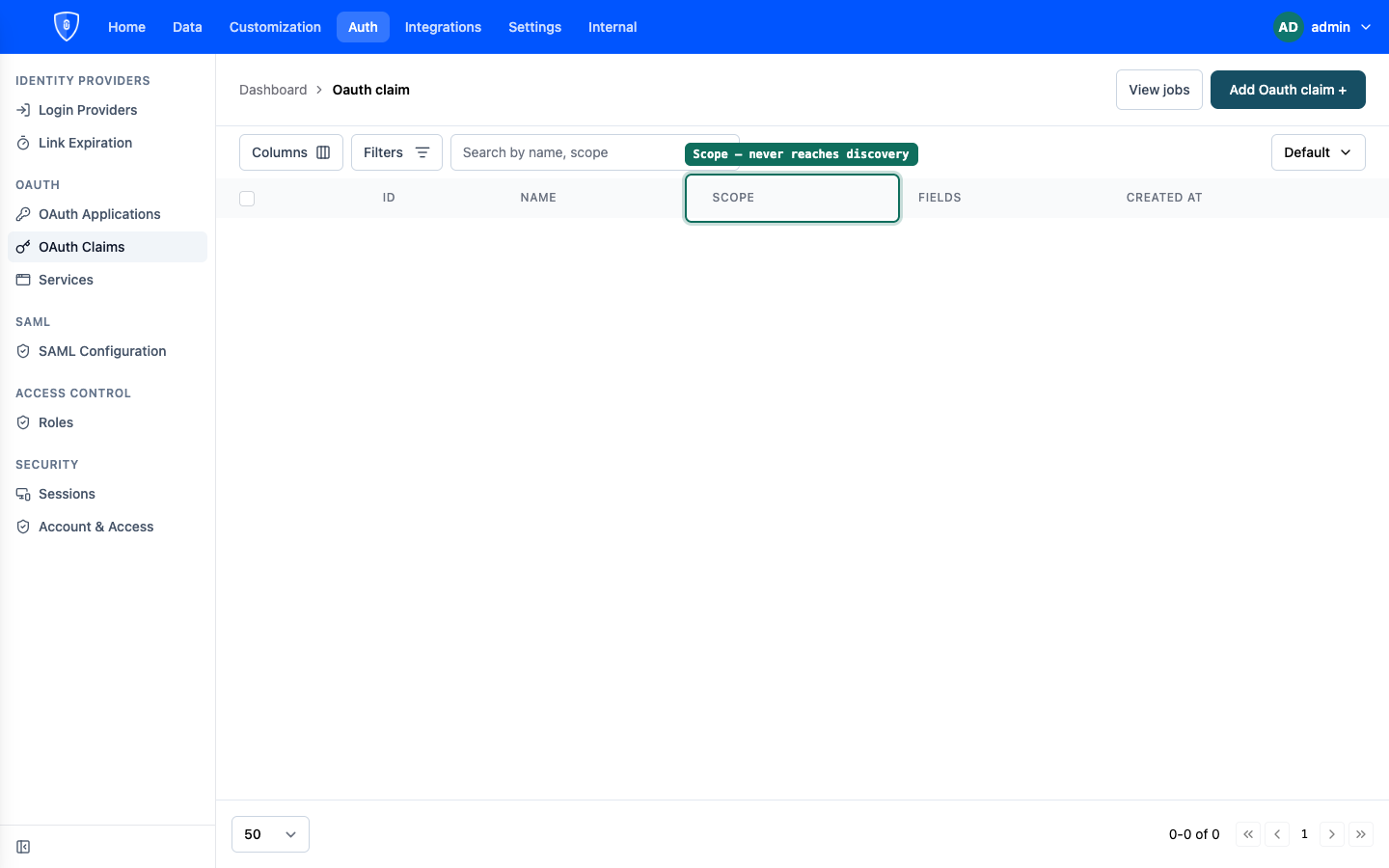
AUTH → OAUTH CLAIMS — the screen that creates the scopes discovery omits · highlight on the Scope column, whose values never reach scopes_supported. Empty on the verified instance, which is why the gap above is source-verified rather than observed.
See Scopes and permissions for API grants and ID tokens and claims for claim values.
Sessions and integration boundaries
Your application's session, issued OAuth tokens, and Unidy's browser session have independent lifecycles. Logout is not automatic propagation to every connected application, and revoking a token does not delete your application's cookie. Use Token refresh, sessions, and logout to implement the complete behavior.
Applications are registered in the dashboard; the provider does not expose dynamic client registration. Do not assume that every optional OIDC capability is implemented because the discovery endpoint exists. In particular, plan without propagated front-channel/back-channel logout, signed request objects, or an acr-based step-up contract unless your deployment explicitly supports the capability you need.
The location of your login UI does not by itself determine the protocol. The SDK can participate in OAuth consent and handoff flows, while its own sign-in credentials are a separate contract. See Authentication architecture and JavaScript SDK and Web Components for those boundaries.
Troubleshooting
| Symptom | Next check |
|---|---|
| Discovery fails on a newly configured brand domain | Confirm the approved host and issuer configuration with the deployment operator. An issuer-allowlist rejection is one possible cause; retain the status and request time for diagnosis. |
| ID token has the wrong issuer | Check tenant, environment, and brand routing. Keep the issuer check enabled. |
| Public-client exchange fails | Confirm the registration is public, the code verifier matches, and the library sends the client ID without a secret. |
invalid_scope | Compare the requested scopes with the application's configuration and distinguish built-in, unknown, and known custom scopes. |
| Custom claim missing after successful sign-in | Inspect granted scopes, claim configuration, and the user's field value. |
| Unknown signing key | Let the client refresh the trusted issuer's JWKS and check for a coordinated key change. Do not disable signature verification. |