Authentication architecture
Understand how Unidy, applications, providers, and users relate.
Authentication architecture
Unidy provides accounts and authentication to your applications. A person can use the same account through hosted login, an SDK application or a SAML service provider, but those paths create different sessions and tokens.
| Actor | Responsibility |
|---|---|
| The person's browser or device | Carries the Unidy cookie where browser policy allows it and follows login redirects; may run an SDK client. |
| Unidy | Authenticates the account, applies the relevant account/profile gates and issues codes, tokens or assertions. |
| Your application | Validates the response intended for it, creates its own session and enforces its own authorization rules. |
| An external login provider | Authenticates a linked external identity when that method is configured; returns control to Unidy. |
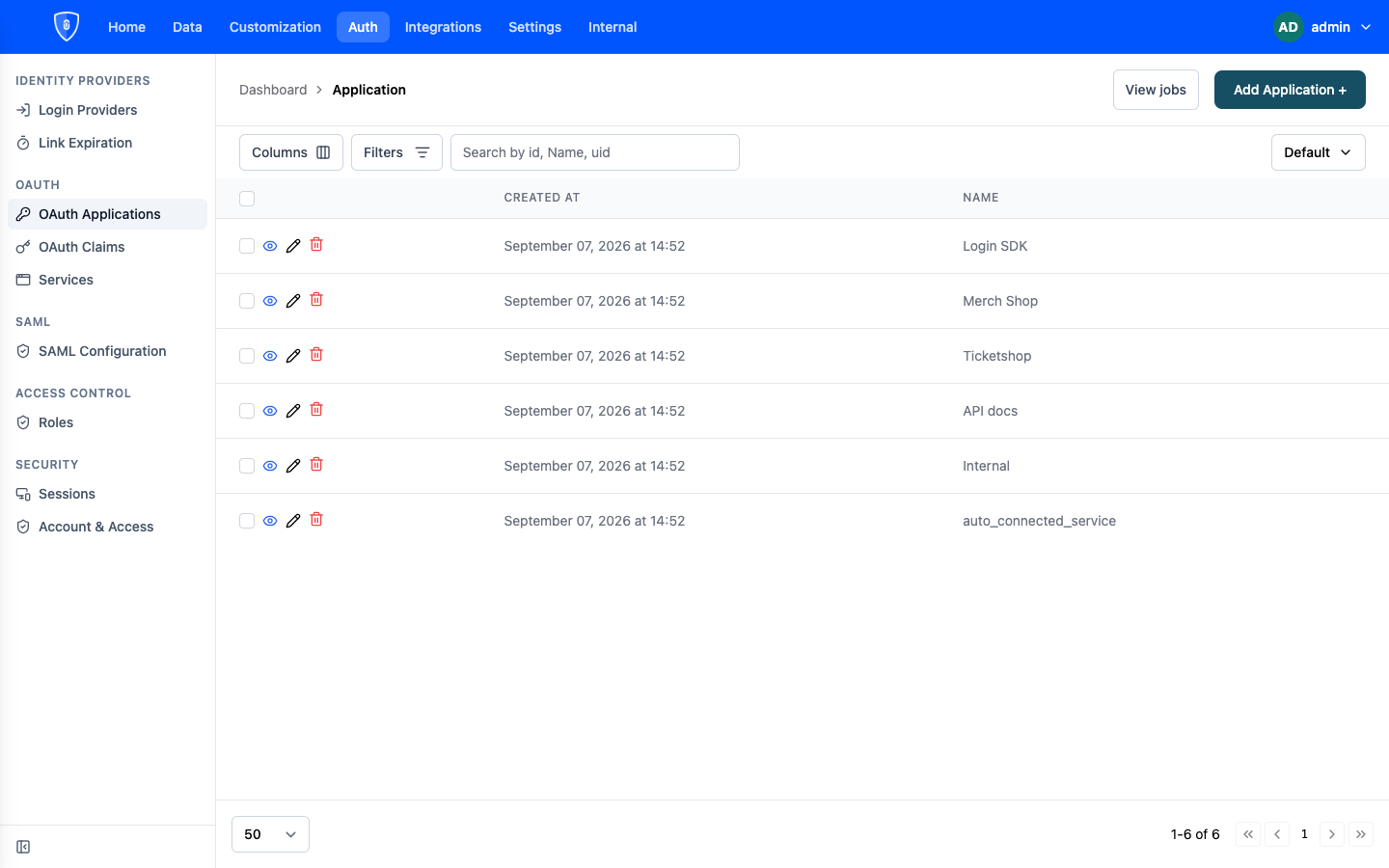
Auth → OAuth Applications — the sidebar's own grouping is the architecture, screen by screen: Identity Providers holds the inbound connections, OAuth and SAML the outbound ones, and Security the session and logout settings. The list here is the seeded tenant's six applications.
Credentials belong to a particular surface
| Surface | Application credential | Customer credential or result |
|---|---|---|
| OIDC / OAuth Authorization Code | OAuth client ID; server-held client secret for confidential clients; PKCE transaction for both client types | Code exchanged for an access token and refresh token; an ID token when openid is granted |
| REST API | OAuth access token with the required scopes | A user-authorized token may carry a customer context; a client-credentials token does not |
| SDK HTTP API | SDK client API key in Authorization: Bearer … | SDK JWT in X-ID-Token for authenticated customer operations; sign-in also returns a refresh token |
| SAML | Registered service-provider connection | Signed assertion delivered by browser POST to the service provider's ACS |
| Hosted customer and dashboard pages | Unidy browser session | The signed-in account, plus the permissions needed for the requested operation |
SDK JWTs and OIDC ID tokens use a common signing infrastructure, but they are not interchangeable. The SDK validates its own token audience (login_sdk_system_app). An OIDC relying party validates the issuer and its OAuth client audience. Use the ID token contract or the SDK credential contract for the surface you call.
For SDK requests, the application API key is checked before the customer JWT. Putting a customer JWT in the Authorization header therefore causes an API-key error; it does not substitute for X-ID-Token.
Three independent session layers
The Unidy browser session makes hosted SSO possible. A person who already has a usable Unidy cookie may complete another application's authorization request without entering credentials again. Consent, required profile fields or real-email completion can still require interaction.
Your application's session starts after your application validates an OIDC response, SAML assertion or SDK sign-in result. Your cookie or local session has its own expiry and authorization rules. Unidy cannot clear that application's session merely by clearing its own cookie.
API credentials allow requests independently of whether a Unidy browser cookie remains present. Their expiry, refresh and revocation rules are separate. An SDK sign-in creates a token-based session; it does not by itself create the hosted Unidy browser session. A supported SDK-to-hosted handoff is needed when the person must continue into hosted pages.
See token refresh, sessions and logout for retention and termination. Cookie duration alone does not promise a session lifetime: server cleanup, explicit revocation and account changes may end access earlier. Likewise, successful refresh does not prove that a browser session still exists.
Hosted and embedded login
With a hosted flow, credential entry happens on Unidy or on the selected external provider. With the SDK, your application renders the credential-entry UI and sends the supported sign-in requests. Protect that application and its token storage accordingly.
The SDK can check or restore state through hosted browser flows where supported. Those checks depend on the browser being allowed to send the Unidy cookie. A different origin is not necessarily a different site, and privacy settings can change cookie availability. Always support an interactive fallback and test the actual production domains in your supported browsers.
Two allowlists have different purposes:
- SDK allowed hosts participate in browser CORS handling. The current CORS policy collects origins across SDK clients on the installation. CORS is a browser control and does not authenticate nonbrowser requests.
- External embed domains on OAuth applications contribute to a shared frame policy for hosted pages. The current policy is the union across applications, rather than an isolated policy for each registration.
Neither setting replaces redirect validation, token verification or API authorization. Coordinate changes with the owners of the other applications using the installation.
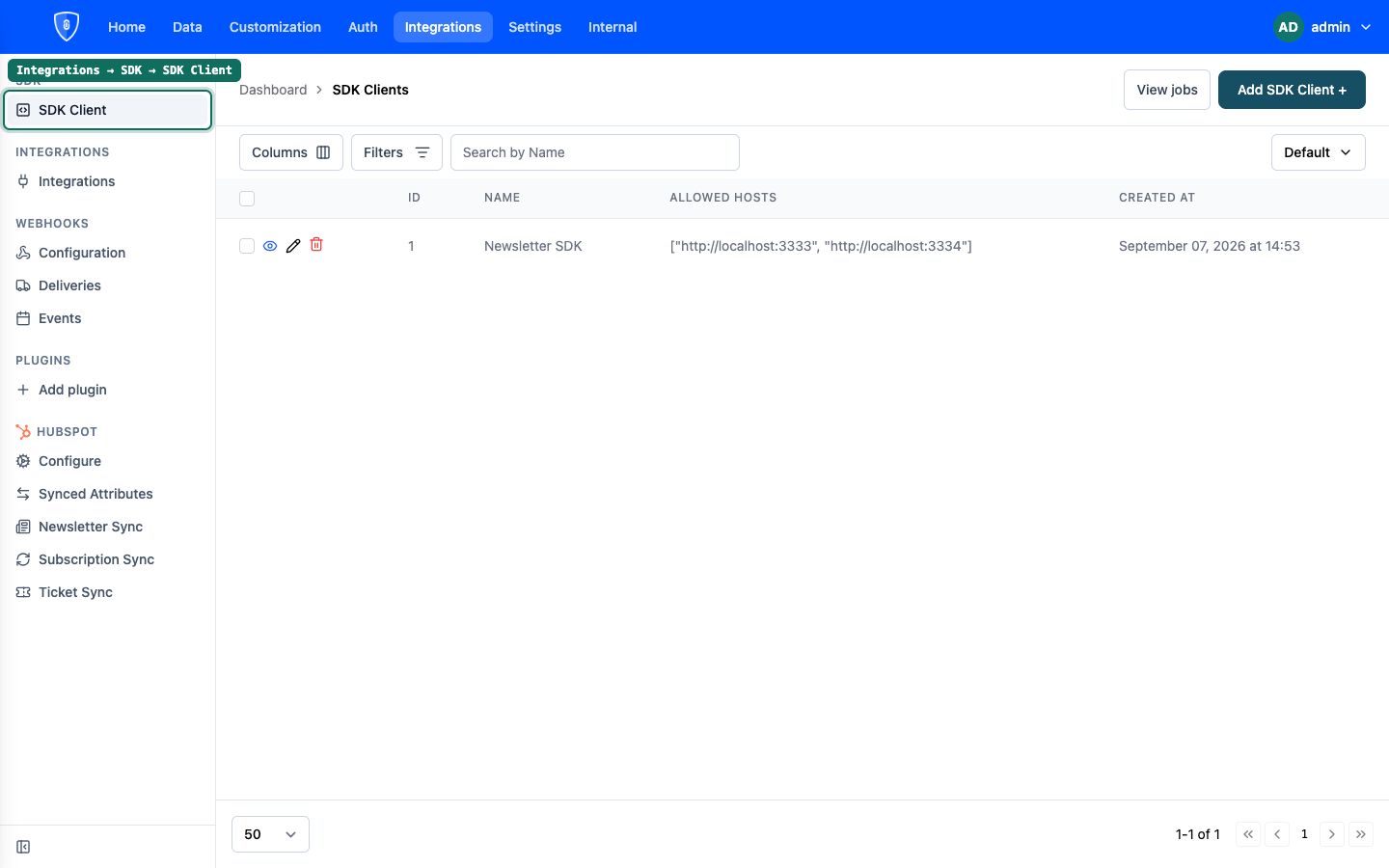
Integrations → SDK → SDK Client — the fourth registration surface, and the only one that is not under Auth · highlight on the sidebar entry, because that is the reason people cannot find it. The Allowed Hosts column is the browser-origin allowlist described above.
Customer and administrator access
An administrator uses a Unidy account and browser session too. Opening the dashboard requires administrative access; operations then depend on resource/action permissions, brand scope and feature availability. In RBAC mode, access is not determined solely by the account's legacy admin or superadmin label.
Use roles and feature availability for the authorization model and roles and account security to manage assignments. An ID token's role claims describe identity context; they are not a substitute for checking permission on each protected operation.
Sign-out from a hosted page affects the shared Unidy session in that browser. It does not notify every relying application or revoke all previously issued credentials. Test customer and administrator journeys in separate browser profiles to avoid confusing the shared Unidy session with independent application sessions.