API keys, JWTs, and refresh tokens
Authenticate applications and signed-in users.
API keys, JWTs, and refresh tokens
The SDK HTTP API uses an application key and a customer session. This page explains which values to keep, how refresh replaces them, and which actions revoke them. The OAuth token lifecycle is a separate protocol with different endpoints and rules.
Keep the credentials separate
| Value | Use | Lifetime |
|---|---|---|
| SDK client API key | Authorization: Bearer … identifies the SDK client on authenticated application requests. | Until an administrator rotates or removes it; no scheduled expiry. |
| Customer ID token (JWT) | X-ID-Token authorizes customer-scoped operations. | Two minutes after issuance. |
| Refresh token | Request body of the refresh operation. | Ten days after issuance, unless revoked earlier. A successful refresh replaces it. |
Sign-in ID (sid) | Path parameter for refresh and sign-out; identifies the sign-in associated with the customer. | Retain it with the refresh token. Missing or deleted records require a new sign-in. |
An SDK API key is used in browser applications, so it is not a confidential-server secret. It still controls access to an SDK client and its allowed brands. Do not substitute an OAuth client secret, REST access token or customer JWT in its place.
Treat the ID token and refresh token as customer credentials. Avoid logs, URLs, analytics and support screenshots containing them. Store session state separately for each customer and replace or clear it together when accounts change.
Obtain a session
Sign-in can issue tokens after password, magic-code or passkey authentication, after required fields and brand-connection steps complete, or through supported single-step flows. Invitation acceptance and registration can also issue a session. Cookie-based restore uses GET /sign_ins/signed_in when the hosted browser session is available.
The common token response is:
{
  "jwt": "CUSTOMER_ID_TOKEN",
  "refresh_token": "CUSTOMER_REFRESH_TOKEN"
}
Keep the sid from the sign-in flow together with this response. It is also carried by the SDK JWT's sid claim. Some registration responses name the token id_token rather than jwt; follow the operation's response contract. Silent restore returns a refresh token even where an older generated schema lists only jwt.
For the complete sequence and continuation errors, see Sign-in and registration operations. A cookie-based restore can fail because the browser has no usable hosted session; refresh-token recovery is a separate mechanism.
Understand the ID token
SDK ID tokens use RS256 and the installation's signing key. Public verification keys are published at /oauth/discovery/keys.
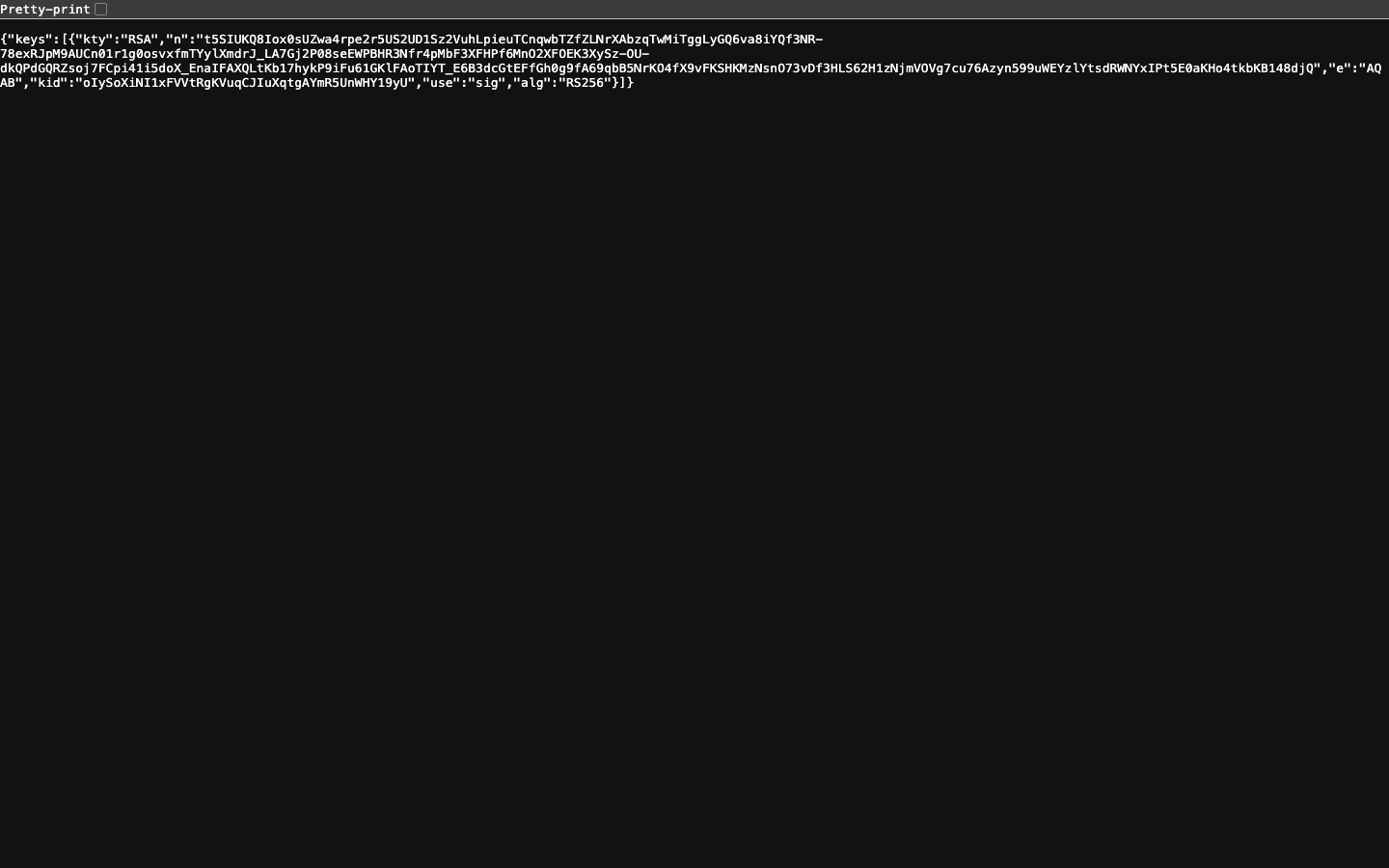
The live JWKS — one key, alg: RS256, use: sig, with the kid that appears in the header of every SDK ID token. Photographed rather than quoted because "how many keys are there" is the question a security review actually asks, and the answer is visible in one line.
| Claim | Meaning |
|---|---|
sub | The customer's UNIDY ID. |
aud | login_sdk_system_app, the shared SDK application audience. It is not the individual SDK client's key or client ID. |
iss | Issuing brand URL. |
iat, exp | Issue and expiry times; the SDK token expires after two minutes. |
sid | Sign-in identifier used by refresh and sign-out. |
auth_time | Creation time of the underlying token record. |
| Profile claims | Identity data such as email and name; inspect email_verified when confirmation matters. |
Regular SDK customer endpoints verify the signature, expiry and SDK audience, then resolve the customer from sub. The shared audience identifies the SDK token family; it does not promise isolation between individual SDK client keys. Do not use decoding without verification as authentication in your own backend. If your backend needs its own login protocol, follow the OIDC ID-token guidance.
The sign-out endpoint has a specific exception: it accepts expired tokens and relaxes the SDK-audience check, then checks the sign-in claim against the requested sid. Do not infer that ordinary customer operations accept expired or other-audience tokens.
Refresh the session
POST /api/sdk/v1/sign_ins/SIGN_IN_SID/refresh_token
Authorization: Bearer YOUR_SDK_API_KEY
Content-Type: application/json

{ "refresh_token": "CURRENT_REFRESH_TOKEN" }
This operation does not require X-ID-Token, so it can recover an expired JWT. Success returns 201 with a new jwt and refresh_token.
The server checks that the refresh token belongs to the SDK application and the same user as the requested sign-in, then checks revocation and expiration. A token for another customer or another OAuth application is invalid for this operation.
On success, the server creates the new pair and revokes the token supplied in the request. Each newly issued refresh token starts its own ten-day validity window. This is a rolling validity window, not a promise of an indefinitely recoverable session: logout, revocation, account changes, sign-in availability and token loss can require authentication again.
For a custom client:
- Coordinate one refresh at a time for the active session. Multiple tabs or concurrent requests must not independently replace the same saved token.
- Persist the new refresh token and its sign-in ID before relying on the new session state. Never restore an older pair over a newer one.
- Read the current ID token immediately before customer requests; avoid caching it across long operations.
- Distinguish a permanent authentication failure from a transient network failure. A failed network request alone is not proof that the saved session is invalid.
- If a refresh response is lost, account for rotation before retrying. Re-read shared state and use bounded recovery; require sign-in if the last available token has been revoked.
Current JavaScript and React SDK releases coordinate in-flight refresh and include recovery for transient failures and competing tab updates. Keep automatic refresh enabled unless your integration deliberately owns this lifecycle. See JavaScript SDK and React SDK.
Handle refresh failures
| Status and identifier | Meaning and recovery |
|---|---|
404 sign_in_not_found | The requested sid cannot be found. Recover the complete saved session or begin sign-in. |
401 missing_refresh_token | The body omitted the token. Fix the request. |
401 invalid_refresh_token | The token is unknown, belongs to a different user/application, or has been removed. Require a valid saved session or sign in again. |
401 refresh_token_revoked | This value was consumed by rotation or revoked. Check for a newer saved token before reauthentication. |
401 refresh_token_expired | The token's ten-day validity elapsed. Sign in again. |
Network failure or 5xx | Preserve the saved session while applying bounded retry/recovery. Do not loop indefinitely. |
Expired or invalid JWTs on ordinary customer requests may both appear as 401 invalid_id_token. Use the operation, token expiration and refresh outcome to decide recovery; do not depend on receiving a distinct expired_id_token identifier.
Validity is different from database cleanup
Refresh tokens become unusable at their expiry time even if their database rows still exist. The cleanup job removes token rows more than fourteen days after issuance, or more than one day after revocation, when it next runs. The same old token can therefore change from refresh_token_revoked or refresh_token_expired to invalid_refresh_token after cleanup. Client behavior should not depend on the row continuing to exist.
Sign out and revoke access
POST /api/sdk/v1/sign_ins/SIGN_IN_SID/sign_out
Authorization: Bearer YOUR_SDK_API_KEY
X-ID-Token: CUSTOMER_ID_TOKEN
Content-Type: application/json

{ "globalLogout": true }
A successful sign-out returns 204 No Content; do not parse a JSON body. The token's sid must match the path. Clear the active client's saved session and show the signed-out state.
| Action | Effect on SDK credentials |
|---|---|
| Successful refresh | Revokes the old refresh token and issues a replacement pair. |
Sign-out without globalLogout | Clears the hosted authentication cookies involved in this flow but does not revoke the saved SDK refresh token. The client must clear its own storage. |
Sign-out with globalLogout: true and an SDK token | Revokes the customer's tokens for the shared SDK application, affecting their SDK sessions across integrations. |
| Disconnect the SDK system application | Removes that customer's grants/tokens for the application. See connected services. |
| Rotate an SDK client API key | Invalidates the old application key. It does not revoke already issued customer JWTs or refresh tokens. |
| Hosted password change/reset | The hosted flows revoke sessions/tokens through their session manager. Do not generalize this to every password endpoint: the SDK password-reset path does not perform the same global revocation. |
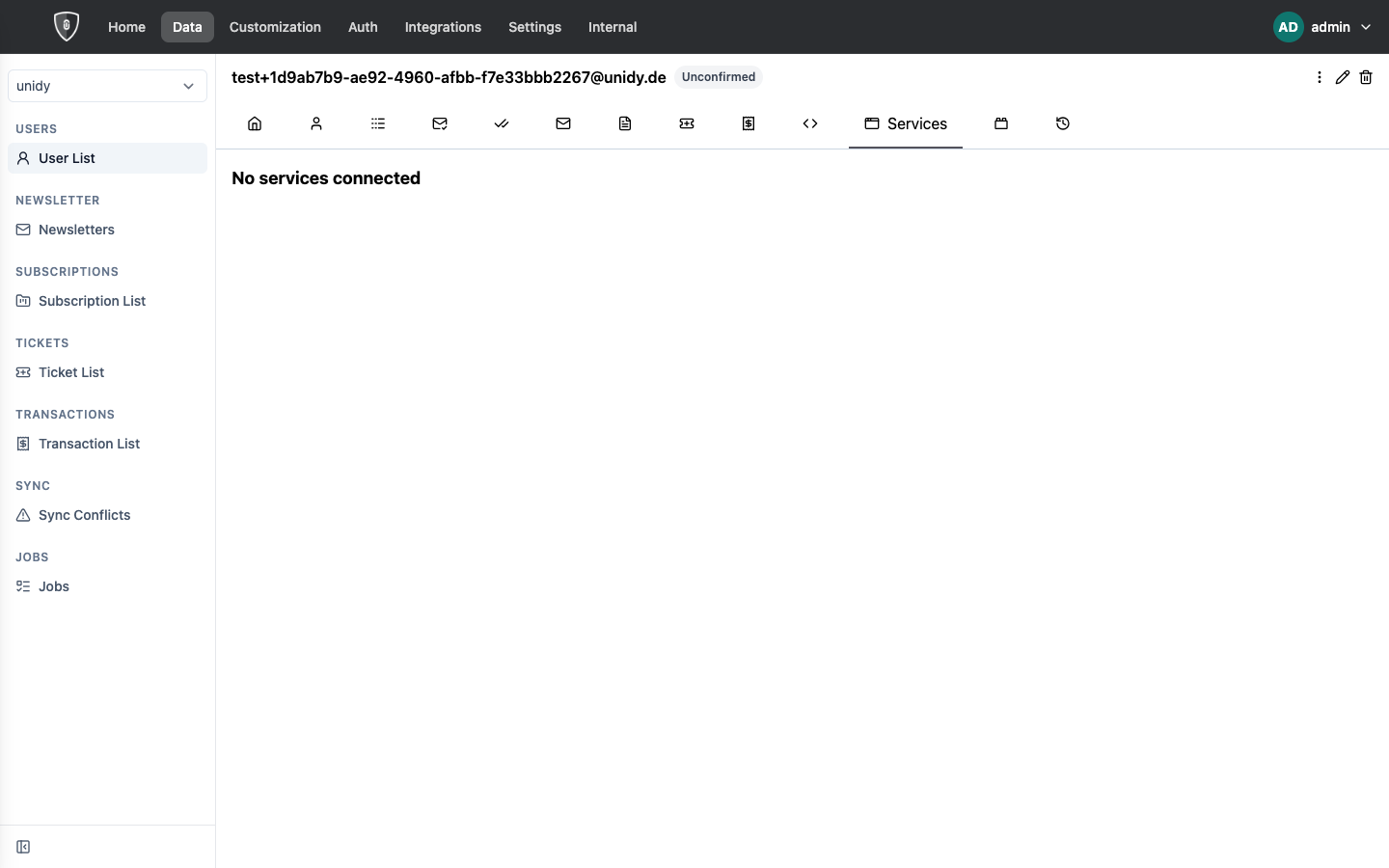
DATA → USER LIST → a user → Services — the admin-side revocation lever. Disconnecting a service here deletes that application's tokens for that person, so disconnecting Login SDK System App is how an operator ends somebody's SDK sessions. Empty on the seeded installation, because no SDK sign-in has been completed on it; the tab is photographed rather than staged. Note the person's Unconfirmed badge — an unconfirmed account can still hold tokens.
Revocation stops future refresh but does not make an already issued JWT cryptographically expire immediately. Regular SDK token verification does not consult the token row on each request; a previously issued JWT can remain usable until its two-minute expiry. Plan logout behavior with that distinction in mind.
Browser-session limits, deleting a browser session and OIDC logout are not interchangeable with SDK-token revocation. If an incident requires all access to end, use a verified server-side revocation procedure and account for outstanding ID tokens.
Coordinate API-key rotation
An administrator rotates the key on the SDK client record. The replacement immediately invalidates the previous key; there is no overlapping-key grace period. Update every application deployment that uses it and verify a request with the new value. Do not promise a zero-downtime rotation when deployed clients can retain the old key.
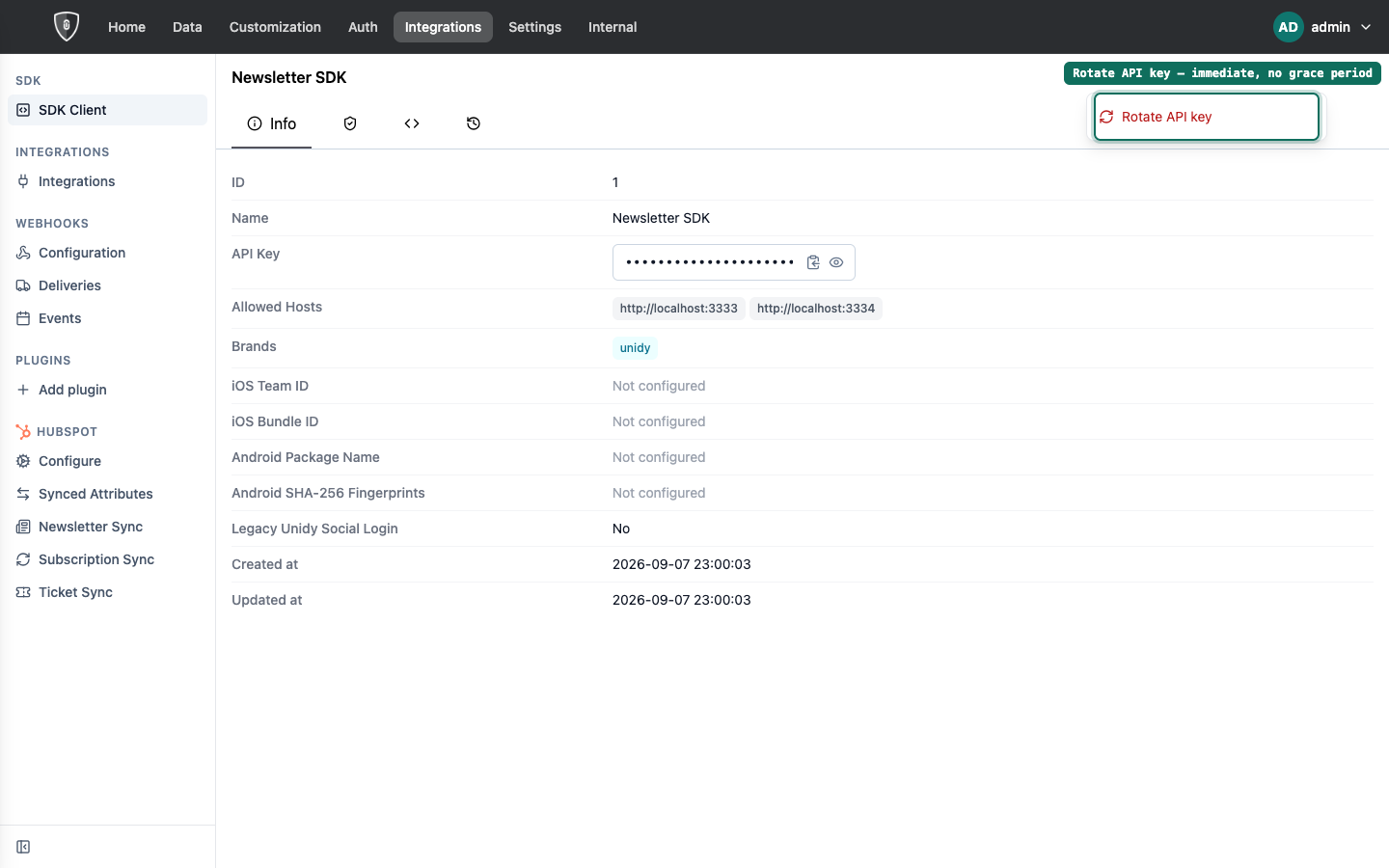
SDK CLIENT — the actions menu, whose only entry is Rotate API key, at Integrations → SDK → SDK Client · highlight on the entry. The confirmation reads "Are you sure you want to rotate this API key? Integrations using the current key will stop working until they are updated with the new one." — which is true, and is also the whole of what the product tells you.
Session revocation is a separate action. Customers with a valid refresh token can continue once the application uses an accepted key. See Manage SDK app credentials for the administration procedure.
Account for clocks and storage
Refresh before exp, using a small buffer, and keep client and server clocks synchronized. The ordinary server verification path has no configured expiry leeway. A consistently incorrect device clock can cause repeated early refresh or expired requests; diagnose that rather than increasing retries without a bound.
The web packages manage browser storage and refresh coordination. A standalone or server-side integration must provide an equivalent per-customer session store and must never share one customer's active token through a process-wide client used for other customers. Tab closure, browser-session termination and refresh-token deletion are different events; make persistence an explicit application decision.