SDK HTTP API reference
Browse generated client-facing endpoints and schemas.
SDK HTTP API reference
Your Unidy installation serves a browsable SDK API reference and its OpenAPI document. Use the reference to find request parameters and response shapes, then use the task guides for authentication, state transitions and recovery.
| Format | URL on your brand host |
|---|---|
| Swagger UI | /swagger/sdk/html |
| OpenAPI JSON | /swagger/sdk/json |
The documentation endpoints do not require a dashboard session. API operations called from Try it out still require their own credentials and can read or change real customer data.
Open the SDK definition
- Open
https://YOUR_BRAND_HOST/swagger/sdk/html. - In Select a definition, choose SDK API V1. The UI also contains API V1, which is the server-side REST API and may be selected initially.
- Confirm that the document's source link is
/swagger/sdk/json. - Expand a resource group and find the HTTP method and path you need.
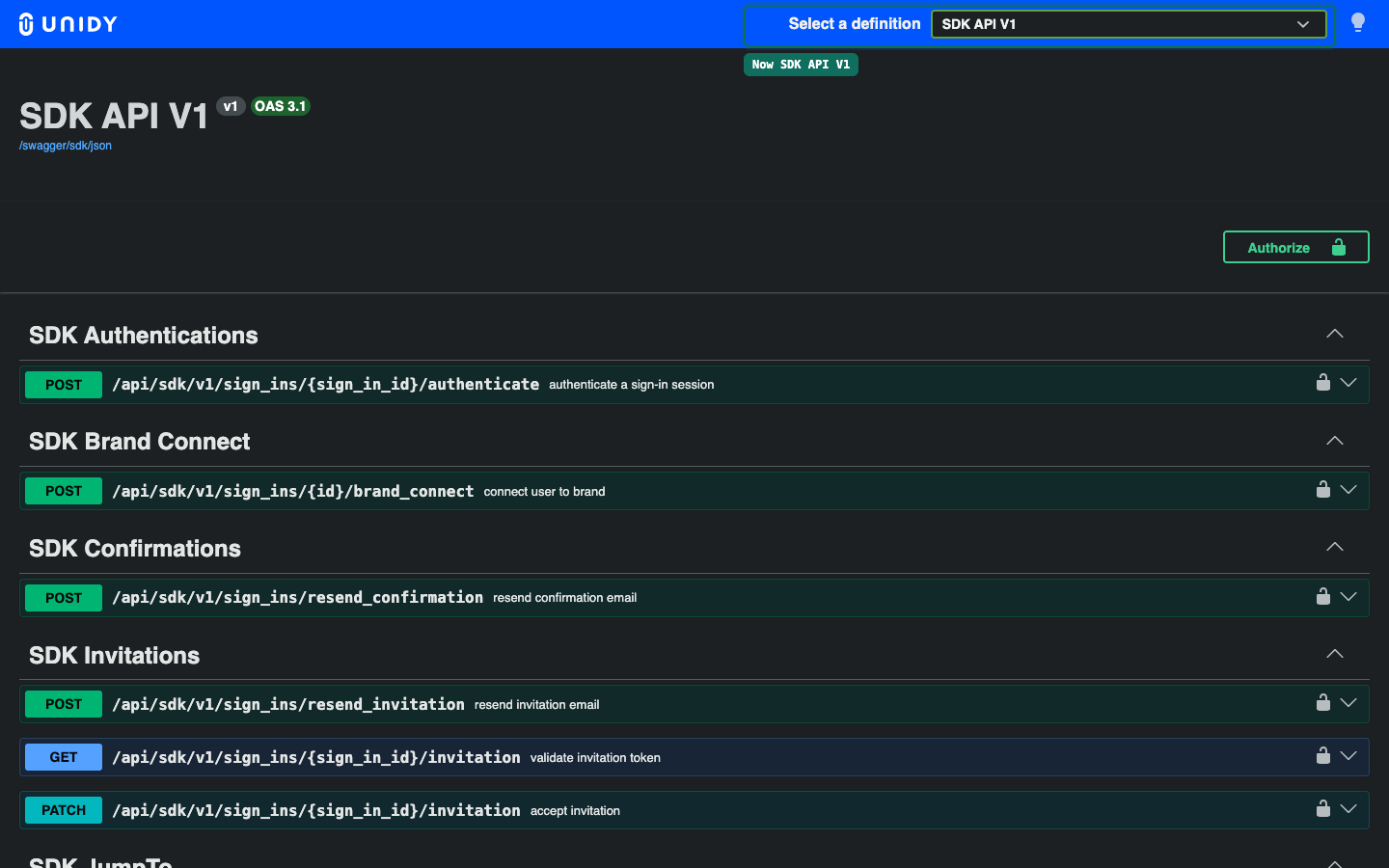
The document version identifies the API version, not a deployment or package build. Read the definition served by the installation you are integrating with. Do not infer production availability from a different environment's schema.
Authorize a safe first request
Start with a read-only operation and a dedicated test customer's session.
- Click Authorize and put the SDK client's API key in
sdk_token. Enter the key value without addingBearer; the UI supplies the prefix. - Expand
GET /api/sdk/v1/profileand choose Try it out. - Put the customer's current SDK JWT in the operation's X-ID-Token field. The global authorization dialog does not populate this field.
- Check the target host shown by the request, then choose Execute.
- Inspect the status and response body. A successful request returns the profile field definitions. If the JWT expired while you were preparing the request, obtain a current one.
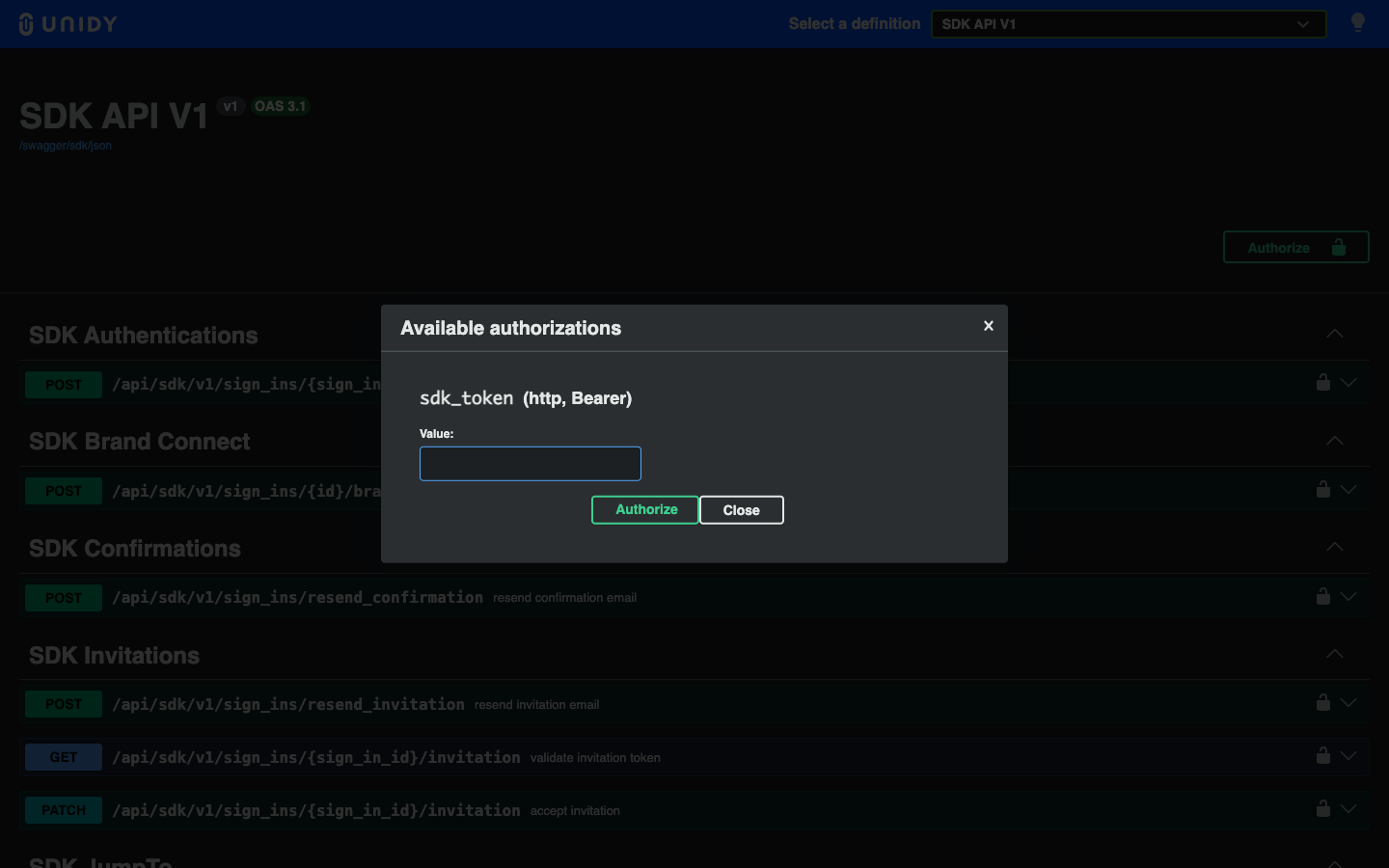
The schema labels this bearer scheme as JWT, but the value for it is the SDK application key. The customer's JWT belongs in X-ID-Token. See API keys, JWTs, and refresh tokens for issuance and refresh.
The current document does not declare a servers URL. Swagger UI normally resolves requests relative to the origin serving the document. Check Request URL before execution, especially with a downloaded copy or another documentation host. Configure an explicit base URL in generated clients.
Try it out performs the operation
PATCH, POST and DELETE can update data, send messages or change a customer's authorization. Only execute an operation when you intend that effect. Clear saved credentials when finished, and do not share screenshots or URLs containing customer tokens.
Read an operation
| Area | What to check |
|---|---|
| Method and path | The resource and action. Resource IDs, OAuth client IDs, sign-in sid values and transfer tokens are different identifiers. |
| Parameters | Required path, query and header values. Authentication may be represented both as a security scheme and an explicit header parameter. |
| Request body | Required structure, types and example. Confirm whether attributes belong at the top level or inside a wrapper. |
| Responses | Declared statuses, media types and schemas. A missing schema means the document does not describe the complete body. |
| Returned error | Match error_identifier where provided, using the endpoint's error contract. The generic response label is not an exhaustive error catalogue. |
An Undocumented response in Swagger UI means that status/body is not declared in the selected schema. Capture the method, path, status, error identifier and request ID for troubleshooting; redact tokens and customer information.
Use SDK troubleshooting for authentication, host, CORS, throttling and recovery problems. Prefer the dedicated profile guide and customer assets guide for operation-specific semantics.
Download and generate a client
Save /swagger/sdk/json from your target installation in your application repository. Keep the acquisition date and environment alongside the file, pin your generator's version, and review schema differences before regenerating. This makes generated-client updates reproducible.
Generation does not implement customer sign-in, token storage or refresh coordination. Configure those separately:
| Generated-client setting | Value |
|---|---|
| Base URL | Your explicit Unidy brand origin, for example https://login.example.com. Include the API prefix only if the generator's paths do not already include it. |
sdk_token bearer authentication | The SDK application key. |
X-ID-Token parameter | The current customer's JWT, supplied for customer-scoped operations. |
| Refresh request | Send the refresh token in the body with the sign-in ID in the path; no ID-token header is required. |
The following TypeScript helper constructs headers for an operation that explicitly needs an authenticated customer. Use the returned headers with your generator's per-request header option or its transport adapter:
type CustomerSession = {
  currentIdToken(): Promise<string>;
};

async function customerHeaders(
  sdkApiKey: string,
  session: CustomerSession,
  initial?: HeadersInit,
): Promise<Headers> {
  const headers = new Headers(initial);
  headers.set("Authorization", `Bearer ${sdkApiKey}`);
  headers.set("X-ID-Token", await session.currentIdToken());
  return headers;
}
currentIdToken() is your session adapter: it should coordinate refresh and either return a usable token or report that sign-in is required. Keep it scoped to one customer. Apply this helper only to customer-token operations; anonymous sign-in, refresh and newsletter preference-token operations have different credential requirements.
Adding a security-scheme definition to the JSON alone does not attach it to any operations. Prefer explicit per-operation header injection to a partial schema rewrite. If your tool requires a rewritten schema, validate the resulting operation-level requirements, including alternative credential paths, before using its generated client.
Generated method names can change when paths, parameter names or generator versions change. Treat regeneration as a code change that needs review rather than assuming these names are stable API identifiers.
Known schema differences
Some runtime details are more precise than the generated schema:
- The bearer scheme's value is the SDK API key, despite its
JWTformat label. - Cookie-based restore returns both a JWT and a refresh token; older schemas describe only the JWT. Preserve both values.
- Profile writes accept editable custom attributes and
_validate_only_sent_fieldsas described in the profile contract;emailis not writable there. - Relation preload descriptions may not generate correctly in every client. Use the documented query shape, such as
preload[]=subscriptions, and verify the generated URL.
If a schema and the observed behavior disagree, report the minimal sanitized request and response to the integration owner. Do not silently depend on undeclared behavior across deployments.
Share an operation
Swagger UI creates an address fragment when you expand an operation. Share the SDK document URL and its fragment, with an instruction to select SDK API V1 if the REST definition opens first. Generated fragments can change after schema regeneration; include the method and path in implementation notes so the operation remains identifiable.
For server-to-server integrations using OAuth or application credentials, use the REST API reference instead.