REST API reference
Browse generated endpoints, parameters, and schemas.
Open your installation’s API reference to find operations, inspect request and response schemas, and try calls with credentials issued for that installation.
| Resource | Address |
|---|---|
| Interactive REST reference | https://your-tenant-host/swagger/api/html |
| REST OpenAPI JSON | https://your-tenant-host/swagger/api/json |
| SDK OpenAPI JSON | https://your-tenant-host/swagger/sdk/json |
Replace your-tenant-host with your Unidy host. Reading the reference does not require a dashboard session. Executing a protected API operation requires the appropriate API credentials.
Older integrations may bookmark https://your-tenant-host/api-docs. That address redirects to /swagger/api/html; the old /api-docs/v1/swagger.json address redirects to /swagger/api/json. Use the current addresses for new bookmarks and tooling.
Find an operation
- Open the interactive reference and select API V1 in Select a definition. SDK API V1 describes a separate surface with different credentials.
- Search the page for a path fragment or resource name, such as
transactionsortickets. - Expand the operation to read its parameters, request body, security requirements, and responses.
- Copy the address bar after expanding an operation to share its generated deep link. Anchors can change when the reference is regenerated.
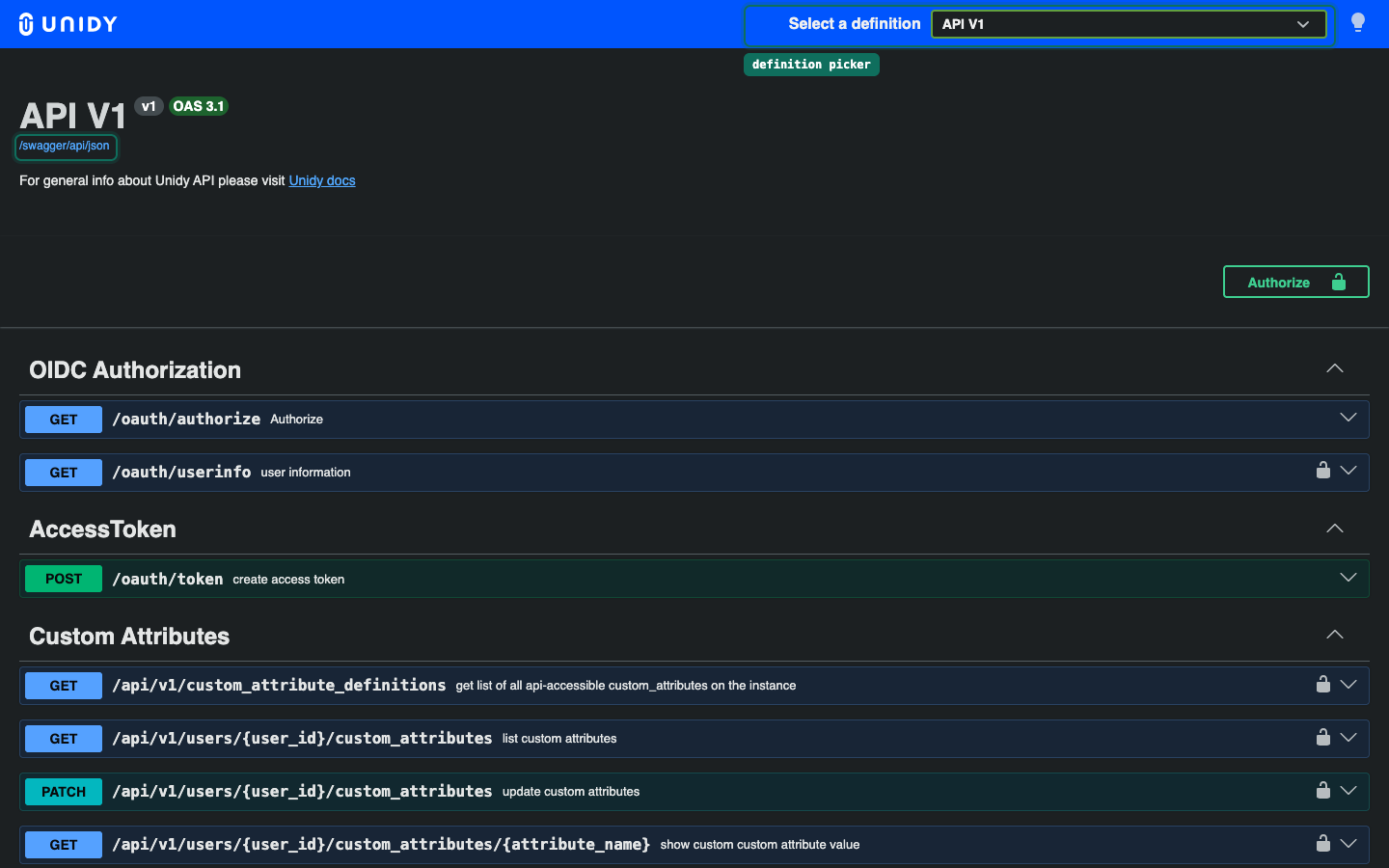
/SWAGGER/API/HTML — the reference as it opens · highlights on the Select a definition menu and on the /swagger/api/json link, which is the raw document. Operations are grouped by tag; the padlock on a row means the operation needs a token.
The published reference describes REST V1. Use the supported REST routes in these guides for integrations.
Read the operation
| Element | How to use it |
|---|---|
| Method and path | Identify the operation and substitute every required path parameter. |
| Parameters | Check required query parameters and supported filters. Confirm pagination behavior in the pagination guide. |
| Request body → Schema | Check names, types, and required fields. A schema-valid body can still fail ownership, feature, or model validation. |
| Security / padlock | Check the token scheme and requested scopes, then confirm the route-specific requirements in the permissions guide. |
| Responses | Review the documented success envelope and errors. Response examples illustrate shapes; they are not records from your installation. |
| Try it out | Build a request to the displayed host. Execute sends it to that installation. |
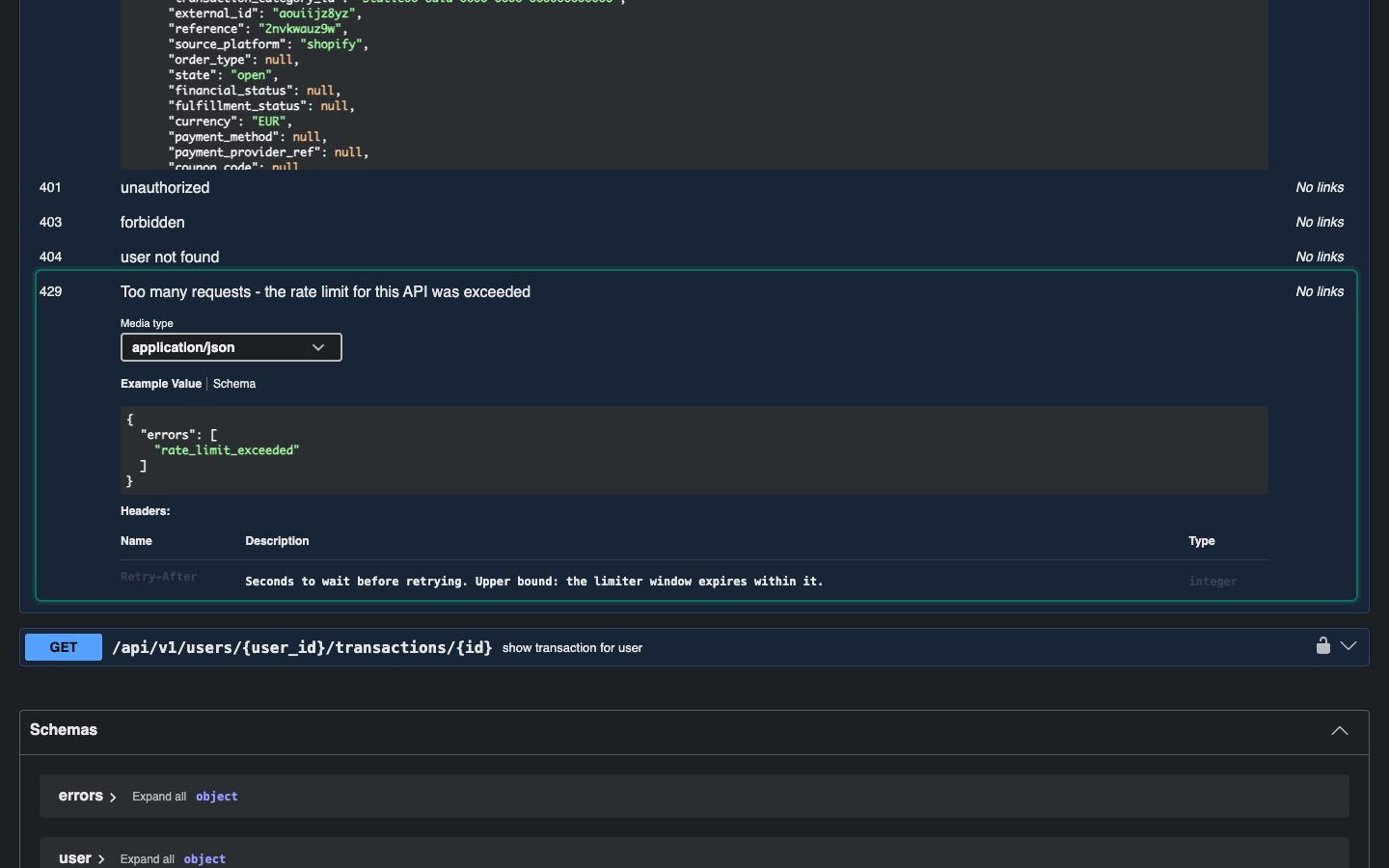
THE RESPONSES SECTION of an expanded operation · highlight on the 429, which every one of the 93 operations carries. It is the only response in the document that no test recorded — the build injects it, because the throttles sit on the shared base controller.
For a first end-to-end request, follow Make your first REST request. It includes the required user-list filter that may be absent from the generated reference.
Authorize a request
Use an OAuth application provisioned for the intended service and operation. Dashboard access and API authorization are separate: being signed into the dashboard does not authorize requests in the reference.
For an application-token operation:
- Use a test integration with explicitly limited scopes and a client secret available to an authorized administrator.
- Click Authorize and choose the client_credentials scheme.
- Enter its client ID and secret, select the required scopes, and complete authorization.
- Close the dialog and execute the selected operation.
The browser receives the credentials you enter. Use a trusted machine and your intended test environment, then clear the reference’s authorization when finished. Never embed this secret in a public application.
For a user-token operation, use the user_token authorization flow with a correctly configured application. Its redirect URI must match the current reference URL, including the path; the viewer uses its own origin and pathname as the OAuth callback. Changing from the legacy /api-docs URL can require updating that application configuration. The customer authorizes the requested scopes during the flow.
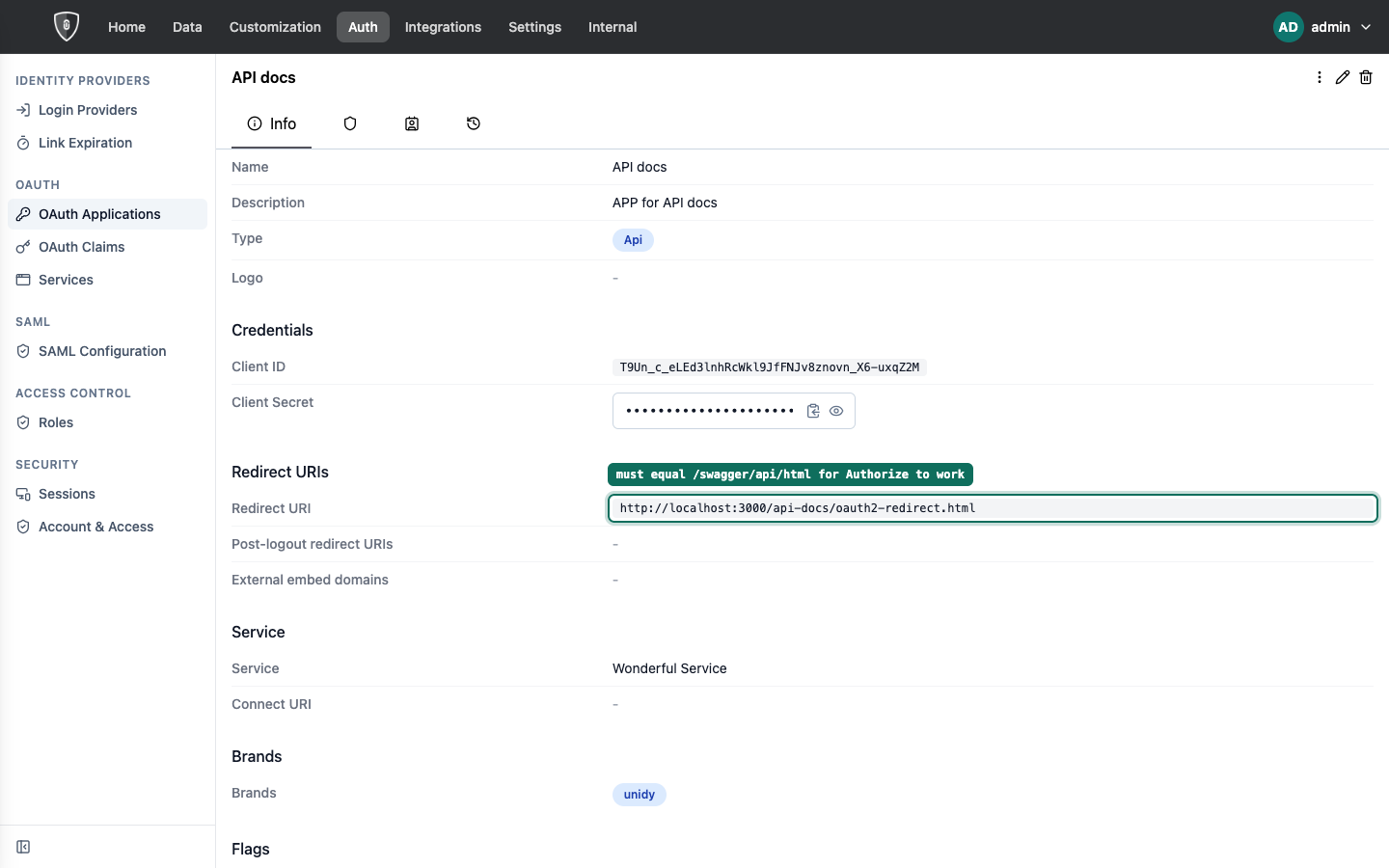
AUTH → OAUTH APPLICATIONS → API DOCS — where the credentials for Authorize come from · highlight on Redirect URI, which on the seeded application still points at the pre-redirect /api-docs address rather than at /swagger/api/html.
Consult User-authorized access when deciding which scheme and route to use. Broad admin:* scopes do not bypass the required token type.
Try a call and inspect the result
- Choose a read operation on test data and click Try it out.
- Enter the required IDs and parameters, then check the target host.
- Click Execute.
- Read Request URL, the HTTP status, headers, and response body. Save the generated request if you need to reproduce it in your own client.
Requests affect the selected installation
Write operations can create, change, or delete records and can trigger mail or webhook deliveries. Use disposable data when trying them. Confirm the outcome before repeating a request whose response was lost.
An OAuth-layer 401 or 403 can have an empty or non-JSON body. A missing scope may be identified in WWW-Authenticate; it is not necessarily a JSON validation error. See Errors, idempotency, and retries.
Download the definition for your tooling
Download the REST JSON from the installation you will integrate with:
curl --fail --silent --show-error \
  --header 'Cache-Control: no-cache' \
  'https://your-tenant-host/swagger/api/json' \
  --output unidy-api-v1.json
Import that file into your API client or generator. Set the target host in the tool: a downloaded definition may not contain a servers entry. If the tool needs explicit operation IDs, supply stable names in a maintained local overlay rather than editing generated application code.
Record the installation and download date alongside your copy, and refresh it after relevant releases. The JSON can be cached, and its v1 label is an API version rather than a deployment identifier.
Generated clients still need application-level token handling, timeout and retry decisions, error parsing, and reconciliation. Inspect their emitted URLs and authorization headers with a simple read before using write workflows.
Known reference limitations
The published OpenAPI document may lag supported behavior. Use the linked guides for these details while the generated definitions are updated.
| Area | What to use |
|---|---|
| User listing | GET /api/v1/users and its required changed_since parameter can be absent. Follow Make your first REST request. |
| Ticket and subscription batch scopes | Use tickets_batch:write and subscriptions_batch:write for their respective batch routes; some definitions incorrectly list newsletter scope. |
| Pagination | Defaults and parameters are not complete in the generated definition. Follow Pagination and filtering. Tickets and subscriptions do not all acquire pagination merely because other collections support it. |
| Token and custom-action permissions | Confirm the token type and action-specific scope in Scopes and permissions. Administrative scopes are not accepted for every custom action. |
| Response and validation details | Use the operation’s guide for ownership, feature requirements, envelopes, and outcome verification. Schema validation alone does not establish that a write succeeded. |
| Coverage | An operation missing from this document may still be supported. Check the relevant workflow guide or ask the integration owner before assuming it is unavailable. |
If a request and the reference disagree, capture the method, path, status, response headers, and a redacted body, then report the mismatch with the installation and definition download date. Remove tokens, secrets, and customer data from the report.
REST API v2 reference
On an instance with API v2 enabled, open /swagger/v2/html or download /swagger/v2/json from that instance's origin. Start with the v2 guide for credentials, brand selection, envelopes and migration boundaries. The v1 scope and schema caveats above do not define the v2 contract.