REST API overview
Understand the server-side API and when to use it.
Use the REST API to read and update customer data from a trusted backend, or to access supported resources on behalf of a customer who has authorized your application.
This guide covers /api/v1 on your tenant's HTTPS host. It uses OAuth access tokens issued by /oauth/token. An SDK client API key is for /api/sdk/v1 and cannot replace an OAuth token here.
For installations with API v2 enabled, use the separate REST API v2 guides. V2 uses API keys or qualifying delegated OAuth tokens, different envelopes, and its own permission contract. These v1 examples remain specific to v1.
Requests and resource responses use JSON. Send Content-Type: application/json with a JSON request body, and follow the operation's schema for its fields. Some successful operations return no body; check the status before parsing a response.
Choose the token for your route
| Caller | Token | Typical routes |
|---|---|---|
| A trusted backend performing an approved integration | Application token from client credentials | /api/v1/users, transactions, newsletter operations, and /api/v1/users/{user_id}/tickets or /subscriptions. |
| A customer authorizing your application | User access token from Authorization Code | /api/v1/tickets, /api/v1/subscriptions, and supported ticket-transfer operations. |
Permission depends on the token's scopes, the operation's accepted token type, and applicable resource, service, and brand restrictions. A user token is bound to its subject; an application token grants a separately provisioned backend privilege. Knowing a user's ID is not authorization to access their data.
Start or continue an integration
- First connection: Make your first request gets an application token and reads a page of users.
- Permissions: Scopes and permissions maps token types and scopes to operations.
- Delegated access: User-authorized access covers subject-bound ticket and subscription access.
- Writes: Common REST workflows provides resource recipes and reconciliation checks.
- Collections: Pagination and filtering explains each endpoint's parameters and synchronization limits.
- Failures: Errors, idempotency, and retries covers empty errors, backoff, and ambiguous write outcomes.
- Contract lookup: REST API reference links the interactive and raw OpenAPI documents.
Response shapes
Check the operation's contract: collections do not all use the same envelope or support pagination. These examples show the structure only; records have additional fields.
Paginated collections, including the user list, return meta and results:
{
  "meta": { "page": 1, "next": null },
  "results": []
}
Unpaginated resource collections can use a named key:
{ "tickets": [] }A detail response is generally the resource itself:
{
  "id": "4a0c0d5e-850b-44de-9950-594ef74b3b59",
  "email": "customer@example.com"
}
Other endpoints use different wrappers, and some successful operations have no response body. Do not infer pagination from a plural route or parse every response as JSON.
Plan the boundary of your integration
Use dashboard administration for configuration such as brands, roles, OAuth applications, SDK clients, and webhook registrations. The public REST API is not a replacement for every dashboard action.
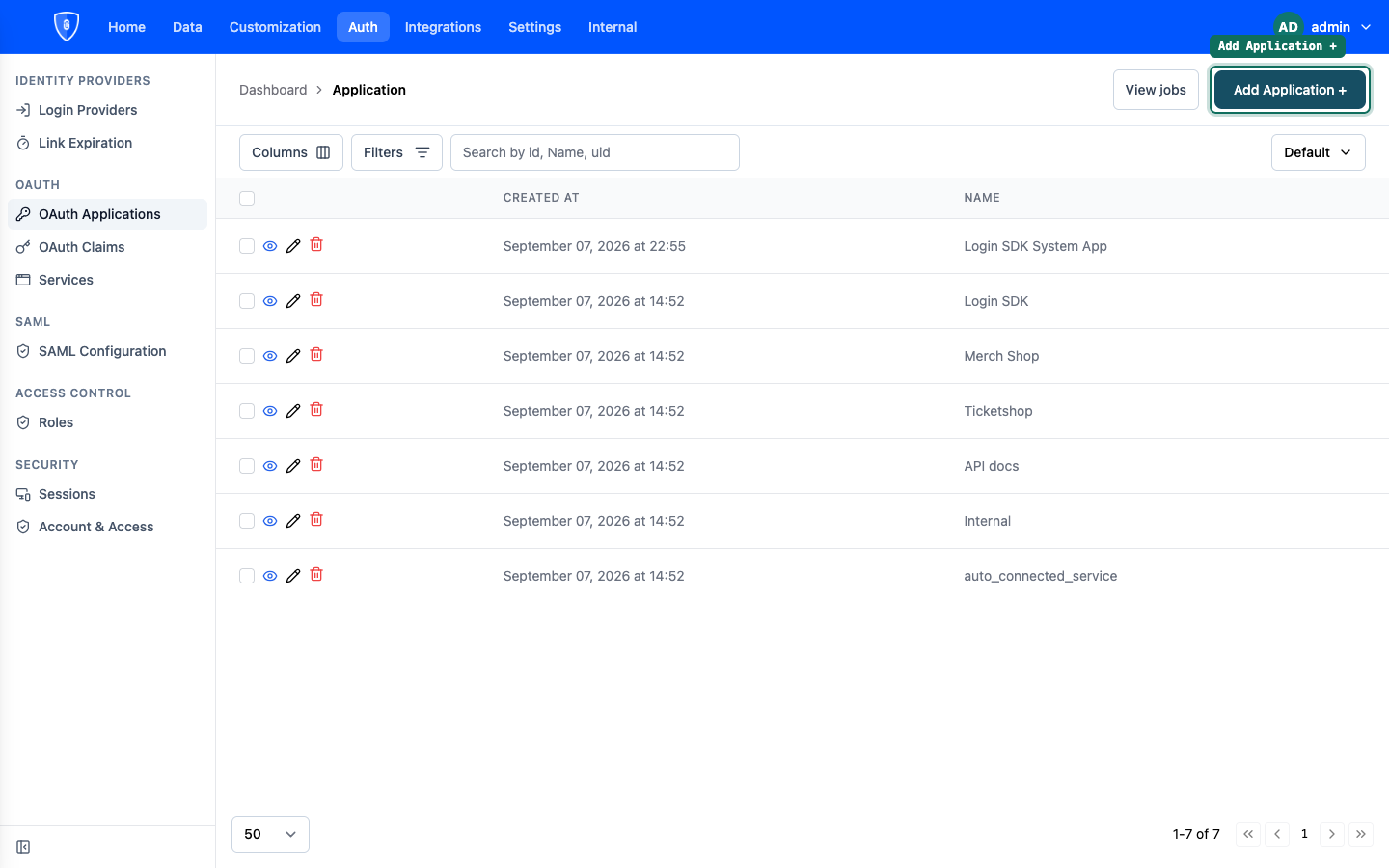
AUTH → OAUTH APPLICATIONS — every credential that can reach /api/v1 is a row here · highlight on Add Application +, which opens the create form.
For customer login and profile interfaces, see SDK HTTP API and Customer application SDKs. For change notifications, use Webhooks alongside a reconciliation process. REST reads expose current state and do not provide an event-history replay or an exactly-once write guarantee.