User-authorized access
Use Authorization Code or PKCE to act for a signed-in user.
Use a user-authorized OAuth access token when your integration should act within one signed-in person’s access. Use an application token for an administrator-provisioned backend integration that needs to address customers by ID.
These are different trust boundaries. Knowing a customer’s UUID does not authorize access to their records, and it is not a reason to distribute an application secret to a browser or mobile app.
Choose the access model
| User-authorized access | Application access | |
|---|---|---|
| Authorization | A customer signs in through the OAuth authorization flow. | An administrator provisions an OAuth application and its scopes. |
| Token identifies | The application and a specific resource owner. | The application, without a resource owner. |
| Person selected by | The token; the caller cannot change it with a user_id parameter. | A permitted route such as /users/{user_id}/tickets. |
| Typical use | A customer-facing integration acting on the customer’s behalf. | A backend service syncing or managing records. |
| Access boundary | Granted scopes, the token’s person, service and applicable record visibility. | Granted scopes, permitted route, service and applicable record visibility. |
Neither model bypasses feature settings, validation, or operation-specific authorization. Use the narrower access model that meets the task.
REST OAuth and the SDK use different credentials
This page covers OAuth access tokens on /api/v1. The SDK HTTP API uses SDK application credentials and its own customer token flow on /api/sdk/v1. A public OAuth client can use Authorization Code with PKCE; it must not embed a client secret. Choose a surface according to its supported operations and your application’s architecture.
Get a user-authorized token
- Have an administrator configure the OAuth application’s redirect URI, service, and required scopes.
- Use Authorization Code with PKCE for a public client, or Authorization Code for confidential clients for a backend that can protect its secret.
- Request the resource scopes the integration needs. For read-only tickets, request
tickets:read; addopenidand the necessary identity scopes if you also use OpenID Connect for sign-in. - Complete the redirect and code exchange with an OAuth/OIDC library. Validate the authorization response and, when used, the ID token according to that flow’s guide.
- Send the returned access token to REST. Use
expires_inand the documented refresh flow to maintain access.
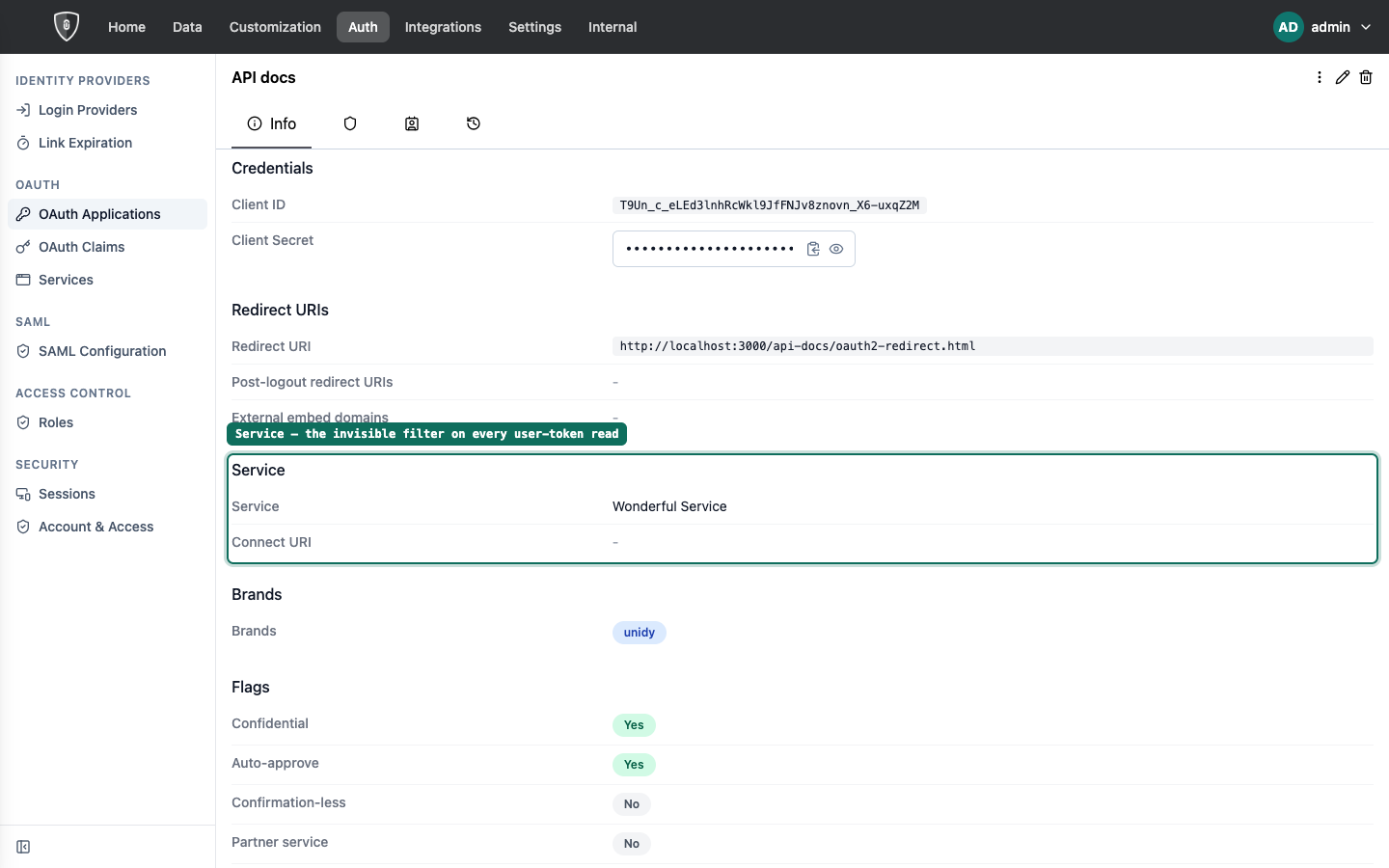
AUTH → OAUTH APPLICATIONS → an application → Info — the three fields this page depends on · highlight on the Service block, which is the invisible filter on every ticket and subscription a user token reads. Redirect URI above it has to match your callback exactly, and Auto-approve below it decides whether the customer ever sees a consent screen.
The ID token is an identity assertion; it is not the bearer credential for REST calls. A client-credentials token remains an application token regardless of which scopes you request. Keep track of the flow that issued each token rather than inferring its type from an opaque token string.
Routes that act for the token’s person
| Task | Direct user-token route | Scope | Application-token counterpart |
|---|---|---|---|
| List/read tickets | /api/v1/tickets and /api/v1/tickets/{id} | tickets:read | /api/v1/users/{user_id}/tickets and its member route |
| Create/update/delete tickets | POST /api/v1/tickets, PATCH or DELETE /api/v1/tickets/{id} | tickets:write | Corresponding nested user routes |
| List/read subscriptions | /api/v1/subscriptions and /api/v1/subscriptions/{id} | subscriptions:read | /api/v1/users/{user_id}/subscriptions and its member route |
| Create/update/delete subscriptions | POST /api/v1/subscriptions, PATCH or DELETE /api/v1/subscriptions/{id} | subscriptions:write | Corresponding nested user routes |
| List transfers | GET /api/v1/ticket_transfers | tickets:read | /api/v1/users/{user_id}/ticket_transfers |
| Create or manage transfers | /api/v1/tickets/{ticket_id}/transfer and the transfer action routes | tickets:write | Corresponding nested user routes |
| Create a login handoff | POST /api/v1/one_time_login_tokens or /api/v1/one_time_login_tokens/unidy | one_time_login_tokens:write | None |
Ticket and subscription batch creation also accepts user tokens with the corresponding *_batch:write scope. A user token cannot use that access to assign records to another person.
The direct user-list and transaction routes require application tokens; adding their resource scopes to a user-authorized token does not change this. See Scopes and permissions for the full matrix and administrative alternatives.
Read the customer’s tickets
With a user-authorized access token carrying tickets:read:
curl 'https://your-tenant-host/api/v1/tickets' \
  --header "Authorization: Bearer $UNIDY_USER_ACCESS_TOKEN" \
  --header 'Accept: application/json'
The collection response has a tickets array; an empty result is {"tickets":[]}. A detail request to /api/v1/tickets/{id} returns the ticket object directly. Ticket and subscription lists do not use the paginated transaction envelope.
The token selects the person. The OAuth application’s service narrows the ticket and subscription records that can be reached. Ticket visibility also follows the brand resolved from the request host. Use the host and application service configured for the integration; an empty list can be a context mismatch rather than evidence that the person has no records.
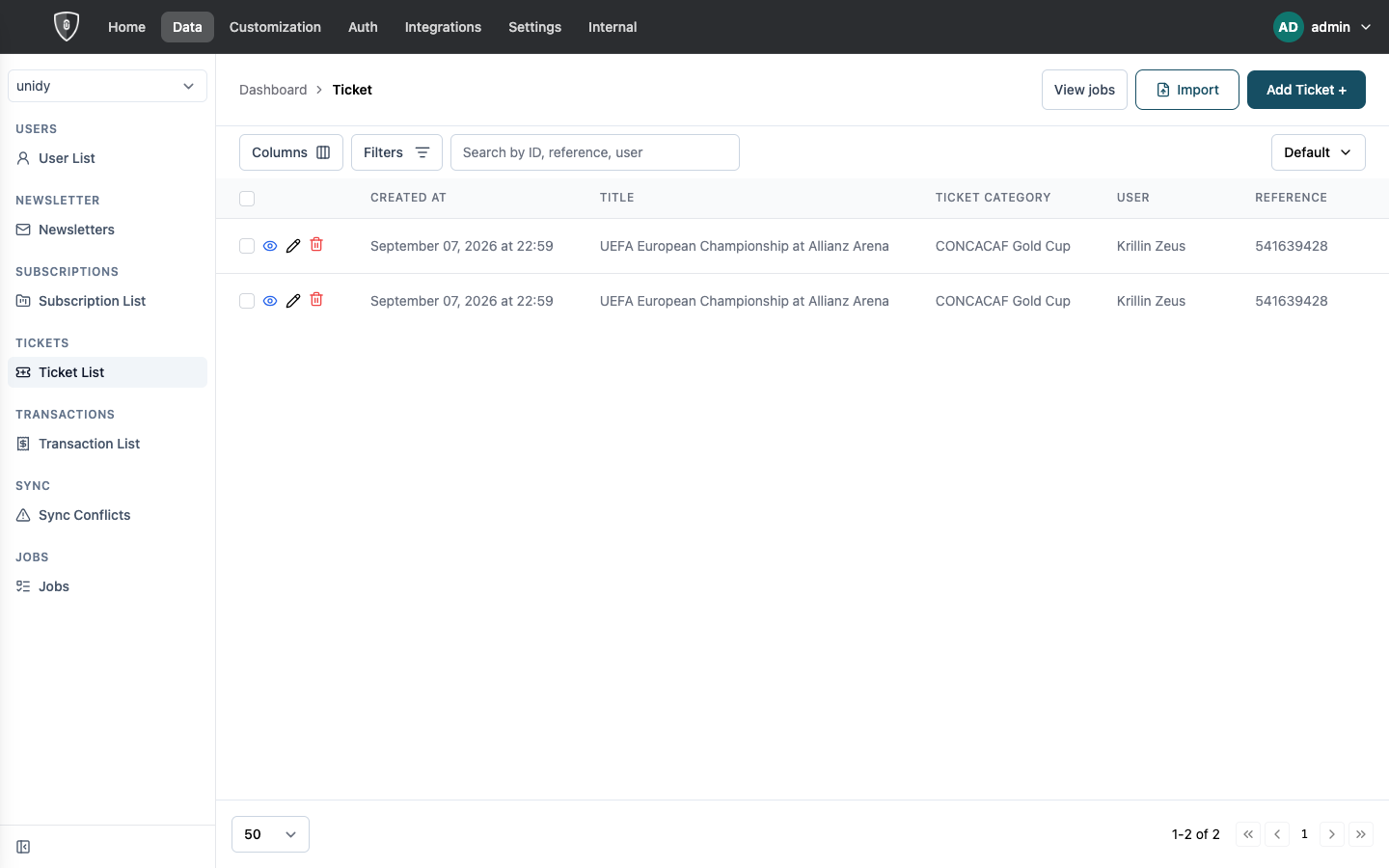
DATA → TICKET LIST — the same two rows, from the other side. Both belong to one customer, which is why the worked request above returns two records; the User column is what the token replaces.
Ownership and ticket transfers
With ticket transfers enabled, a person can read tickets they own or currently hold, within the applicable brand and service. Without transfers enabled, reads use owned tickets.
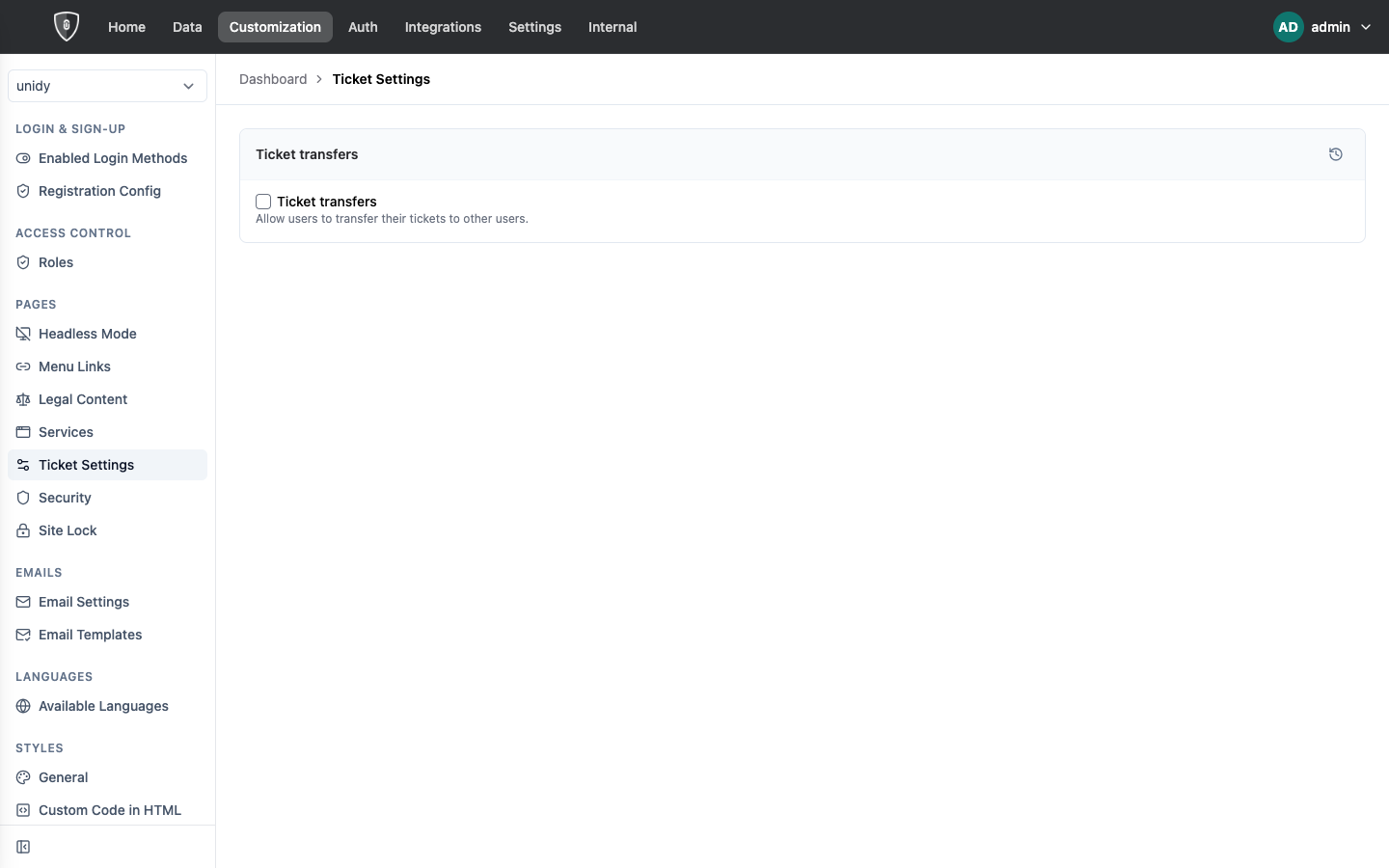
CUSTOMIZATION → TICKET SETTINGS — one checkbox, three consequences. Off, as here: the seven ticket-transfer operations answer 403 feature_disabled; GET /api/v1/tickets returns the tickets the person owns. On: the transfer operations work and GET /api/v1/tickets switches to the tickets they hold, which is a different set.
| Situation | Read behavior | Ordinary update/delete behavior |
|---|---|---|
| Alice owns a ticket and has not transferred it | Alice can read it. | Alice can update or delete it with a write scope. |
| Alice owns a ticket currently held by Bob | Both may read it in their permitted context. Alice’s view has metadata and wallet_export set to null, and exportable_to_wallet is false. | Alice remains the owner; Bob’s holder status does not permit ordinary updates or deletion. |
| Bob holds Alice’s ticket | Bob can read the held ticket. Its user_id identifies Alice, while holder_id identifies Bob. | Bob can use a permitted holder action such as returning the ticket; that is separate from updating the ticket record. |
Do not assume response user_id equals the token’s subject: it identifies the ticket owner. Transfer actions also check the caller’s role in that transfer and its current state.
Compare the application route
An authorized backend with an application token carrying tickets:read reads the corresponding customer context through:
curl 'https://your-tenant-host/api/v1/users/USER_UUID/tickets' \
  --header "Authorization: Bearer $UNIDY_APPLICATION_ACCESS_TOKEN" \
  --header 'Accept: application/json'
Replace USER_UUID with the person’s Unidy ID. This is a privileged application operation: the application token’s provisioning authorizes it, not possession of the UUID alone. The service and ticket visibility rules still apply.
Keep application credentials server-side and provision only the scopes that service requires. A subject-bound user token limits a compromised token to its customer context; a broader application credential has a different impact and should be handled accordingly.
Handle access failures
| Result | Next step |
|---|---|
401 | Check the bearer token, expiry, revocation, and issuing host. Follow the token-lifecycle guide to renew access when appropriate. |
403 with insufficient_scope | Check the resource scope and the application’s configured scopes. Do not keep retrying the same token. |
400 requiring a user-based token | Use a token issued after customer authorization for the direct route. |
400 requiring a non-user-based token | Use the application-token route and flow, or choose the direct user route for the task. |
404 for a member | Check the ID and whether it is reachable in this person, service, brand, and ownership context. |
403 from a transfer action | Inspect its error identifier; feature settings and sender/recipient/owner/holder checks also apply. |
422 | Correct the operation’s payload or resolve its current state before retrying. |
Read status and headers before parsing a body: OAuth authorization failures can be empty or non-JSON. Use Errors, idempotency, and retries for retry decisions.