Security posture
Understand credential handling, session behavior and security controls.
Security posture
Use this reference to understand credential handling, authentication boundaries and the controls that affect an integration. Deployment configuration also matters: confirm the behavior of your environment before making commitments about infrastructure encryption, edge rate limits, TLS or a specific session policy.
For assigning access, use roles and feature availability and roles and account security.
How are credentials stored and revealed?
| Credential | Application storage and handling |
|---|---|
| Customer password | A bcrypt password hash; the original password cannot be retrieved. |
| OAuth application secret | Stored in recoverable form by the current OAuth configuration. Keep confidential-client secrets on your backend. |
| OAuth access and refresh tokens | The current OAuth storage strategy does not hash these values. Treat database and backup access as sensitive. |
| SDK client API key | A retrievable application credential designed for SDK clients, including browser applications. It does not replace the customer's JWT or authorize arbitrary REST operations. |
| Personal/system API key, where available | Stored as a SHA-256 digest with a last-four-character identifier. The full new value is shown when generated and cannot later be recovered. These are separate from SDK client API keys. |
| Webhook signing secret | A shared secret retained so Unidy can sign and your receiver can verify deliveries. Keep it in the receiver's secret store. |
| OIDC/SAML private signing material | Managed by the deployment; never distribute private signing keys to relying applications. |
Application-level recoverable storage is different from infrastructure encryption at rest. A database encryption control does not make a recoverable application credential a one-way hash, and this table does not establish a deployment's disk or backup encryption settings.
On OAuth and SDK detail screens, revealing the credential requires the relevant write permission. A viewer without that permission receives redacted text; the full credential is not rendered by that detail component. Separately, credential fields remain available to the generic list/export machinery. Review permitted columns, saved views, export access and existing exports as part of access control; do not treat the detail-screen reveal control as a guarantee covering every surface.
How should credentials be rotated?
Rotating an OAuth client secret or SDK client API key generates a new value and replaces the old one. There is no automatic old/new overlap for that rotation action.
- Identify every consumer and choose a coordinated cutover window.
- Prepare its configuration update and validation procedure without inventing the future value.
- Rotate the credential with an authorized administrator, securely retrieve the new value, and immediately update the consumers.
- Verify a real authenticated operation from each consumer and monitor failed authentication during the cutover.
- Remove stale values from deployment settings and operational copies.
If uninterrupted overlap is required, agree on a separately provisioned replacement registration or credential where the product supports it. Do not assume the rotation button preserves the old value. See OAuth application administration and SDK client administration.
Which OAuth controls should new integrations use?
Use Authorization Code with S256 PKCE. Confidential clients also authenticate the token exchange with their server-held secret. Supported confidential-client authentication methods are client_secret_basic and client_secret_post; do not configure private_key_jwt or mTLS without an explicitly supported deployment integration.
PKCE is supported but is not globally forced by the current application configuration. The plain method is also advertised; choose S256. The current provider still enables legacy implicit and password grants. Use Authorization Code for new integrations, following the OAuth security best current practice.
The published discovery scopes describe available capabilities, not authorization granted to every client. Assign only the scopes needed by an application and inspect the scopes actually granted. Identity claims, including roles, report context; they do not authorize operations on their own.
What ends a session or token's validity?
| Layer | Relevant behavior |
|---|---|
| OAuth access token | Default lifetime is two hours, configurable by deployment. Use the response's expiry information. |
| OIDC ID token | A short-lived identity assertion, normally 120 seconds. Retain it securely if needed as a logout hint; do not use it as an API access token. |
| Authorization code | Short-lived and single-use; the default lifetime is ten minutes. |
| OAuth refresh | Produces a replacement token pair and, for an openid grant, a new ID token. Parent revocation is deferred until the replacement access token is used. It does not implement a general token-family reuse detector. |
| SDK refresh | Produces a replacement pair, then revokes the previous token. The refresh credential must belong to the same user and SDK application. The issued pair has a ten-day window, renewed by a successful refresh. |
| Server token retention | Scheduled cleanup removes OAuth token/grant rows older than 14 days and revoked rows after one day. Do not promise an indefinitely usable refresh token because it lacks an intrinsic expiry field. |
| Unidy browser session | Database-backed; cookie configuration allows up to two months, but scheduled cleanup removes session rows not updated for more than two weeks. Explicit revocation and other account/session controls may end access sooner. |
| Your application's session | Managed by your application. Unidy sign-out does not clear your own session cookie or automatically revoke every previously issued token. |
Serialize refresh work per application session and persist replacement credentials together. Follow token refresh, sessions and logout for the full contract and transient-error handling.
Does logout propagate to every application?
No. OIDC RP-initiated logout ends the Unidy browser login; it does not implement front-channel or back-channel logout notifications to your applications. The SAML logout endpoint also does not implement a complete SAML single-logout exchange. Your application must clear its own session and revoke its own credentials when appropriate.
OIDC-compliant RP-initiated logout controls whether an invalid logout request is refused or handled by the compatibility path. Send a valid id_token_hint and an intended registered destination even when compatibility mode is enabled. Current post-logout URI validation uses prefix matching, so register a specific destination and do not assume strict exact-string matching on that path.
Fallback external-redirect checks combine the global host allowlist with the selected brand's hosts. An empty global list therefore does not imply that all external redirects are denied. Review the effective brand configuration in addition to the application's post-logout destinations.
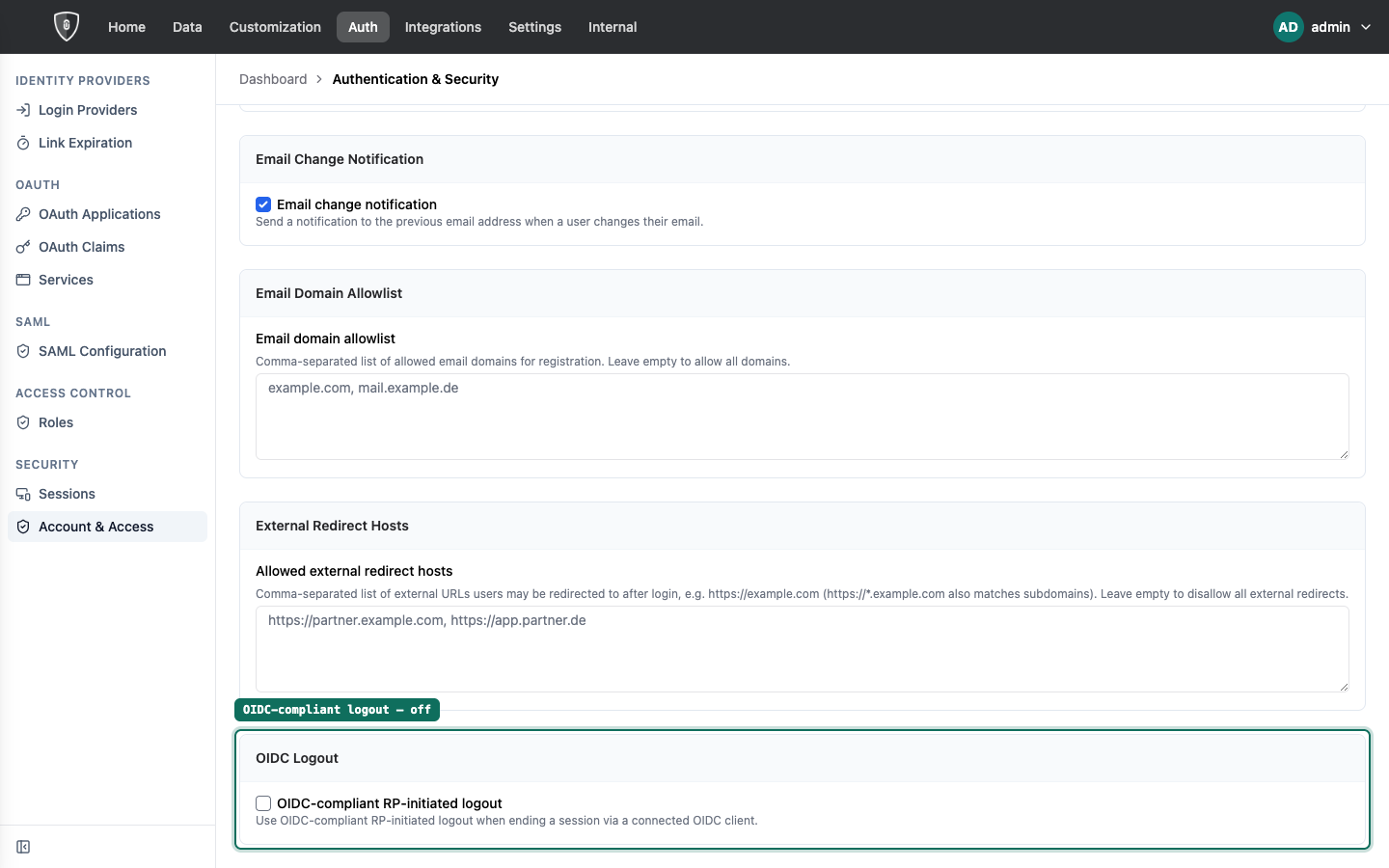
Auth → Account & Access · highlight on OIDC Logout. Both allowlists are empty on a fresh installation, and empty means deny for redirects and allow for registration — the two fields read the same and behave oppositely.
What protects sign-in and administrative access?
Hosted and SDK sign-in paths include failed-attempt tracking with temporary lockouts. Administrative account locks are a separate state. SDK endpoints also apply request throttles, independently of account locks; handle their 429 responses as described in Authentication errors. The legacy password grant does not pass through the same sign-in attempt tracking. The additional example application-wide throttles are not enabled in the current configuration; this does not disable the SDK endpoint limits. Confirm any additional ingress or provider rate limiting for the deployment.
Passwords are subject to the brand's configured policy. Passkeys can be a primary sign-in method for an account, including an account that holds an administrator role. They do not create a separate enforced dashboard MFA or step-up requirement.
Administrators use the same account system and Unidy browser session as customers. In RBAC mode, access is checked against resource/action permissions and applicable global or brand scope. A legacy role label alone is not an unrestricted bypass. Audit history records supported dashboard changes; consult save, reset, preview and history for its limits and sensitive-value handling.
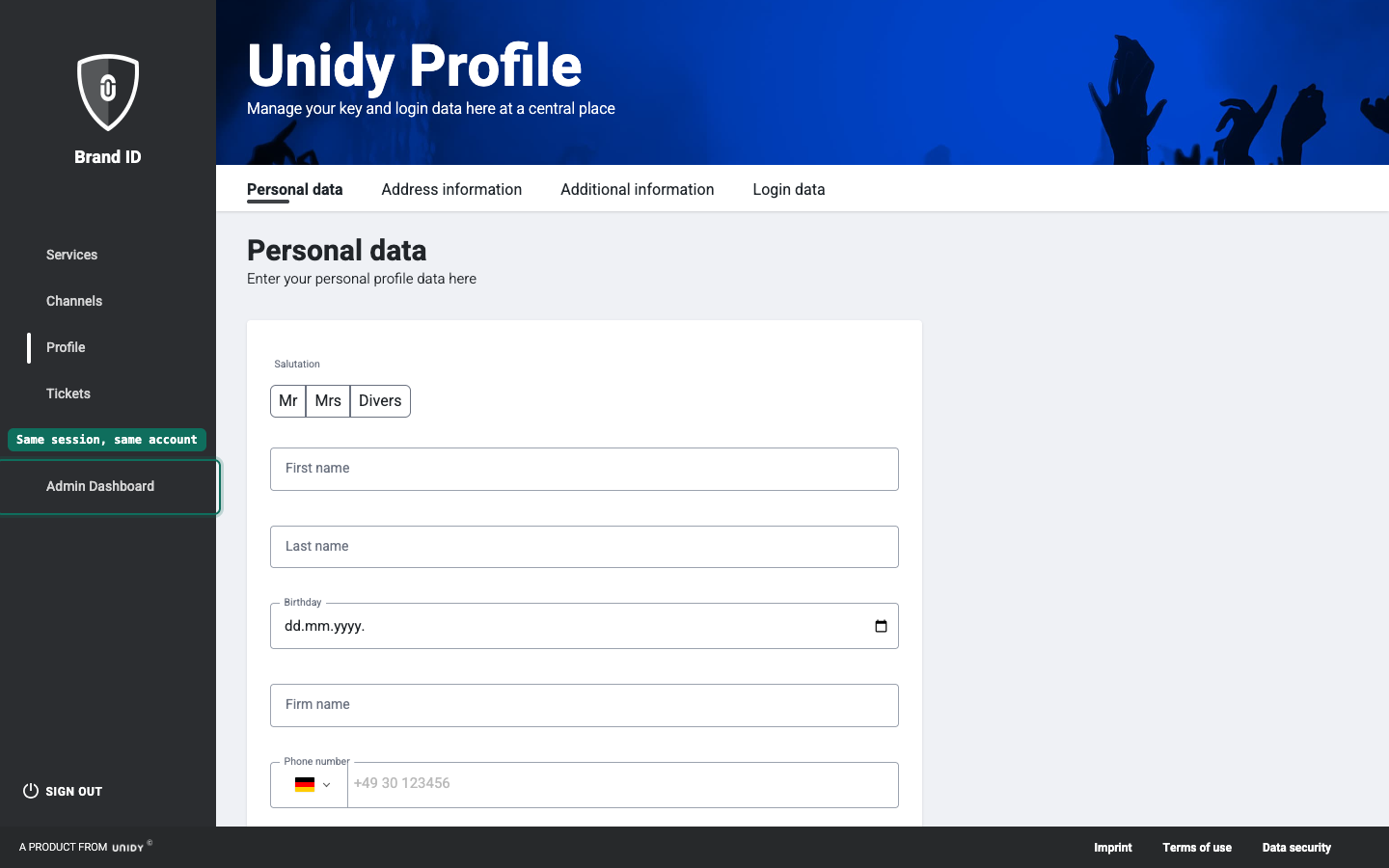
The seeded admin's own customer profile at /profile, reached without signing out · highlight on Admin Dashboard. This is the evidence for the first two rows above: one record, one session, two front ends.
What are the federation and browser boundaries?
- SAML: Unidy is the identity provider for registered service providers. The current connection configuration does not require AuthnRequest signatures. It checks the registered issuer and allowed response hosts; do not assume that storing an SP certificate enables signature enforcement. See SAML metadata and certificates.
- External providers: An external OIDC provider can sign people into Unidy when configured as a login provider. That is a separate direction from applications consuming Unidy's OIDC or SAML responses.
- Framing: The hosted-page frame policy combines external embed domains from all OAuth applications on the installation. Review the full allowlist, not just one registration.
- SDK CORS: Allowed browser origins are collected across SDK clients. CORS controls browser response access; it is not a server-to-server authorization mechanism.
- Signing-key rollover: Use the current discovery/JWKS or SAML metadata and coordinate rollover with Unidy. Confirm affected connections and how each consumer trusts replacement keys; do not infer a universal overlap policy from one metadata response.
Evidence for your environment
Keep a dated copy of discovery, the relevant public signing keys or metadata, effective redirect/embed settings, role assignments and the agreed credential-rotation process. Public metadata is useful configuration evidence, but a signed metadata document is trusted only after the signing key's provenance is established.
Use a disposable test account to verify login, refresh, logout and recovery in your environment. Those checks create credentials and can terminate sessions; they are active tests. Record the browser, application version, result and any deployment controls that supplement the application behavior described here.