Silent authentication
Restore application sessions without an interactive login.
Silent authentication
An OIDC authorization request with prompt=none asks Unidy to authorize a user without showing an interactive screen. Use it when your application needs to establish whether the browser has a usable Unidy login and obtain a new authorization code.
If you already hold a refresh token, use the refresh grant to renew the token pair. Refresh does not inspect the browser's login cookie. SDK applications should use their SDK's session handling instead of combining unrelated OIDC and SDK tokens.
Before you start
- Register an OAuth application and the callback URI used by the silent request.
- Implement and verify the normal Authorization Code with PKCE flow first. A confidential backend also authenticates its token exchange.
- Request
openid, sendprompt=noneon its own, and create a newstate,nonceand S256 PKCE transaction for each attempt. - Keep an interactive sign-in path available. A successful login in another tab does not guarantee that an embedded request can access the Unidy cookie.
Hidden-frame authentication depends on browser cookie policy. A cookie that works when Unidy is the top-level page may be unavailable in a cross-site frame. Treat a timeout or login_required as an interactive-fallback condition, not proof that the account has no active session anywhere. Test the domains and browsers you support.
Request contract
Use the authorization endpoint from OIDC discovery. This parameter example shows the request shape; the placeholder transaction values must be generated and stored by your OIDC client.
GET /oauth/authorize?response_type=code
    &client_id=YOUR_CLIENT_ID
    &redirect_uri=https%3A%2F%2Fapp.example.com%2Fsilent-callback
    &scope=openid%20profile%20email
    &prompt=none
    &state=RANDOM_TRANSACTION_STATE
    &nonce=RANDOM_TRANSACTION_NONCE
    &code_challenge=BASE64URL_SHA256_OF_VERIFIER
    &code_challenge_method=S256
The line breaks above are for readability; a browser sends one encoded URL. Do not combine none with login, consent or another prompt value. Omitting openid does not provide the OIDC silent-authentication contract.
A valid request can return a code or an OAuth error to the registered callback. Invalid client IDs, invalid redirect URIs or other malformed requests can instead produce an error page or an HTTP error at Unidy. Do not assume that every possible request ends in a callback redirect.
Handle the result
Validate callback state against the nonempty state stored for that exact attempt before acting on success or failure. A code is not an authenticated application session: exchange it with the saved PKCE verifier, validate the ID token including nonce and intended issuer/audience, and then establish your application session.
| Result | Meaning | Next action |
|---|---|---|
code with matching state | Unidy could complete authorization without interaction. | Complete the same code exchange and token validation used by your normal login. |
login_required | No usable authenticated user is available to this request. The cookie may be missing, inaccessible or no longer valid; real-email completion can also prevent silent authentication. | Offer interactive sign-in. Do not immediately repeat the same silent request. |
consent_required | The requested authorization needs the person's approval. | Start an interactive authorization request for the same intended scopes. |
interaction_required | The application requires an interactive account/profile step. | Continue through the normal top-level flow so the person can complete the step. |
invalid_request or a scope error | The request cannot be processed as submitted. | Check prompt, client registration, callback URI and allowed scopes; surface a recoverable sign-in option. |
| Missing/mismatched state | The callback does not belong to the expected transaction. | Reject the callback; do not exchange its code or create a session. |
| Timeout, blocked frame or error page | The request did not produce a usable callback within your limit. | Remove the frame, end the attempt and offer interactive sign-in. Record a sanitized diagnostic. |
This is an outcome table, not a guarantee about validation order. More than one invalid condition can be present, and a malformed request may never reach the redirect-error path.
Integrate with your OIDC client
Prefer your OIDC client's silent-sign-in support where it is compatible with your deployment. If you adapt the client used in the PKCE guide, retain its transaction and token-validation code; only the authorization navigation and callback transport change.
- Create a fresh authorization transaction with
prompt=noneand the dedicated callback URI. Store the state, nonce and verifier together so concurrent attempts cannot overwrite one another. - Navigate the hidden frame to that authorization URL. Start a bounded timeout, for example eight seconds, appropriate to your application and network.
- On your own callback page, pass the callback to the OIDC client. If you use
postMessageto reach the parent, use an exacttargetOrigin; the parent must check bothevent.originand the sending frame, then validate transaction state. Do not broadcast tokens to*. - Exchange a successful code once and validate the resulting ID token. Handle OAuth errors without attempting a token exchange.
- Remove the frame, event listeners, timer and stored transaction on every terminal outcome. Do not leave an unresolved promise after a network error.
- On an interaction-required outcome, offer a visible sign-in action and start a new top-level transaction. Do not automatically force logout or create a retry loop.
An error page may remain on Unidy's origin, so the parent cannot read it because of browser same-origin rules. The timeout is required even when the callback code works correctly.
Consent, required fields and scopes
An application's Auto-approve setting can remove a consent step. An existing active authorization for that same application and person can also satisfy consent when it covers all requested scopes. Asking for additional scopes may require a new interactive approval.
Required profile fields are configured per OAuth application. A change can make that application's next silent request require interaction; it does not automatically change the requirements for every partner. Configure these fields in OAuth applications, claims and services.
Some recognized custom scopes that are not assigned to an application are removed before scope validation. Do not assume that every requested optional scope was granted. Inspect the token response's granted scope and handle missing optional claims. See ID tokens and claims.
Other prompt values
| Prompt | Use and consequence |
|---|---|
none | Request authorization without interaction; send it alone. |
login | Request a new login. The current flow signs the person out of the shared Unidy browser session before showing login. |
select_account | Also restarts login; it does not provide a multi-account picker. |
consent | Request an explicit consent step. |
create | Does not open a dedicated registration flow; use the configured registration entry point. |
Use login deliberately: it affects the shared Unidy session, including an open dashboard in that browser. It does not end every relying application's independently managed session.
Framing and session limitations
External embed domains control rendered hosted pages, not whether a browser sends the login cookie. A successful redirect-only silent flow need not render a hosted page, while an unexpected login or error page may be blocked by framing policy. The policy currently combines domains from all OAuth applications on the installation. Do not broaden that allowlist as a substitute for fixing a malformed silent request.
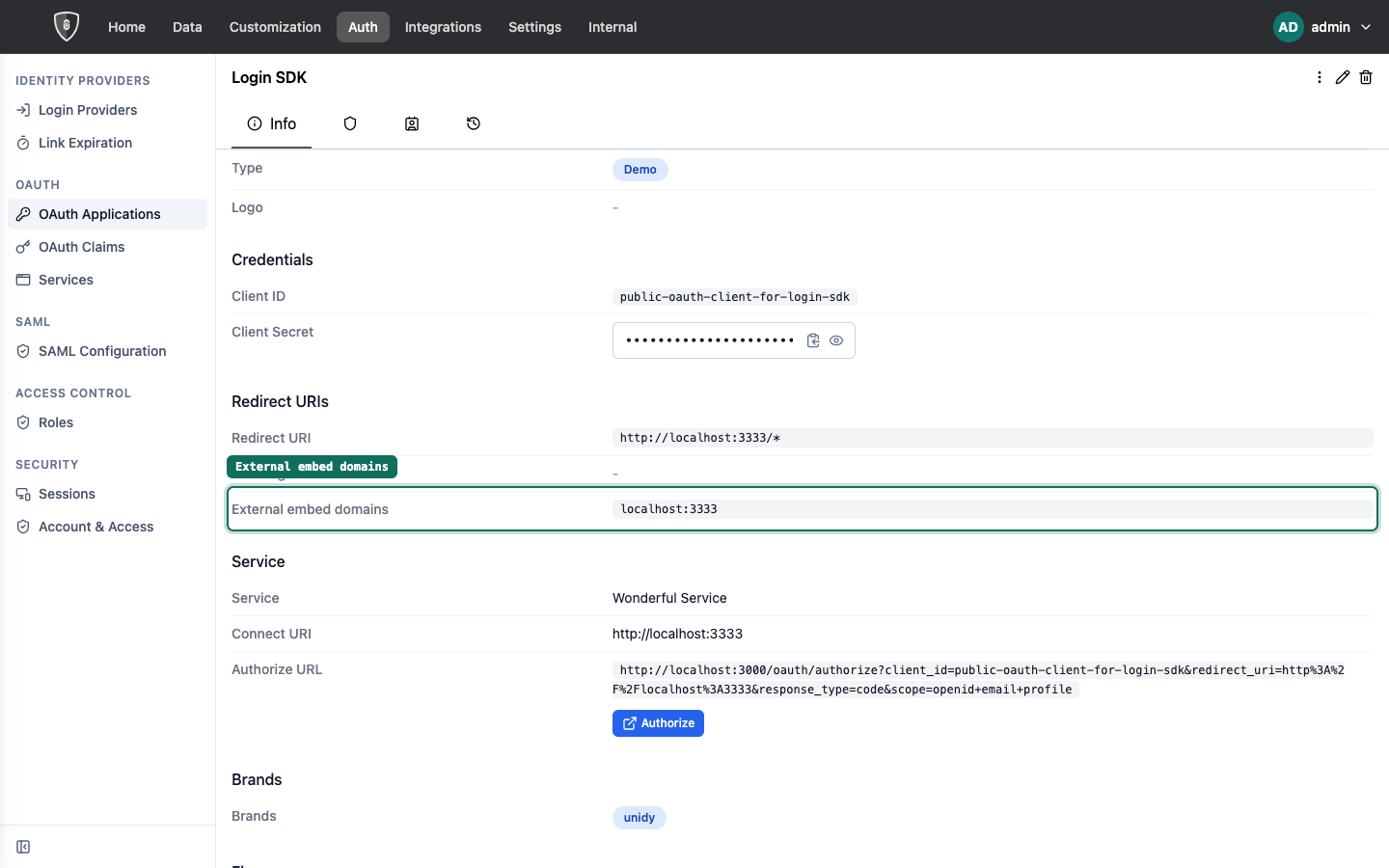
AUTH → OAUTH APPLICATIONS → LOGIN SDK — the Info tab · highlight on External embed domains, the field whose value is pooled across every application. Note also the wildcard Redirect URI http://localhost:3333/*: your silent callback must match a registered URI exactly, and page 50 documents how one missing slash breaks that match.
Unidy does not provide OIDC check_session_iframe/session_state session notifications or front-channel/back-channel logout notifications. A silent authorization request is a new authorization attempt, not a subscription to session changes. An SDK token's sid identifies an SDK sign-in and is not an OIDC browser-session identifier.
Do not build new clients on the legacy /oauth/iframe endpoint. Use the authorization-code flow above. Missing optional discovery metadata such as prompt_values_supported should be assessed with the client library you use; it does not alone establish whether that library can send a silent request.
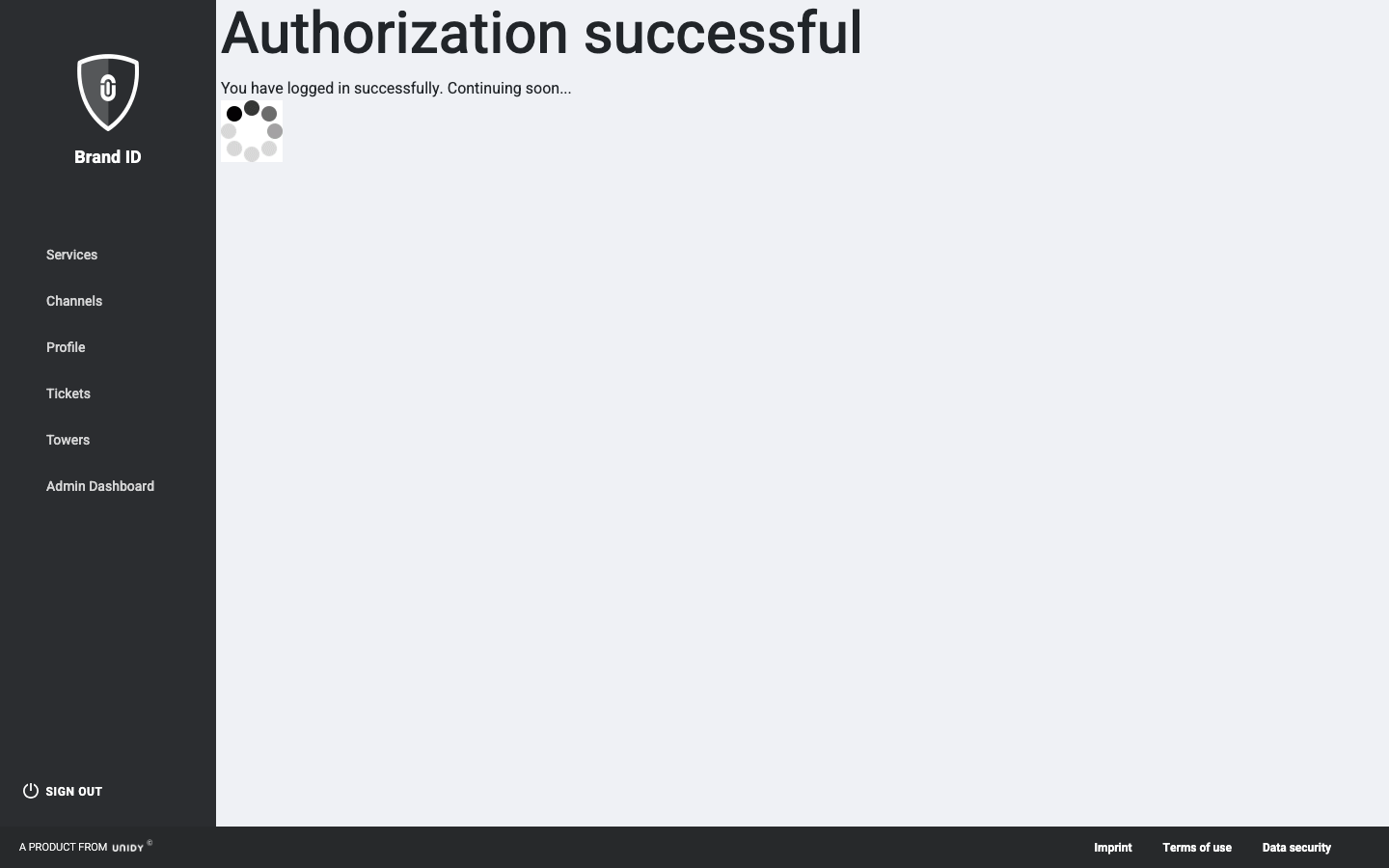
GET /oauth/iframe?callback_url=… signed in — not a bare payload page but the entire customer portal layout, complete with a SIGN OUT link, inside whatever frame you put it in. With no fragment in the URL the script it runs posts {action:'auth', idToken:null, expiresIn:null} to the caller-supplied origin and the spinner turns forever.
Unidy browser sessions also depend on server retention: the scheduled cleanup removes session rows not updated for more than two weeks. Do not infer an uninterrupted session from the cookie's configured maximum age. Keep token refresh and logout behavior separate in your implementation.