Webhook configuration
Create and secure webhook registrations.
Register the HTTPS endpoints that receive Unidy events, choose which changes they receive, and inspect delivery results under Integrations → Webhooks.
For receiver code and signing rules, use Configure and secure a webhook.
Required access
You need permission to read webhook registrations and the event/delivery records you inspect. Creating or editing configuration needs the corresponding write permission. Revealing a signing secret requires write access; changing the secret, rotating it, and registration enable/disable actions require manage access. With enforced roles and permissions, a superadmin label alone does not bypass these checks.
Ask an administrator to grant the required integration permissions if an action is unavailable. See Roles and permissions.
Register and verify an endpoint
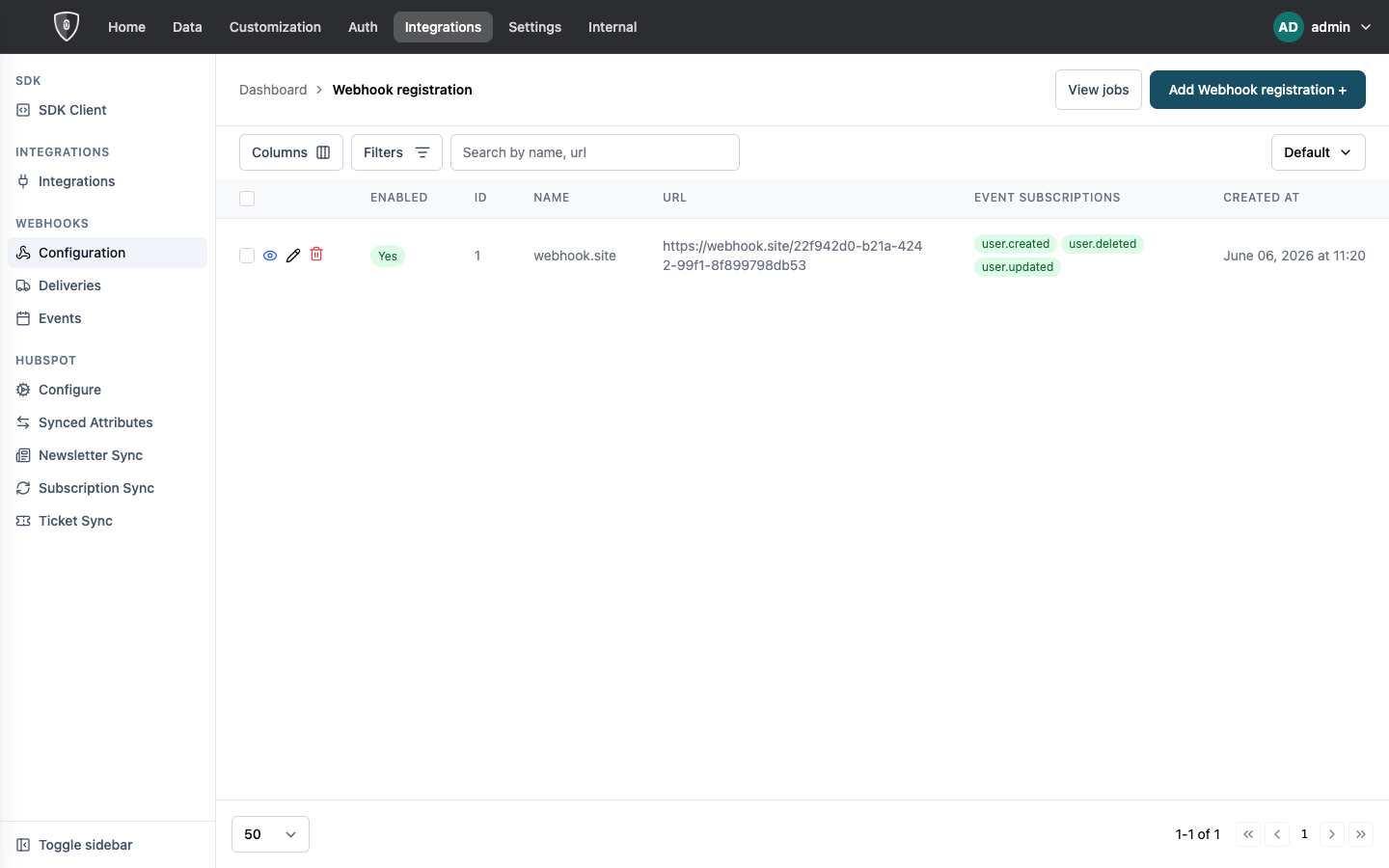
Configuration — the registrations list with one endpoint, its event subscription chips, and the Add Webhook registration + button.
- Open Integrations → Webhooks → Configuration and choose Add Webhook registration.
- Enter a unique name and the receiver's final HTTPS URL.
- Leave legacy signing off for a new receiver. Configure the receiver for v2 signing and securely supply its signing secret. Add Basic Auth or custom headers only if the receiver requires them.
- Save the registration, open it, and select Subscriptions → Add Subscription.
- Choose an event type and the relevant brands. For
subscription.*andticket.*, select the service as well. Save and repeat for the other types needed. - Make a safe test change to an existing test record or create a dedicated test record in the intended brand/service.
- Open the resulting event and delivery. Confirm finished, a 2xx response, and successful processing in the receiving system.
An enabled registration without enabled subscriptions receives nothing. Adding subscriptions does not backfill historical changes.
Registration settings
| Setting | What it controls |
|---|---|
| Name | Required label, unique across registrations. |
| URL | Required HTTPS endpoint, unique across registrations. Use the final URL rather than relying on redirects. |
| Enabled | Whether the registration participates in dispatch and sending. Disabling is not a resumable queue; see below. |
| Secret | Generated signing credential. With manage access, you can replace it; leave it blank while editing to retain its current value. |
| Legacy signing | Off by default on new registrations: v2 uses HMAC-SHA256 over timestamp and body. On: v1 uses SHA-256 over secret plus body. Keep this aligned with the receiver. |
| Include plugin data | Off by default. Opts this registration into optional user.plugins_data on supported user events. Review the receiving system's need for this data before enabling it. |
| Owner | Optional OAuth application, API key or plugin principal whose read permissions can restrict supported record-event delivery during the webhook RBAC rollout. This is not the administrator editing the registration. |
| Basic Auth username and password | Optional; both must be set to send an HTTP Basic authorization header. |
| Custom HTTP headers | Optional additional credentials or routing values, up to 20 headers. Reserved HTTP and UNIDY-WEBHOOK-* headers cannot be overridden. |
The secret remains retrievable by an authorized administrator. Handle it as a credential and send it through an approved secret-sharing channel. Reading the registration does not itself reveal its secret or other protected values.
Event subscriptions
A subscription chooses a supported event type, brands, and a service where required. An event type is unique within a registration for the same service; you can subscribe that registration to the same service-scoped type for different services.
The eight subscription.* and ticket.* types, including .entered, require a service. Enable or disable each subscription independently from the registration's Subscriptions tab.
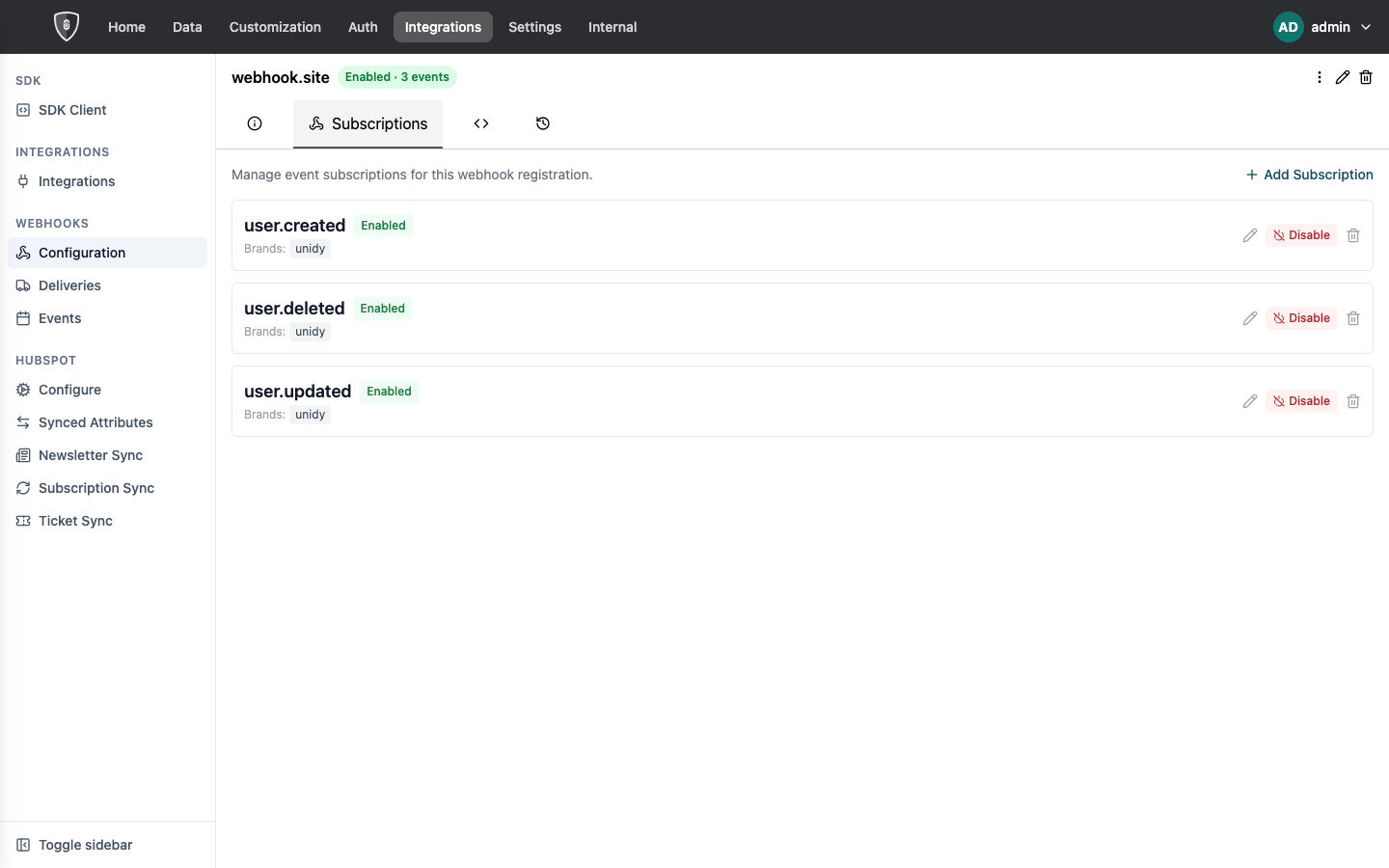
Registration detail, Subscriptions tab — one row per subscribed event type, each with its own Disable and Delete controls.
Loyalty adds six account/season event types. They require a v2-signed registration; a legacy-signed registration cannot subscribe to them. Confirm Loyalty is enabled and select the relevant program brand.
Owner permissions and rollout
With webhook RBAC scoping enabled on the installation, supported live-record events also check whether the registration's owner can read that record. Service, brand and category constraints on the owner can therefore suppress an otherwise matching subscription.
Before changing owner or rollout mode, compare representative allowed and denied records using the intended integration principal. With the rollout setting off, permission mismatches are reported while legacy matching continues. A registration with no owner has no owner-based ceiling.
Deleting an owner can disable its registrations; an unresolved owner reference is excluded rather than becoming unrestricted. Verify the registration and delivery results after owner or role changes. Owner filtering does not replace receiver validation or eliminate every missing-brand/deletion-payload limitation below.
Brand matching limitation
Brand selection restricts events that have brand context. If an event has no brand context, matching does not apply that filter and brand_id is null. Review the scope limitation with the receiver owner; do not rely on this control alone for strict brand isolation.
Inspect events and deliveries
Events shows stored webhook payloads. Open an event to see its record link, matching deliveries, and Raw JSON. The affected record may no longer exist. Webhook events are created when the asynchronous dispatch process finds enabled matching registrations and subscriptions; an empty webhook list does not prove no underlying customer changes occurred.
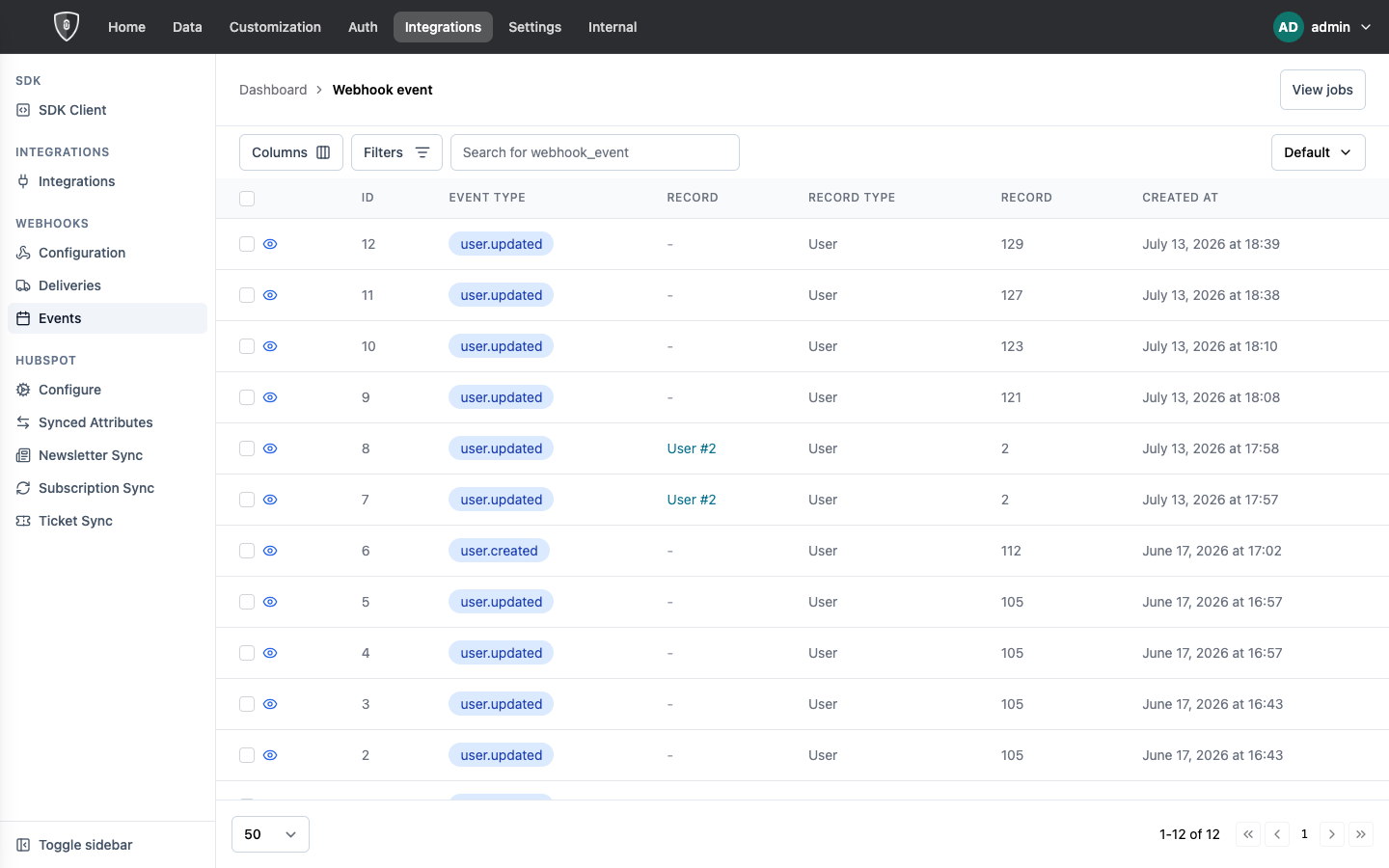
Events — one row per recorded change; the Record column links to the affected record while it still exists.
Deliveries shows one row per event/subscription pairing. Search by the UUID received in UNIDY-WEBHOOK-DELIVERY-ID to correlate it with the receiver's logs. Retries share that UUID and increase Try count; they do not create new delivery rows.
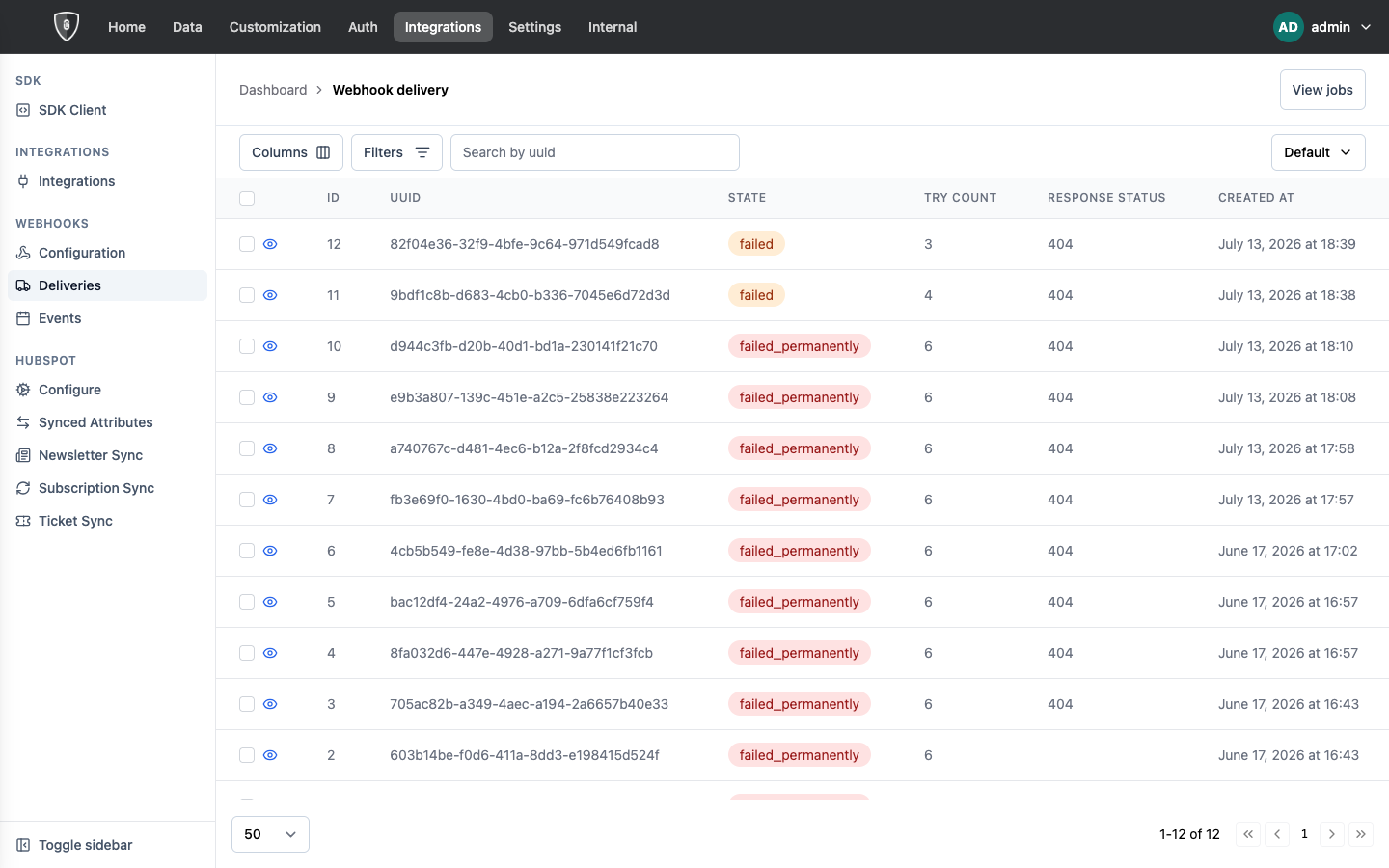
Deliveries — state, try count, and last response status for every send.
| State | Meaning |
|---|---|
pending | Created; no send attempt has been recorded yet. |
finished | An attempt received a 2xx response. Verify downstream processing in the receiver separately. |
failed | The latest attempt failed. A retry normally follows while attempts remain, but disabled configuration can stop that chain. |
failed_permanently | Automatic retries were exhausted. There is no dashboard redeliver action. |
Open a delivery to read its latest status, attempt count, timestamps, and response. The response fields describe the latest recorded attempt, not a complete history of every request. Stored event JSON may include optional plugin data omitted from the body sent to a particular registration.
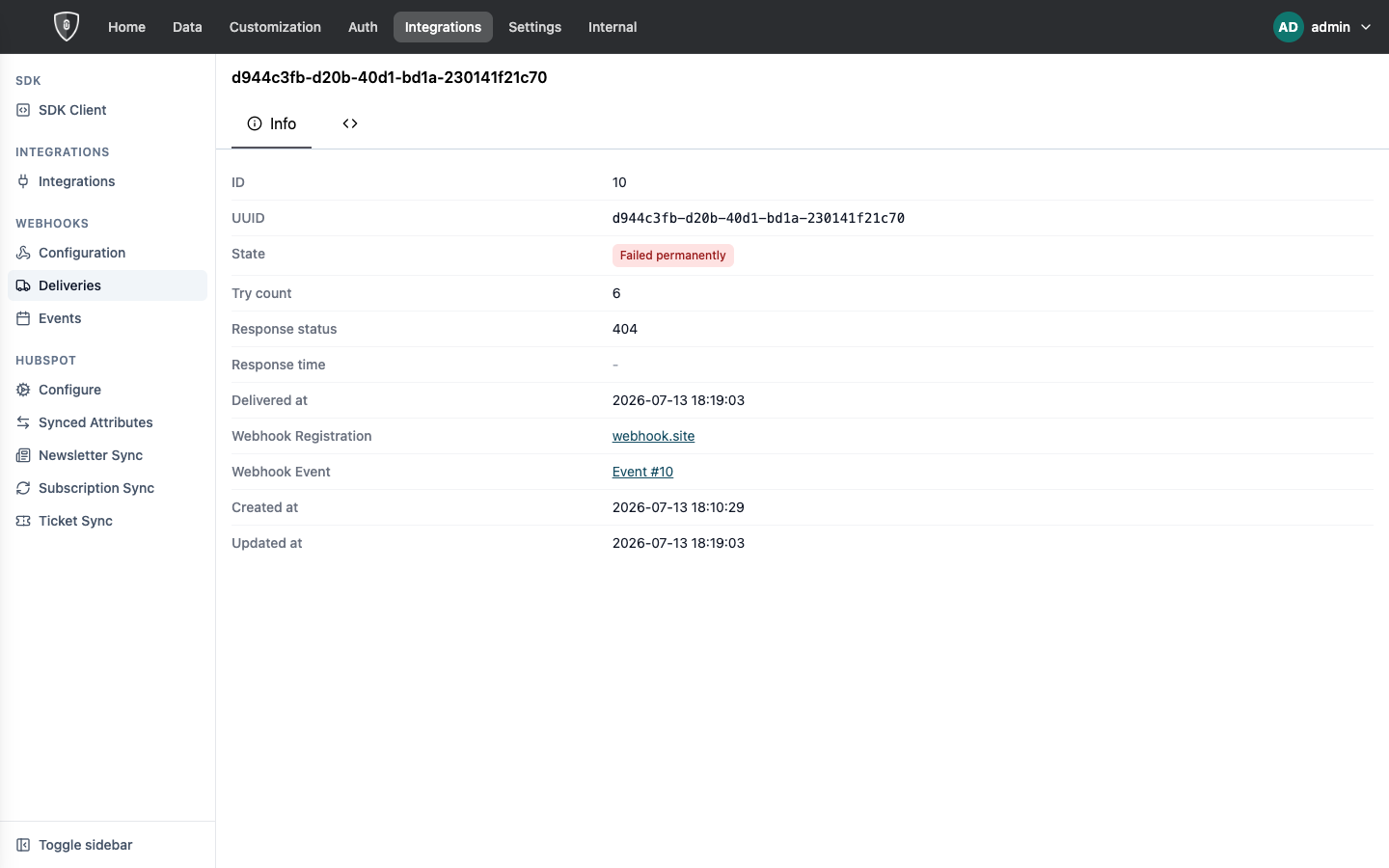
Delivery detail — a permanently failed delivery after six attempts, with the response status and links back to its registration and event.
Normal delivery allows an initial attempt and up to five retries. Queue delays affect elapsed time. Events and associated deliveries are removed by scheduled cleanup after two calendar months; retain any longer-lived audit evidence in the receiving system.
For HTTP errors, timeouts, or stuck rows, use Troubleshoot failed deliveries.
Disable and re-enable delivery
To stop one subscription, use its Disable action. To disable the endpoint, open the registration's action menu and choose Disable webhook. Use the corresponding enable action to allow future delivery again.
Disabling can cause already queued attempts to be skipped without changing their delivery state. Re-enabling does not automatically restart those rows or emit changes missed while disabled. Record the time window and plan reconciliation before a planned interruption.
Rotate a signing secret
Generated rotation changes the secret immediately and does not provide an overlap window. The next generated value is not available before rotation.
- Coordinate a change window with the receiver owner and ensure they can update the receiver promptly.
- Open the registration's action menu, choose Rotate secret, and confirm.
- Reveal or copy the new value with the required permission and install it in the receiver's secret store.
- Make a safe test change and verify a finished delivery and successful processing.
- Inspect failures during the change window. Remaining retries use the current secret; reconcile changes whose delivery has stopped.
If your workflow uses an agreed custom secret instead, prepare the receiver's controlled transition before saving that value in the registration. Remove the previous secret after verification. Do not disable delivery expecting a durable backlog to resume automatically.
Send current state after an interruption
Where a record's actions offer Trigger created webhook, Trigger updated webhook, or bulk Trigger webhooks, these actions emit new events using current record state. They do not retry the original delivery or restore historical payloads. They can notify every matching subscriber and connected integration, so coordinate a bulk action with their owners.
For targeted reconciliation or missed deletions, follow the recovery options.