Magic code and password flows
Implement supported first-party login methods.
Use this page to understand Unidy's hosted password and emailed-code sign-in methods, their settings, and customer recovery. For a custom sign-in form, follow SDK HTTP sign-in and registration operations.
Choose the sign-in method
The hosted sign-in page first asks for an email address. It then routes the customer according to their account state and the brand's login settings.
| Account state | Next step |
|---|---|
| No account for the address | Registration, or the brand's external signup URL when configured. |
| Unconfirmed account | Confirmation guidance; an expired confirmation can trigger a new email. |
| Confirmed account, Password enabled | Password entry, with the configured alternative methods. |
| Confirmed account, Password disabled | The magic-link/code flow, when enabled. |
Configure the offered methods in Login and registration settings. Password policy is configured separately under Customization → Security.
The hosted router reveals whether an email address already has an account through these different next steps. CAPTCHA and request throttling address automated abuse; they do not make the responses indistinguishable.
Emailed code and link
The authentication email contains a four-digit code and a clickable link. They refer to the same credential: using either consumes it, so the other can no longer be used.
| Property | Behavior |
|---|---|
| Code | Four decimal digits, from 1000 to 9999. |
| Default validity | 15 minutes, configurable in Auth → Link Expiration → Magic Link. |
| Default resend delay | 30 seconds, configurable in Auth → Link Expiration → Resend Delay. |
| Scope of these settings | Tenant-wide; the brand controls the email template and language. |
| Successful redemption | Consumes the credential and continues the sign-in flow. |
| Expired hosted credential | The hosted flow can send a fresh email and show the expired-link guidance. |
| Wrong or used code | Fails authentication and contributes to the failed-attempt counter. |
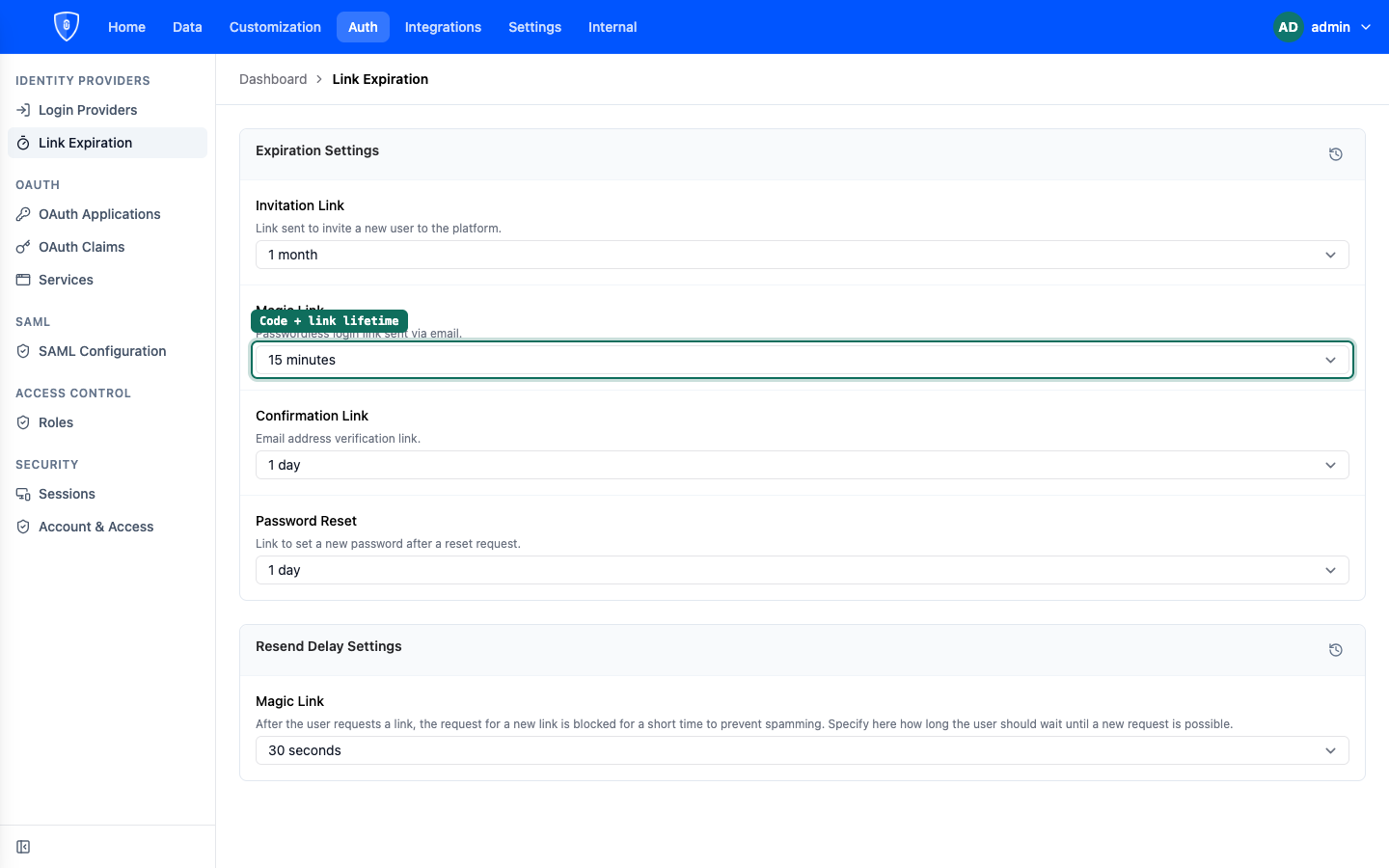
Auth → Link Expiration — every lifetime on this page, in one screen · highlight on Magic Link, which governs the code and the link together. Note that Password Reset is here too, and that its dropdown offers the full nine-value list while Magic Link offers only three.
Use the code on the screen opened by the sign-in flow. Hosted code entry depends on the browser's sign-in session; opening the code page directly in another browser is not equivalent to starting sign-in there.
Registration email-verification codes are a separate flow, even though they also use four digits. They have their own resend handling. A one-time login token is different again: it is a short-lived browser handoff for an already authenticated person and is not sent by email.
Passwords and recovery
The brand's password policy controls minimum length and the required character classes. The default minimum is eight characters, with number, symbol, and mixed-case requirements. The server's maximum is 128 characters.
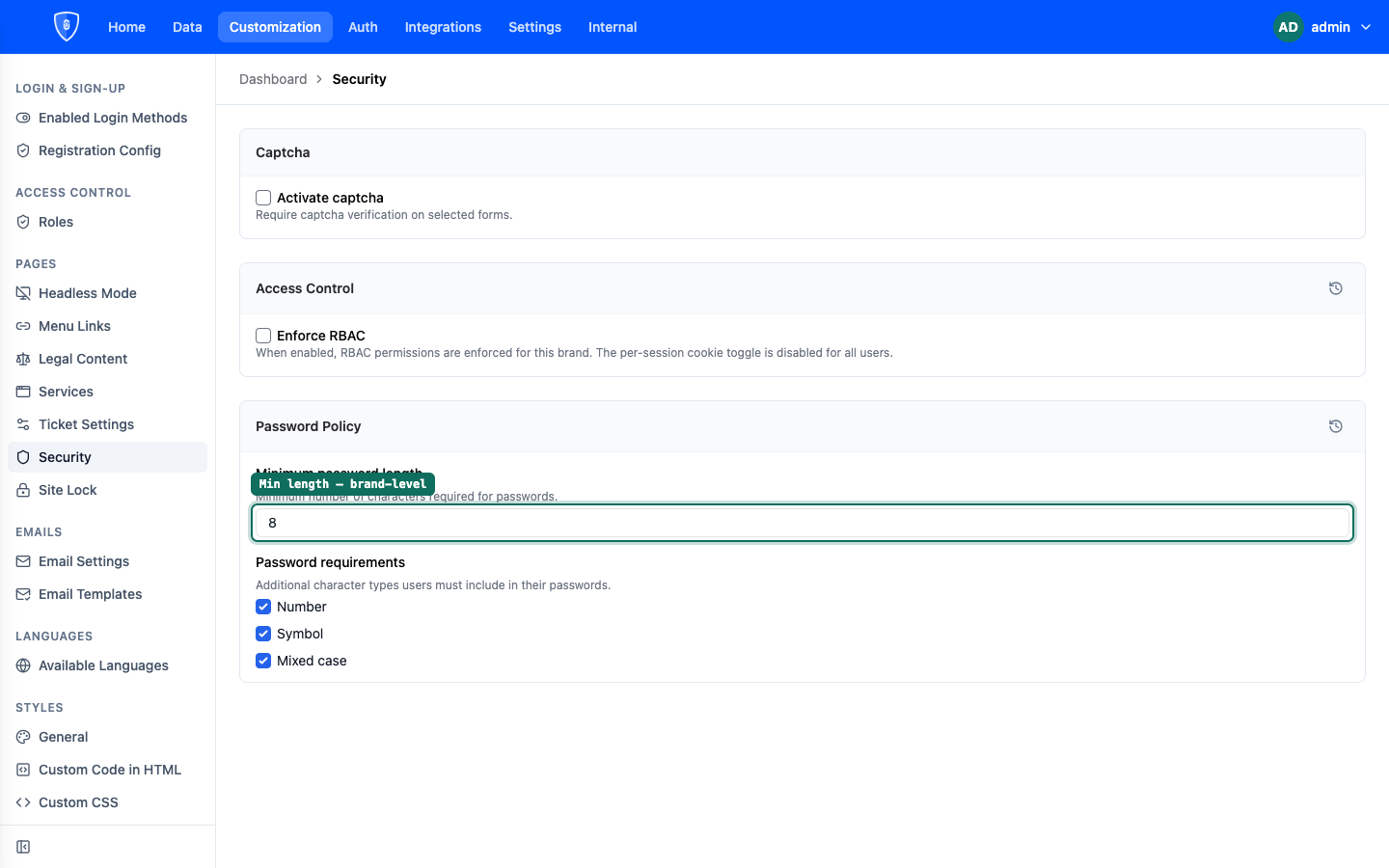
Customization → Security — the Password Policy card · highlight on Minimum password length. The Captcha card at the top of the same screen is where login and registration bot checks are switched on; it is off on the seeded tenant.
Changing the policy affects password creation or changes. It does not change an existing password or turn password sign-in on: use the Password login-method setting for that.
Password-reset links use Auth → Link Expiration → Password Reset, with a default of one day. Opening an expired hosted reset link sends new instructions. Confirmation-link expiry is configured separately; do not treat it as the allowed unconfirmed-sign-in period.
After a successful hosted password reset, Unidy marks the account as having a password, clears its failed-attempt counter, and revokes its Unidy sessions and issued tokens. An administrative lock is unlocked when the account is eligible for that reset behavior. Independent application sessions may require their own sign-out handling; see Token refresh, sessions and logout.
For customer-facing recovery choices, use Registration and account recovery.
Failed attempts and temporary locks
Password and typed-code authentication share a counter for the account. Every fifth failure starts a temporary lock; repeated groups of failures increase the duration.
| Lock cycle | Duration |
|---|---|
| First | 30 seconds |
| Second | 1 minute |
| Third | 2 minutes |
| Fourth | 10 minutes |
| Fifth | 30 minutes |
| Sixth | 1 hour |
| Seventh and later | 6 hours |
The failure count does not decay just because time passes. A successful sign-in or supported recovery action, including password reset or confirmation, can reset it. Administrators can inspect and reset a timed login lock in Account state and access.
An administrative account lock is a separate state. Both it and a temporary attempt lock can produce the SDK error account_locked. Missing lock-duration metadata does not identify the cause.
| Flow | Relevant behavior |
|---|---|
| Hosted password or typed magic code | Checks the attempt lock; failed credentials contribute to the counter. |
| Hosted magic-link token | The hosted link-token path skips the temporary attempt-lock check. Other account and brand checks still apply. |
| SDK magic code or SDK-associated email link | The SDK authentication path checks the attempt lock. Do not promise that clicking the email bypasses it. |
| Sending another code | May be blocked by the lock or resend delay. |
| SDK API requests | Also subject to request throttles, including an IP-based limit; a 429 is distinct from an account lock. |
If a customer is locked, stop repeated submissions. Show the retry duration when the endpoint supplies one, offer the supported recovery route, and check the account state if the problem persists.
What changing login methods affects
Hosted login-method switches affect more than the buttons on the first screen.
| Setting | Hosted behavior to check before changing it |
|---|---|
| Password disabled | Disables password sign-in and the hosted password-reset, confirmation, registration, and profile-password routes guarded by that setting. Logout remains available. |
| Magic Link disabled | Disables hosted magic-link entry points, including redemption of links already sent. |
| Password disabled, magic authentication enabled | Successful magic authentication can confirm the account as part of the passwordless flow. |
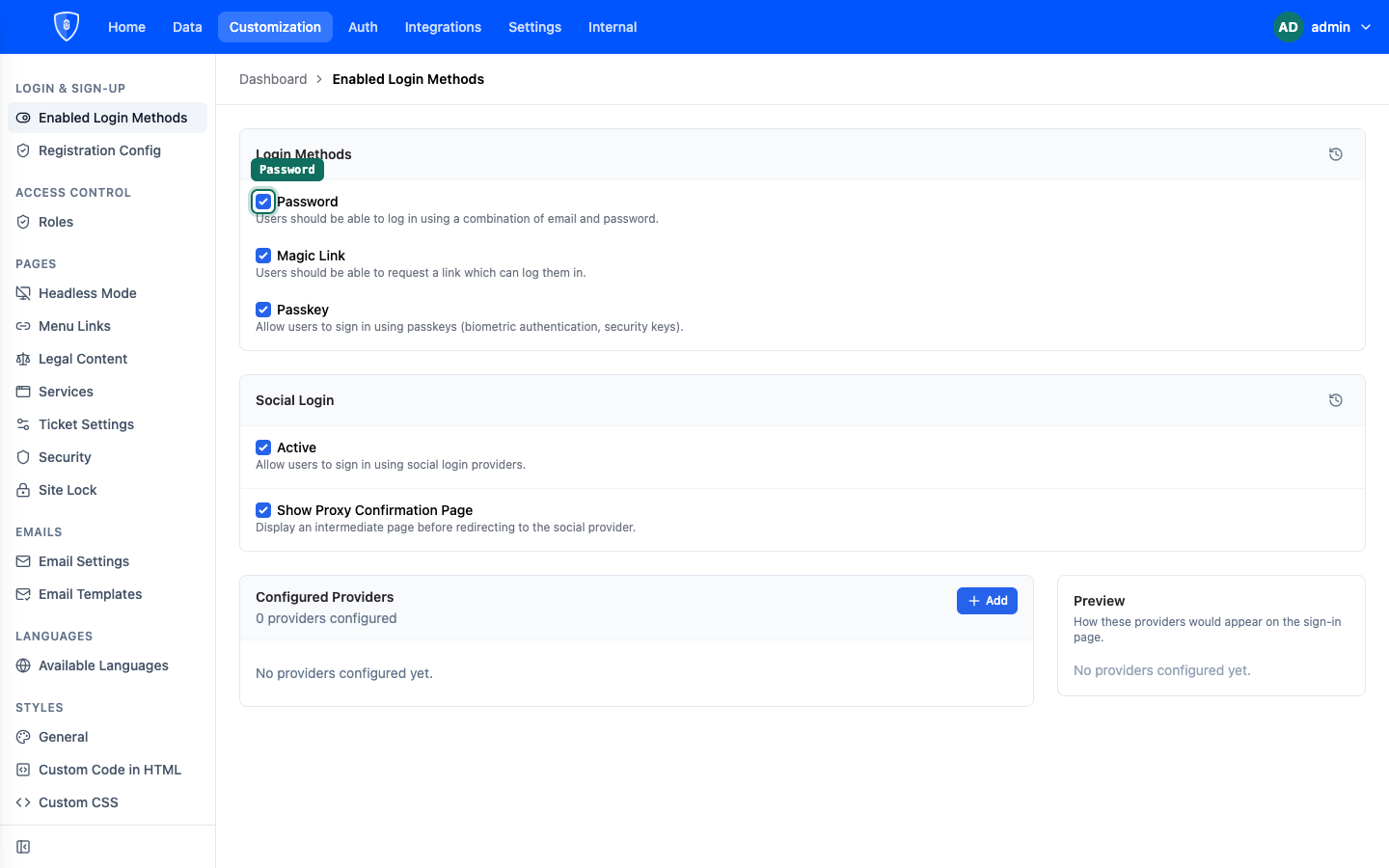
Customization → Enabled Login Methods — the switch this whole section is about · highlight on Password. Its on-screen description, "Users should be able to log in using a combination of email and password", describes about a fifth of what it does.
Before disabling a method, test the remaining registration, confirmation, and recovery journey for that brand. Avoid leaving customers with emailed links whose routes are no longer available.
SDK method availability and endpoint enforcement are not identical to the hosted switches. Use the SDK's returned login options to build the UI and follow the supported SDK flow; do not rely on a hidden button as an authorization boundary.
Handling SDK responses
The detailed request sequence belongs in the SDK operations guide. These distinctions are especially important when presenting the result to a customer:
- Submit exactly one credential to an authentication request: password or code. Sending both fails schema validation.
- The combined create-sign-in-and-send-code operation can return
201for the created sign-in while including anerror_identifierfor the send attempt. Inspect the body before saying that an email was sent. enable_resend_afteris a delay in milliseconds. Lock metadata, where supplied, is endpoint-specific; do not assume everyaccount_lockedresponse includesmeta.locked_for.- A sign-in's nominal lifetime does not describe every recovery endpoint. Handle the endpoint's actual expired or invalid state and start a fresh flow when required.
Unidy also has an OAuth password grant. It does not share all the hosted method gates or this custom failed-attempt counter. Use Authorization Code with PKCE for new OAuth sign-in integrations.