What is Unidy?
Understand the platform and its principal capabilities.
Unidy connects customer identity, profile data, subscriptions, tickets and transactions. Your applications can use its hosted sign-in or SDKs, while administrators manage accounts and settings in the dashboard.
Three ways to use Unidy
| Surface | Who uses it | What happens there |
|---|---|---|
| Dashboard | Administrators with the appropriate permissions | Manage users, integrations, customer experience and settings. |
| Hosted login and account area | Customers | Sign in and manage the profile, services and preferences your brand makes available. |
| APIs and SDKs | Developers and connected applications | Integrate sign-in, exchange customer data and respond to changes. |
A PlatformTenantA separately configured Unidy deployment with its own customer-data database and one or more brands.3 fields — listed in full on the pageRelated: Brand · UserRead the page →Open the dashboard (choose an instance) is a separately configured deployment. It can present one or more Platform · restrictedBrandA customer-facing identity within a tenant, with its own hostname, presentation and experience settings.5 fields — listed in full on the pageRelated: Tenant · Email template · NewsletterRead the page →Open brands (restricted) (choose an instance), each with its own hostname and customer experience. Brands share a user base, but brand membership and administrator access still determine which records and actions are available.
Choose your next step
- Operate the dashboard: Dashboard overview.
- Add sign-in to an application: Choose OIDC, OAuth, SAML, or hosted login.
- Exchange data with another system: Choose an integration surface.
- Plan a launch: Implementation playbook.
You do not need dashboard access to read the integration guides. An administrator provisions the applications, credentials and brand configuration your chosen integration requires.
Optional: tour your tenant
Use a test account on your test brand to see the different surfaces without changing configuration.
- Open the brand hostname in a private browser window. Follow its configured sign-in entry to the hosted login page. The available methods, wording and branding depend on that brand.
- Sign in as the test customer and inspect the account area. Available sections depend on enabled features and the customer's records. A headless configuration can send the customer to your own application instead.
- If your account has dashboard access, open Admin Dashboard or
/dashboard. Check the current brand and your permissions before performing any administrative task.
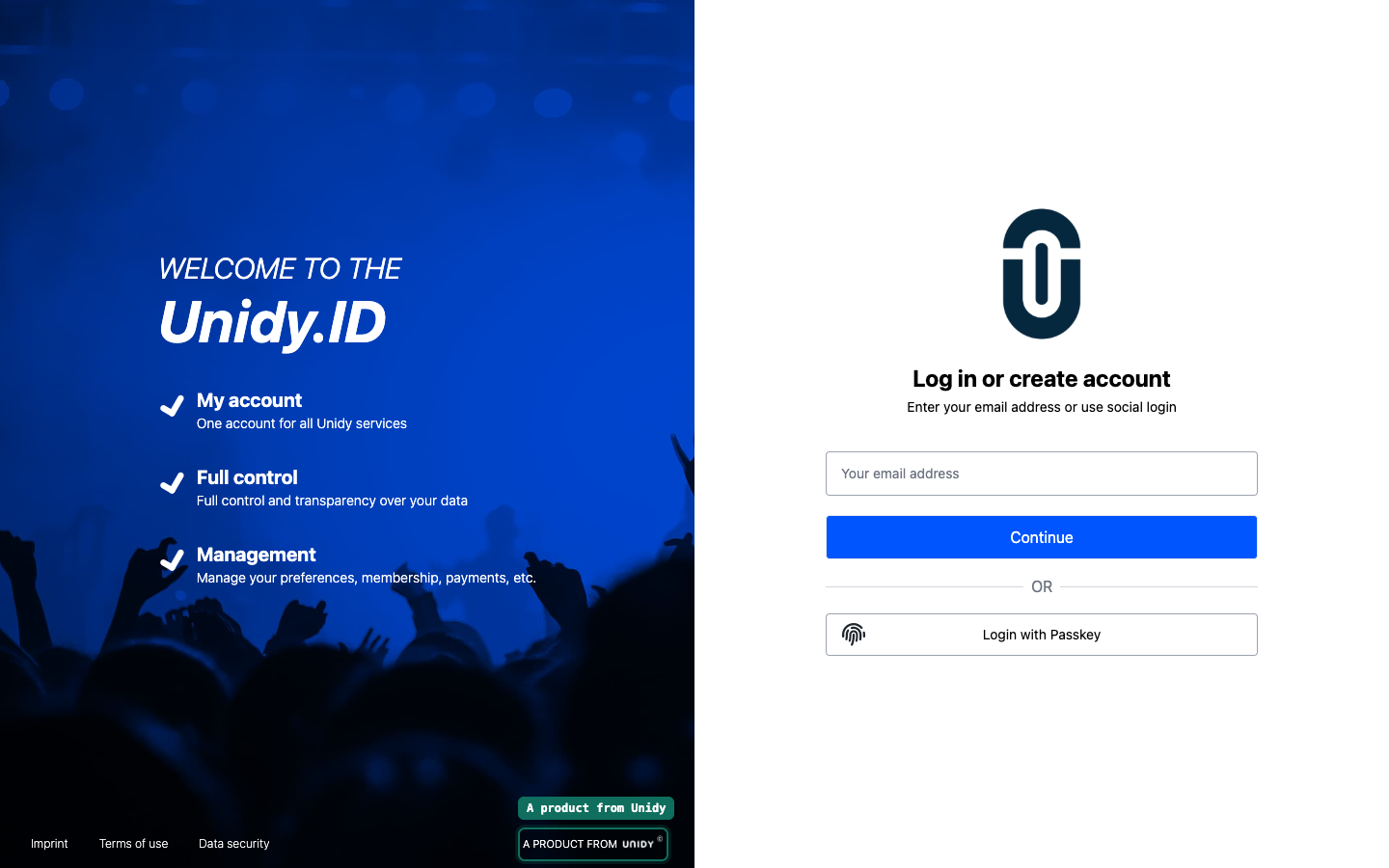
Hosted login page (/logins) — the sign-in screen Unidy renders for your brand · highlight on the A product from Unidy footer mark. The seeded brand is unstyled, so the headline still reads Welcome to the Unidy.ID.
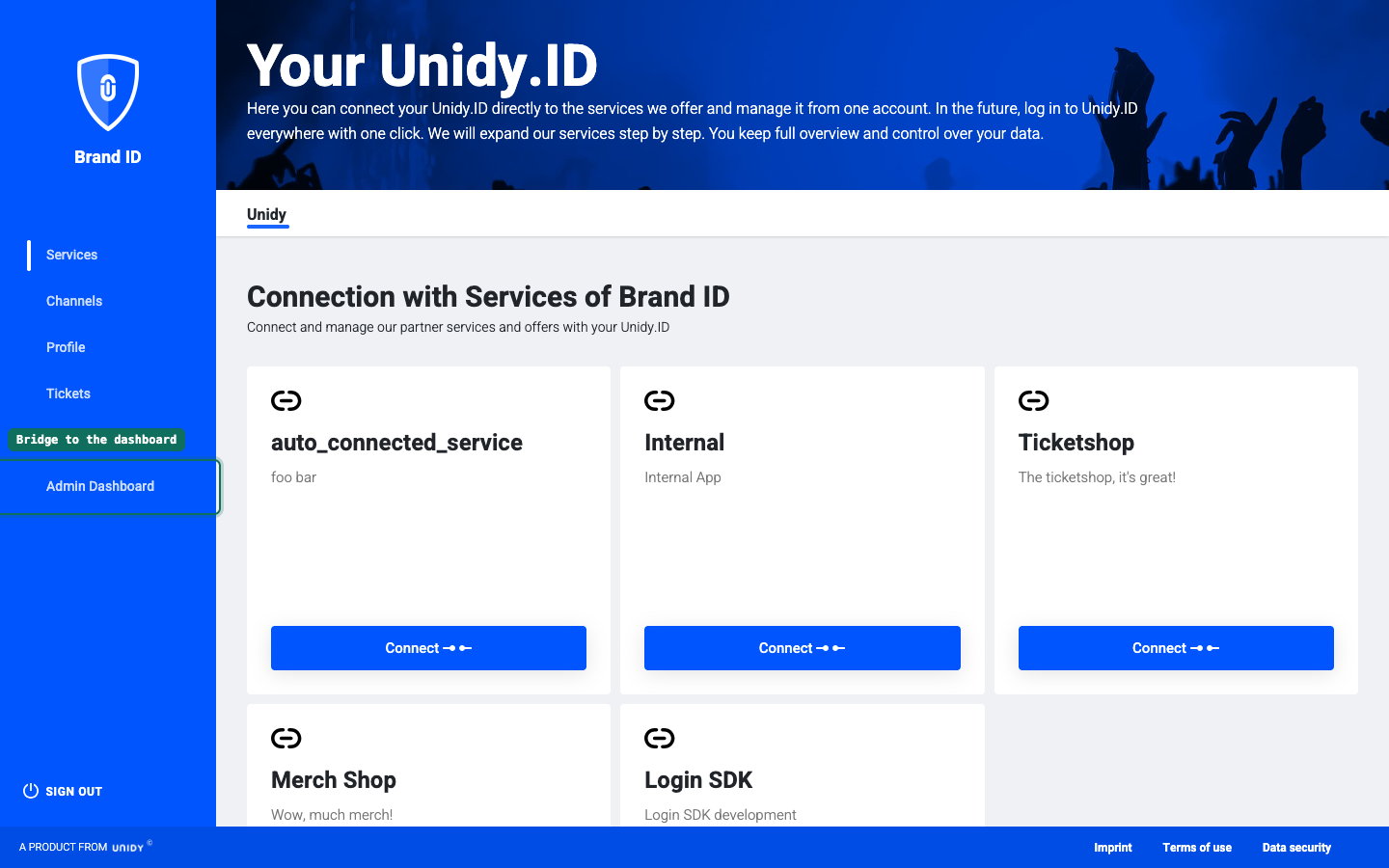
Customer account area (/) — the signed-in customer's own pages · highlight on the Admin Dashboard link, which appears only because this account carries an admin role.
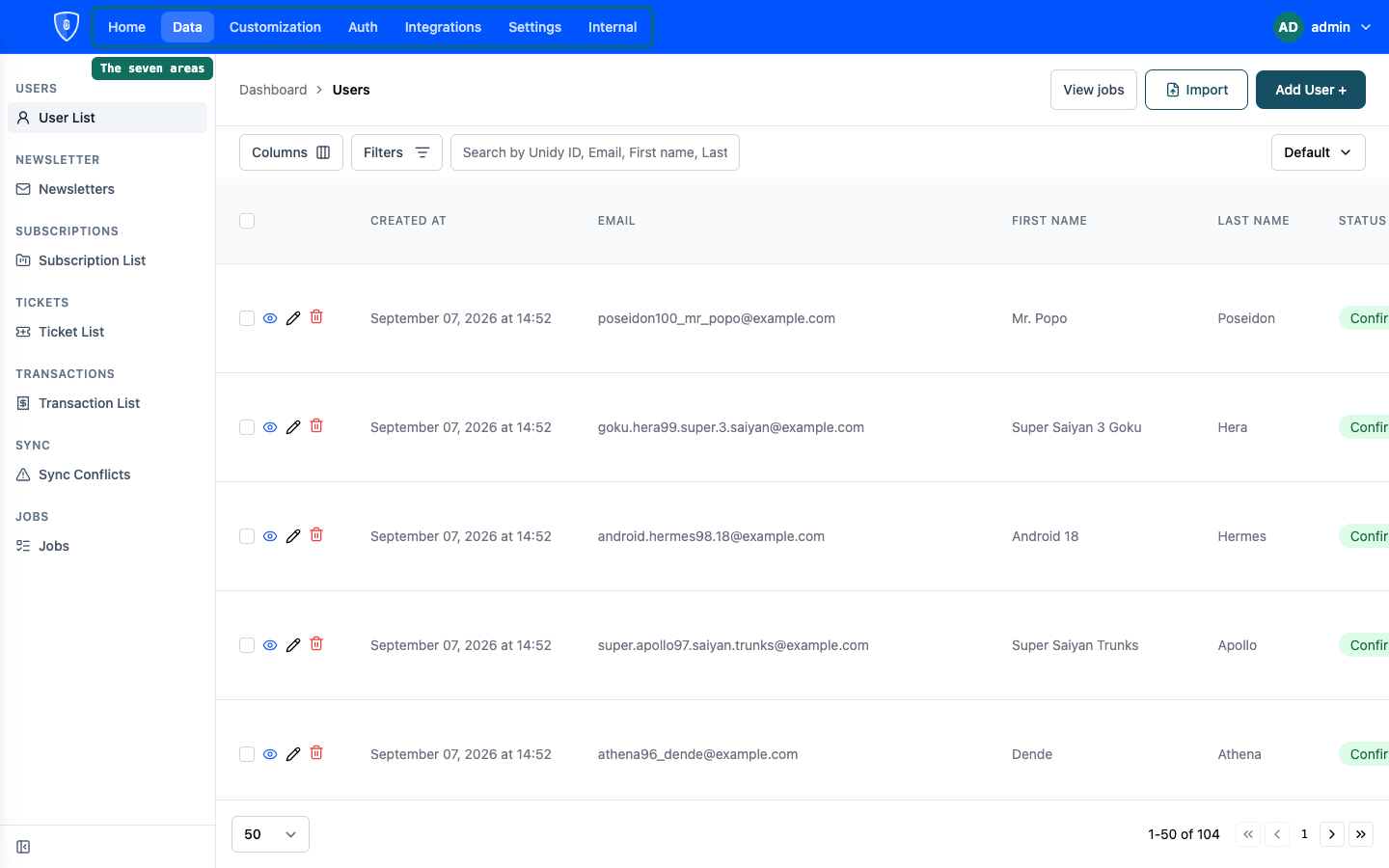
Admin dashboard (/dashboard/users) — the staff-facing side of the same account · highlight on the seven area tabs, which sit in the same place on every screen.
These surfaces can share a browser session, but your application's session and API tokens have their own lifecycle. See Token refresh, sessions, and logout.
Understand the vocabulary
Core concepts explains how tenants, brands, users, applications and consent relate. Use the glossary to look up an individual term.