Core concepts
Learn tenants, brands, users, identity, and integration concepts.
Understand these concepts before configuring a brand or connecting an application. Each guide below owns the detailed behavior of its subject.
Tenant, brand and user
A tenant is a separately configured Unidy deployment with its own customer-data database. A brand is a customer-facing identity within it: its hostname, login settings, presentation and legal content. A user is a customer account, identified across integrations by its stable public UNIDY ID.
Brands in a tenant share the user base. This does not mean every user belongs to every brand, or every administrator can access every user. Brand membership, assigned roles and the operation's scope determine access. The dashboard's brand switcher and the Part of brand user filter answer different questions.
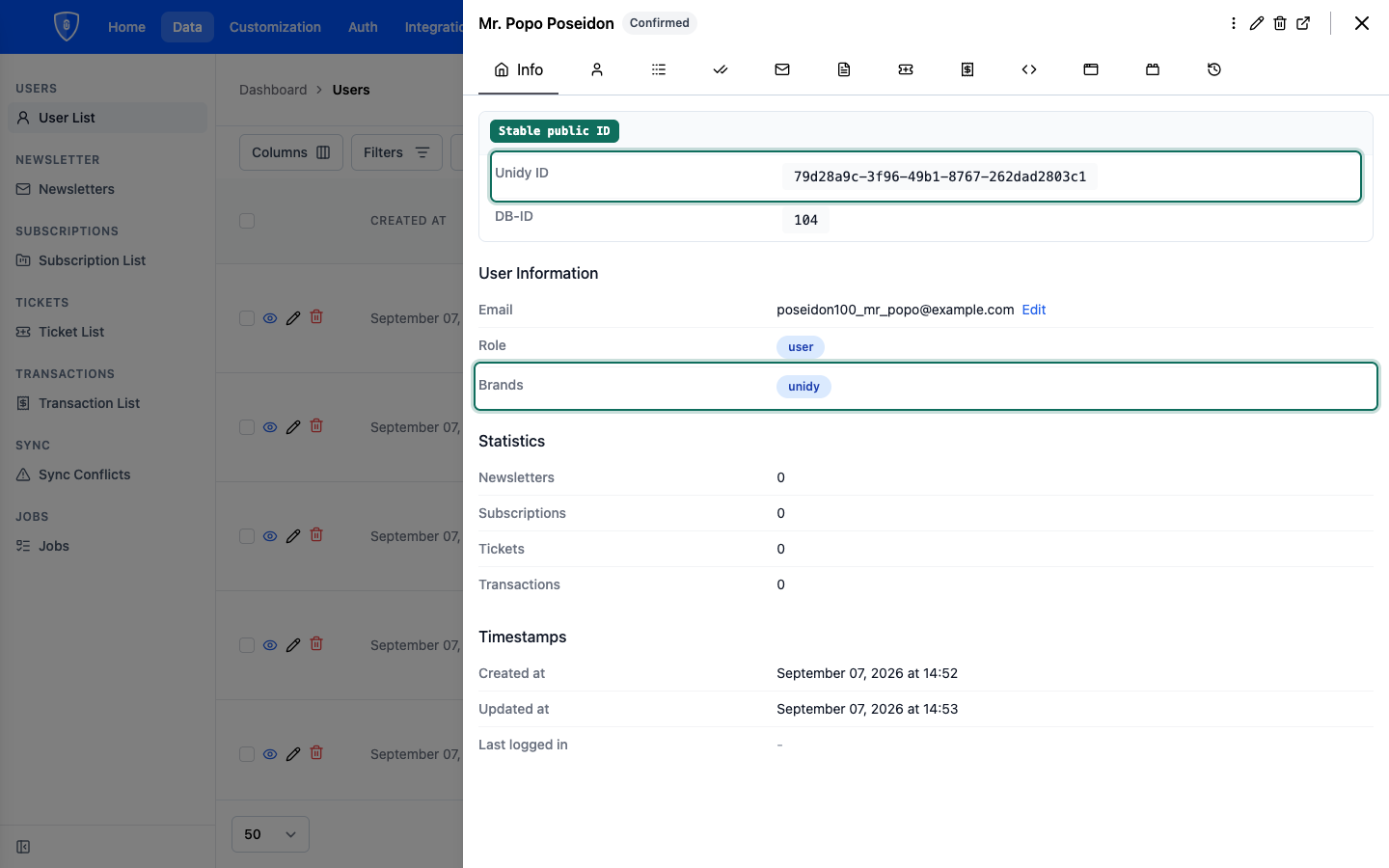
Data → User List, a record's Info tab — the two identifiers and the brand membership · highlights on the Unidy ID and on Brands, which lists memberships rather than an owning brand.
See Tenants, brands, and environments before making a change that could affect more than one brand. Keep test and production hosts and credentials distinct.
Applications and integration choices
| Need | Configure | Continue with |
|---|---|---|
| Redirect customers to Unidy for sign-in | An OAuth application for OIDC | Choose an authentication approach |
| Embed customer sign-in or account operations in your app | An SDK client | Customer application SDKs |
| Let a backend read or maintain data | An OAuth application with the required REST scopes | Make your first request |
| Connect a SAML service provider | A SAML configuration; Unidy is the identity provider | SAML overview |
| Receive change notifications | A webhook registration and event subscriptions | Webhooks overview |
An OAuth application can represent a public browser/native client or a confidential backend. An SDK integration does not normally require you to create a separate OAuth application too. Choose the surface that fits the task; combined integrations may deliberately use more than one.
Credentials, tokens and sessions
Credentials identify an application or authorize API access; they have different storage and recovery rules.
| Kind | Handling |
|---|---|
| OAuth client ID | Public application identifier. |
| OAuth client secret | Keep on a confidential backend. An authorized administrator with write access can reveal it; read access alone does not reveal the secret. |
| SDK client API key | Identifies the SDK application. Customer operations also require the appropriate sign-in state or customer token. Do not use this key as a privileged REST credential. |
| Personal or system API key | A separate credential whose plaintext is shown at creation or rotation and stored only as a hash. Copy it then; rotate it if lost. Use it only on API surfaces that support it in your deployment. |
| Access, ID and refresh tokens | Distinct artifacts with different audiences and purposes. Follow the authentication guide for the surface you use. |
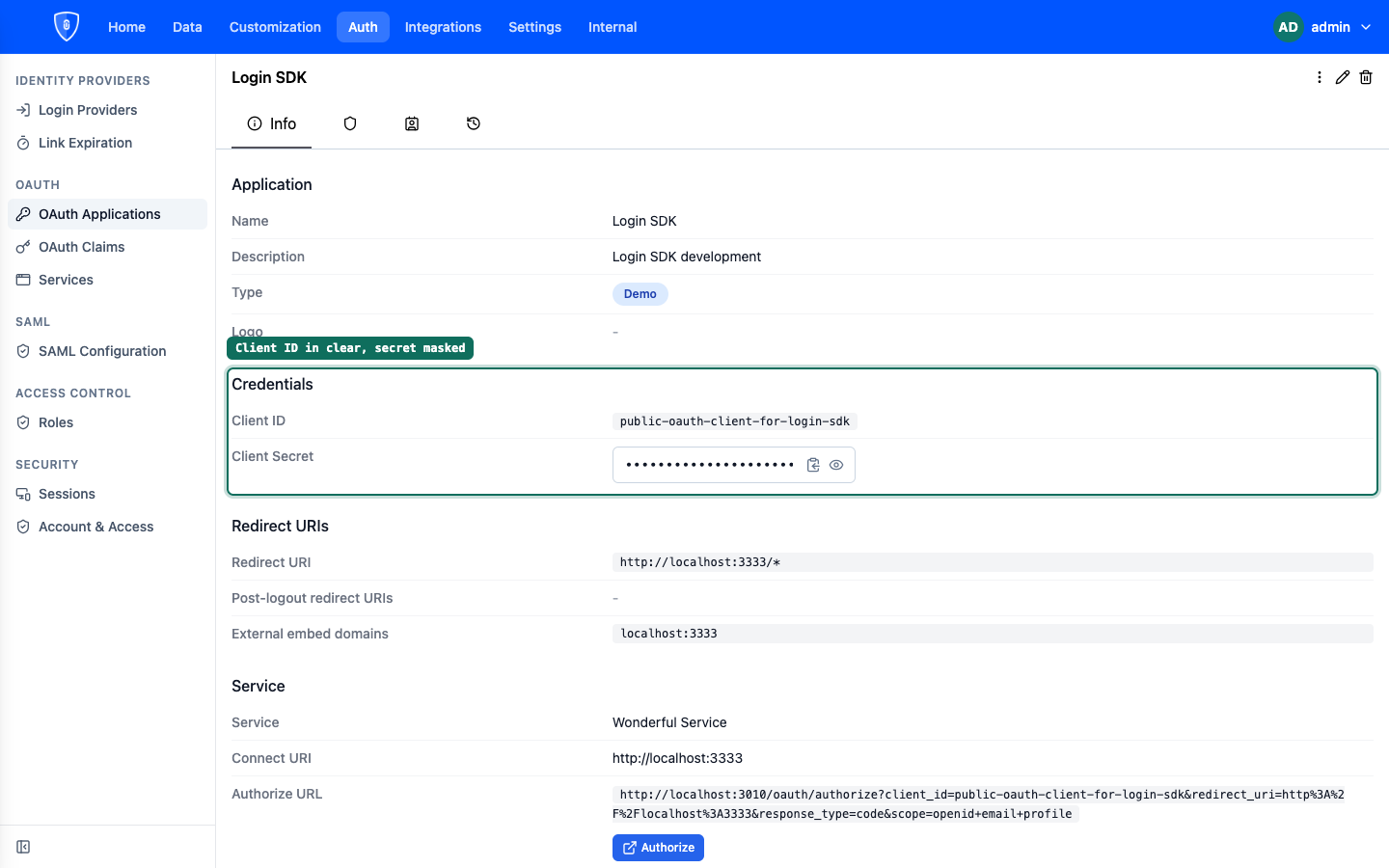
Auth → OAuth Applications → an application — the Credentials section · highlight on the pairing that gives the section its name: the client ID printed in clear, the secret masked with a copy and a reveal control beside it.
A browser session, your application's session and an API token are separate. Logging out of one does not universally terminate the others. Password changes, SDK logout and OAuth revocation have specific effects described in Token refresh, sessions, and logout and SDK token lifecycle.
Consent, confirmation and subscriptions
Use the specific concept when recording a customer's choice:
- Account confirmation records the account's confirmed state. An administrator can also confirm an account; the flag alone does not describe how confirmation happened.
- Application authorization grants an OAuth application access within granted scopes. Disconnecting a service removes its grants and tokens. A notification goes to the application's configured deletion-notice address, if one is set.
- Brand consent or connection records the user's membership of a brand.
- Newsletter opt-in belongs to a newsletter subscription. Confirmation-requested, confirmed and opted-out timestamps live on that subscription; it is not a separate universal marketing-consent record.
- Cookie preferences govern the cookies offered by the relevant site. They do not replace newsletter consent or OAuth authorization.
A newsletter subscription links an email address to a newsletter and can exist without a user account in supported configurations. A product subscription instead records a commercial or membership relationship. Neither should be confused with a webhook subscription, which selects an event type for delivery.
No subscription recorded means no current record was found. It does not establish that the person never opted in or never opted out. Deletion consequences depend on the operation: dashboard customer deletion can also remove newsletter subscriptions. Read Consent and subscriptions and Account state and access before deleting records.
Roles, permissions and scope
A role groups permissions for resources and actions in global or brand scope. Feature availability is a separate prerequisite. Under enforced RBAC, the legacy superadmin flag does not bypass permission checks.
Use Roles and permissions to assign access, and Roles and feature availability to diagnose a missing screen or refused action. OAuth scopes limit API access; they do not substitute for dashboard role assignments.
Changes and synchronization
A connector can synchronize selected data with an external platform. A webhook reports an event to subscribed receivers. Neither guarantees that every external system has already applied a change.
A webhook delivery links an event to a subscription and retains its delivery state and attempt count. Retries are attempts on that delivery, not new delivery records. Build receivers that handle duplicates and use the current webhook contract.