Find and understand users
Search, filter, and interpret customer records.
Find and understand users
Open Data → User List to search the accounts you may access, including accounts belonging to dashboard administrators. Your role can restrict the list and individual records to accessible brands. A missing result does not prove that the account does not exist elsewhere in the tenant.
You need users: read to open the list and records. Editing, deletion, and account actions require additional permissions.
A Users and customer activityUserAn account in the tenant’s shared user base, identified publicly by its UNIDY ID. Customers and administrators use the same account model.6 fields — listed in full on the pageRelated: Consent and opt-in · Newsletter subscription · Subscription · ImportRead the page →Open the user list (choose an instance), a Users and customer activityNewsletter subscriptionThe subscription and opt-in state for one email address and one newsletter.5 fields — listed in full on the pageRelated: Consent and opt-in · Newsletter · SubscriptionRead the page →Open newsletter subscriptions (choose an instance), and a Users and customer activitySubscriptionAlso called Product subscriptionA product or membership relationship associated with a customer account.Not the same as Newsletter subscription: A product subscription records a product or membership relationship; a newsletter subscription records participation in a mailing list.6 fields — listed in full on the pageRelated: User · Newsletter subscription · TransactionRead the page →Open subscriptions (choose an instance) are different records. The user record brings related activity together; it does not replace the dedicated subscription lists.
User — fields
An account in the tenant’s shared user base, identified publicly by its UNIDY ID. Customers and administrators use the same account model.
| Field | Description |
|---|---|
| UNIDY ID | Stable public identifier used to link this account across integrations; use the identifier required by each endpoint. |
| The account’s unique login email. An email-change request can have a separate pending address. | |
| Profile | Built-in fields and configured custom-attribute values. |
| Account state | Confirmation and invitation state are distinct from an administrative or temporary sign-in lock. |
| Brand membership | Records which brands the account belongs to; it is separate from an administrator’s access to the account. |
| Last sign in | The last sign-in time recorded on the account; a blank value means no last sign-in is recorded. |
Open the user list (choose an instance)
Find the right account
- Search by UNIDY ID, email, first name, or last name, then submit the search. Partial email addresses work.
- Check the email and UNIDY ID on the result. Names alone may not identify the right person.
- Open the record with the eye icon. Use the copy controls when sharing an identifier with support.
- If the result is missing, check your saved view, active filters, and brand access before creating another account.
Use Filters to narrow the list and Columns to choose fields and sorting. To restrict users to a particular brand, use the Part of brand filter; the brands available to you depend on your access. See Lists, filters, and bulk actions for filter groups, saved views, and selection behavior.
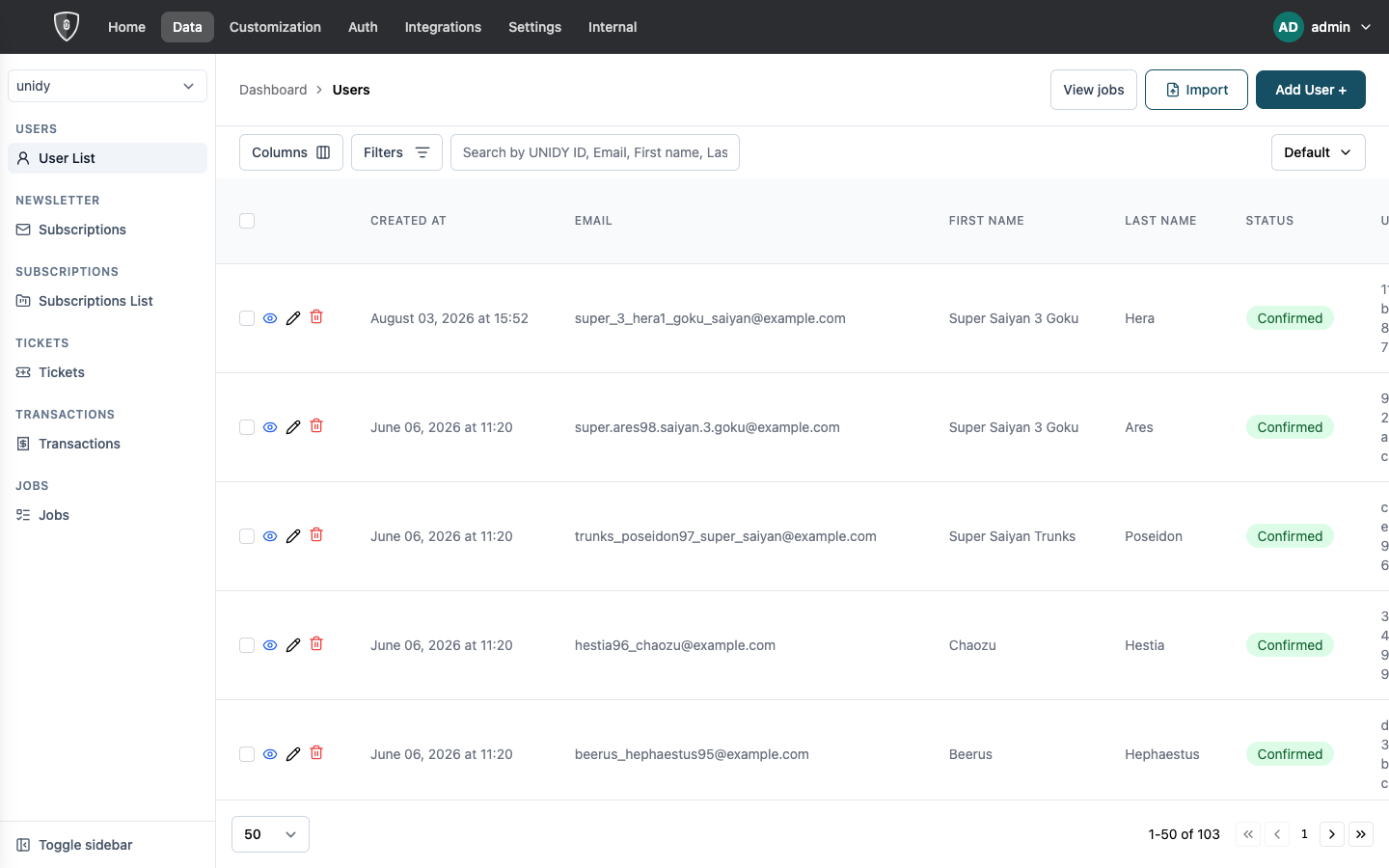
Users list — toolbar with Columns, Filters, search field, and the Default view dropdown; one row per customer account.
The pencil edits an account; the red bin deletes it. Deletion is permanent and affects related records. Read Account state and access before using it, especially on an administrator's account.
Read the list
The default view includes creation time, email, first and last name, status, UNIDY ID, and last sign-in time. The default sort is ID descending. Saved views may change both columns and sorting.
Additional columns include address fields, invitation and confirmation timestamps, Verified at, sign-in activity, role, preferred language, and configured Customer experienceCustom attributeA configurable customer field whose shared definition specifies its key, type and presentation.6 fields — listed in full on the pageRelated: User · ImportRead the page →Open custom attributes (choose an instance).
Use Verified at in Columns and Filters when investigating identity verification. A verification timestamp and email confirmation are separate states; a populated timestamp can also need renewal under the brand's verification policy. Use the role-assignment filter to find users with a selected RBAC role, and distinguish direct/group-derived effective access when reviewing a result.
The total updates when filters change. Choose 20 to 200 rows per page as needed. To add a custom field under Columns, select custom_attribute_data and the attribute's internal name, then choose its heading and sort where supported.
For example, filter Created At greater than 2025-01-01 to find accounts created after that boundary. Other useful segments include a premium-membership custom value, salutation, or an unaccepted invitation. Combine confirmed accounts AND email ending in @web.de, or favorite_player equal to Cristiano Ronaldo OR Kylian Mbappé. Check the comparison's timezone and whether the boundary itself should be included. Search matches when any of UNIDY ID, email, first name or last name contains the term.
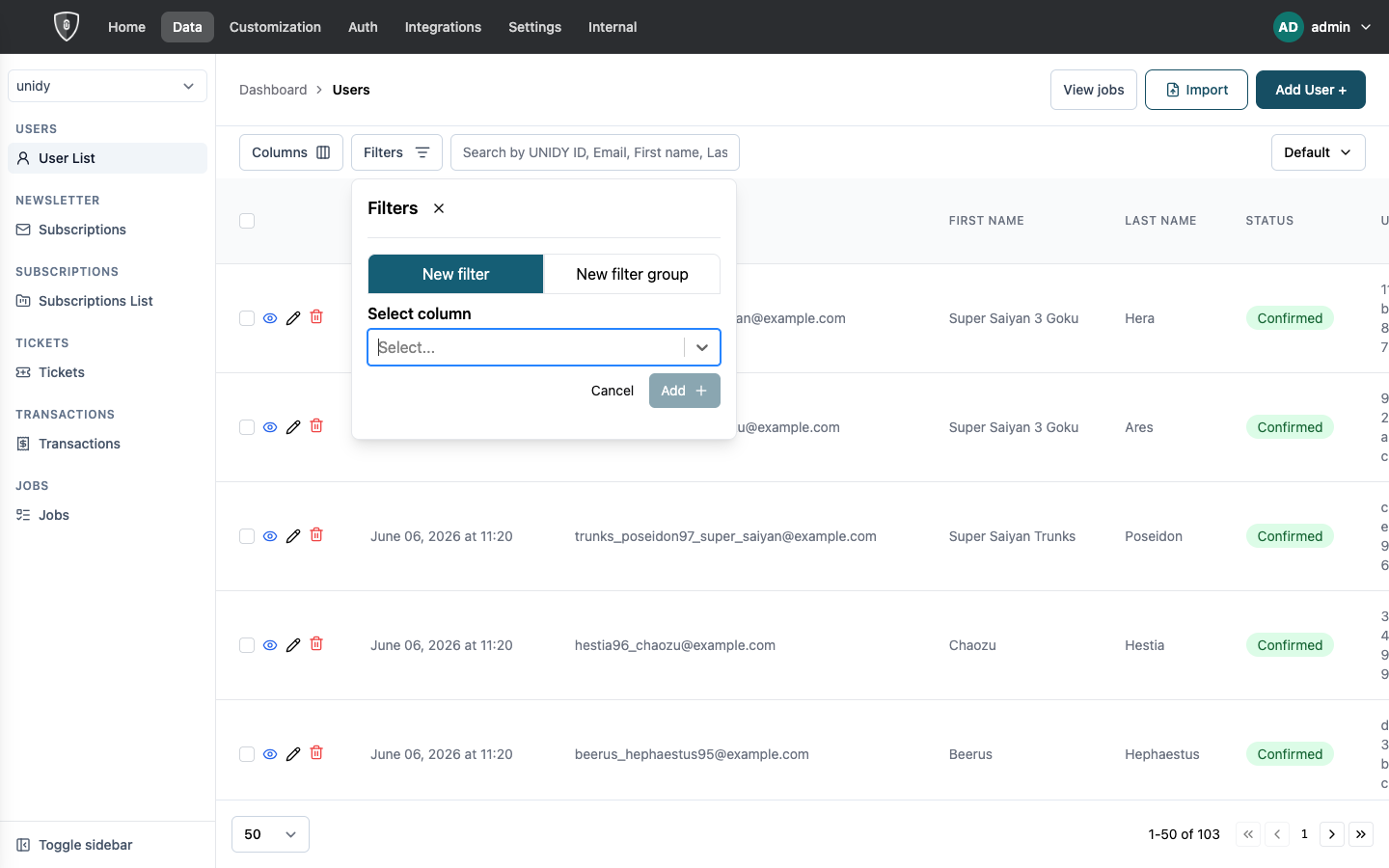
Users list — Filters panel with New filter / New filter group and the Select column dropdown.
Save a descriptive view, such as Confirmed users, to reuse the segment. Current views can be private or shared; they are not all public. See saved views and defaults. For CSV export, the header checkbox selects this page, individual checkboxes exclude rows, and Select all … extends selection to matching records within the action's limit. Use Download and retrieve the completed file from View jobs.
Understand the status badge
The badge summarizes confirmation and invitation state. It is not a complete sign-in check: administrator locks, temporary login locks, and authentication requirements are separate.
| Status | Meaning and next check |
|---|---|
| Confirmed | The email address is confirmed. If sign-in fails, check locks and login information. |
| Unconfirmed | The email address is unconfirmed. This badge alone does not tell you whether confirmation mail was previously sent; check the timestamps. |
| Confirmation email sent | Confirmation was requested and the address remains unconfirmed. A timestamp does not prove inbox delivery. |
| Invitation sent | An invitation was issued and has not been accepted. Check its timestamp if the link has expired. |
| Invitation link generated | An invitation link was generated without an invitation-send timestamp. |
| Data Import | An invitation-backed account exists without an invitation-send, generated-link, or confirmation-send timestamp. Manual creation without an invitation, API creation, and CSV import can all produce this badge. It is not an import error. |
| Pending Reconfirmation | The existing address is confirmed and a change to another address awaits confirmation. The old address remains in use meanwhile. |
For the timestamps behind the badge, open User login info. Use Account state and access to confirm, invite, reset, or unlock an account.
Read the user record
The header shows the account status and any separate Locked or Login locked indicators. Its action menu contains only actions available for this account and your permissions.
Tabs depend on enabled features and your access; every account does not show the same set.
| Tab | What to inspect |
|---|---|
| Info | UNIDY ID, email, roles, brands, related-record counts, and timestamps. |
| Profile | Personal and address information, ID-verification state, and custom attributes. ID verification is separate from email confirmation. |
| User login info | Confirmation, invitation and password-reset timestamps; failed login attempts and lock expiry; sign-in activity and connected social logins. |
| Opt-ins | Account confirmation, brand and service connections, and newsletter opt-in state. Newsletter state comes from the related subscription records. |
| Newsletter subscriptions | Related newsletter subscriptions. |
| Subscriptions, Tickets, Transactions | Related customer activity, where the corresponding feature and permission are enabled. |
| Sessions | Available browser-session records when session management is enabled. This is not a list of every application session or OAuth token. |
| Raw JSON | API and webhook representations of the current record. These are not a delivery log. |
| Services | Connected applications and their disconnect controls. |
| Plugins | Available plugin connections and their external identifiers. |
| History | Recorded changes, where you have audit-log access. |
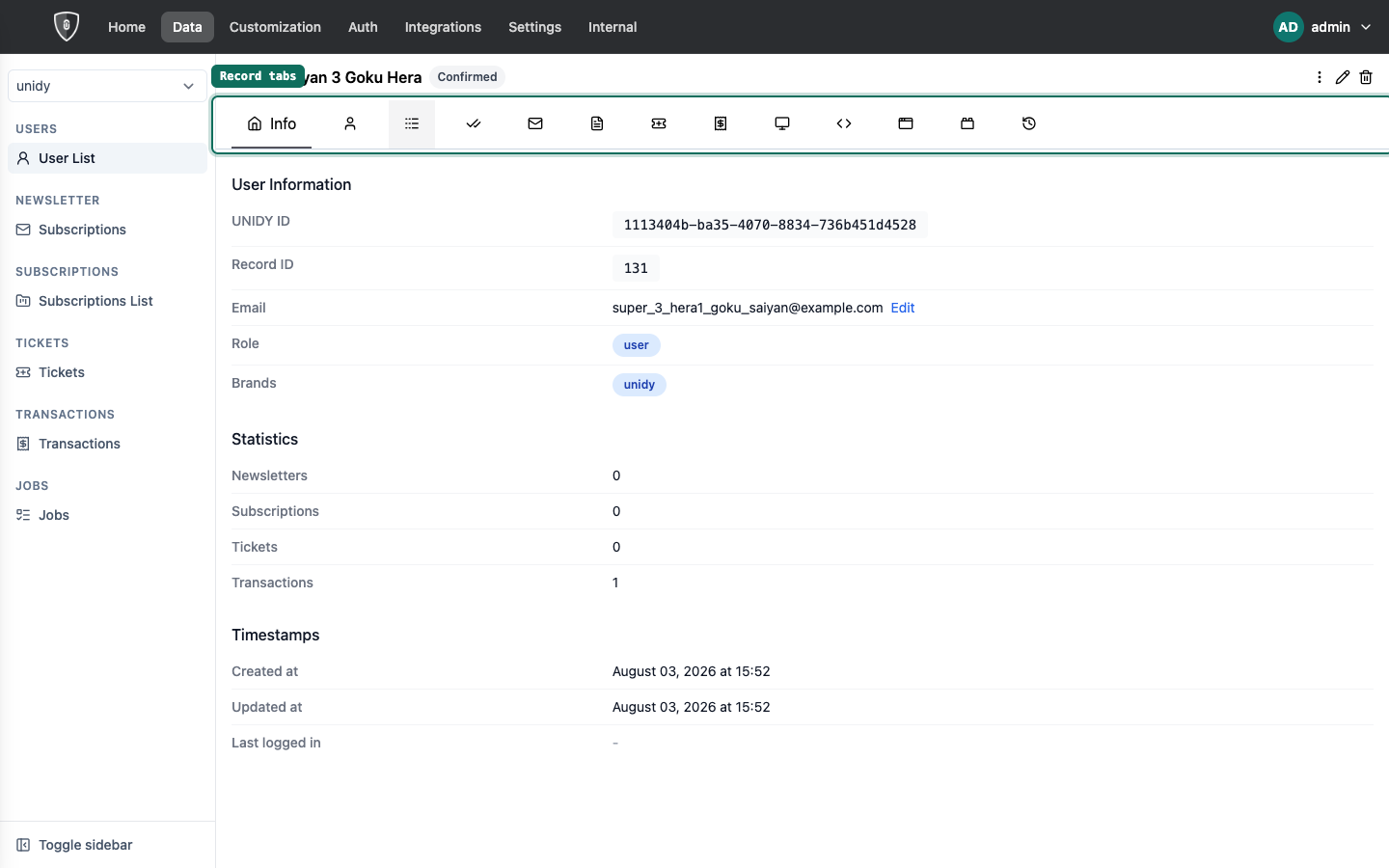
User record, Info tab — header with status badge and actions · highlight on the record tabs.
Identity, contact and sign-in fields
The UNIDY ID is stable for the life of an account; deleting and registering again creates a different identity. Source distinguishes self-registration/Web, API or plugin creation, and administrator creation, with the creator when recorded. Created at and Updated at describe the account record. Authorization/roles describe dashboard access separately from customer confirmation.
On Profile, check names, salutation, phone with country code, birthday, company and the complete address: street/house number, address addition, postal code, city and country. The legacy salutation choices are Mr., Mrs. and Divers; use the choices offered by the configured form. Custom attributes hold additional values, with their own visibility, validation and locking rules. An administrator edit uses the pencil/Edit, then Save; reopen the record to verify it. Customers can edit only fields their profile access and locks permit.
| User login information | Meaning |
|---|---|
| Confirmed at / confirmation by administrator | Account confirmation time; empty means not confirmed. A separately recorded administrator-confirmation time identifies manual confirmation. |
| Unconfirmed email | A requested address awaiting confirmation; the existing confirmed address remains active. |
| Accept invitation return URL | Destination after invitation acceptance. Its host must be allowed by the instance's external-redirect configuration. |
| Confirmation sent at | Latest recorded confirmation-email request, not delivery proof. |
| Invitation sent at | Invitation-send time. |
| Invitation created at / link generated at | Invitation or exported-link creation time, separate from sending and acceptance. |
| Reset password sent at | Most recent password-reset request; empty means no recorded request. |
| Sign-in count | Number of recorded sign-ins. |
| Current sign-in at / IP | Time and address of the current/latest recorded sign-in. |
| Last sign-in at / IP | Time and address of the preceding sign-in. |
Read change history
Open History to review recorded changes. Search the available entries and hide blank/no-change updates when that control is available. Return through the record link or user navigation. History identifies the changed Property, Old value, New value, Source, Author when known, and Updated at. Profile/user, administrator and API/plugin/service sources help distinguish who supplied a value; unknown/system entries do not identify a human author.
History covers only retained events. The legacy service did not provide logs before September 2023; do not assume older account data has a complete retrospective history. Current retention and role access can limit it further.