Testing and go-live
Validate the implementation and coordinate cutover.
Testing and go-live
Use this sheet to decide whether a specific environment, brand and set of integrations is ready for launch. Complete the detailed authentication and integration checks and customer-experience checks, then record their results here.
Record the launch scope
| Field | Record before sign-off |
|---|---|
| Environment and release | Staging host, production host and the application/configuration version tested |
| Customer scope | Brands, languages, customer groups and devices included in this launch |
| Integration scope | Chosen authentication flow, applications, connectors, APIs and webhook consumers |
| Data scope | New deployment, migration, or additional brand; source systems and cutover boundary |
| Decision owner | Person who can approve, delay or stop the launch, plus a backup |
| Window and contacts | Agreed cutover window, integration operators and the support/escalation channel |
Use Passed, Blocked, Not applicable, or Accepted exception for each gate. An accepted exception needs a named decision owner, a reason, the customer impact and a follow-up date. A blank row is not a pass.
Launch gates
For each row, retain a dated result and a link to evidence in the project launch record. Keep credentials and customer data out of screenshots and shared tickets.
| ID | Scope | Gate and expected result | Responsible owner | Evidence to retain |
|---|---|---|---|---|
| L01 | Account | Required capabilities, hosts, sender domains and third-party dependencies are available; unresolved dependencies have an agreed delivery date. | Implementation owner with Unidy and provider contacts | Dependency register and confirmation of availability |
| L02 | Account and brand | Operators can perform their assigned tasks with the intended roles; an unauthorized role cannot perform the tested restricted action. A backup operator has access. | Customer administrator | Role/scope record and access-test results |
| L03 | Each brand | Brand, host, category, newsletter and custom-attribute mappings match the approved setup worksheet. | Customer administrator and data owner | Setup worksheet |
| L04 | Each chosen integration | Sign-in or machine access works end to end, failure paths behave as expected, and tokens/credentials stay in their intended applications. | Integration developer | Completed integration checklist |
| L05 | Each brand and language | Registration/login, recovery, legal/navigation content, email links and delivery, and representative mobile flows work for the intended customers. | Customer-experience owner | Completed customer-experience checklist and content approval |
| L06 | Migration, if applicable | Created, updated, invalid, duplicate and skipped inputs are accounted for; mapped values and relationships match the source. Unresolved exceptions are accepted explicitly. | Data owner | Migration reconciliation and recovery record |
| L07 | Each connected system | Representative changes reach the correct receiver; retries do not create duplicate business actions; failed work is visible to its operator. | Integration operator | Event/request IDs, consumer results and a staging failure rehearsal |
| L08 | Production cutover | Ordered cutover steps, stop criteria and action-specific recovery procedures have owners. Any credential change follows that credential's actual procedure. | Cutover owner | Reviewed cutover runbook and rehearsal result |
| L09 | Operations | Monitoring detects a failed customer or integration outcome, and the alert reaches a named operator. Support can use the handoff pack. | Operations/support owner | Alert test and accepted handoff |
| L10 | Launch decision | All applicable gates pass or have approved exceptions; the decision owner records go/no-go. | Launch decision owner | Dated approval, exceptions and next review time |
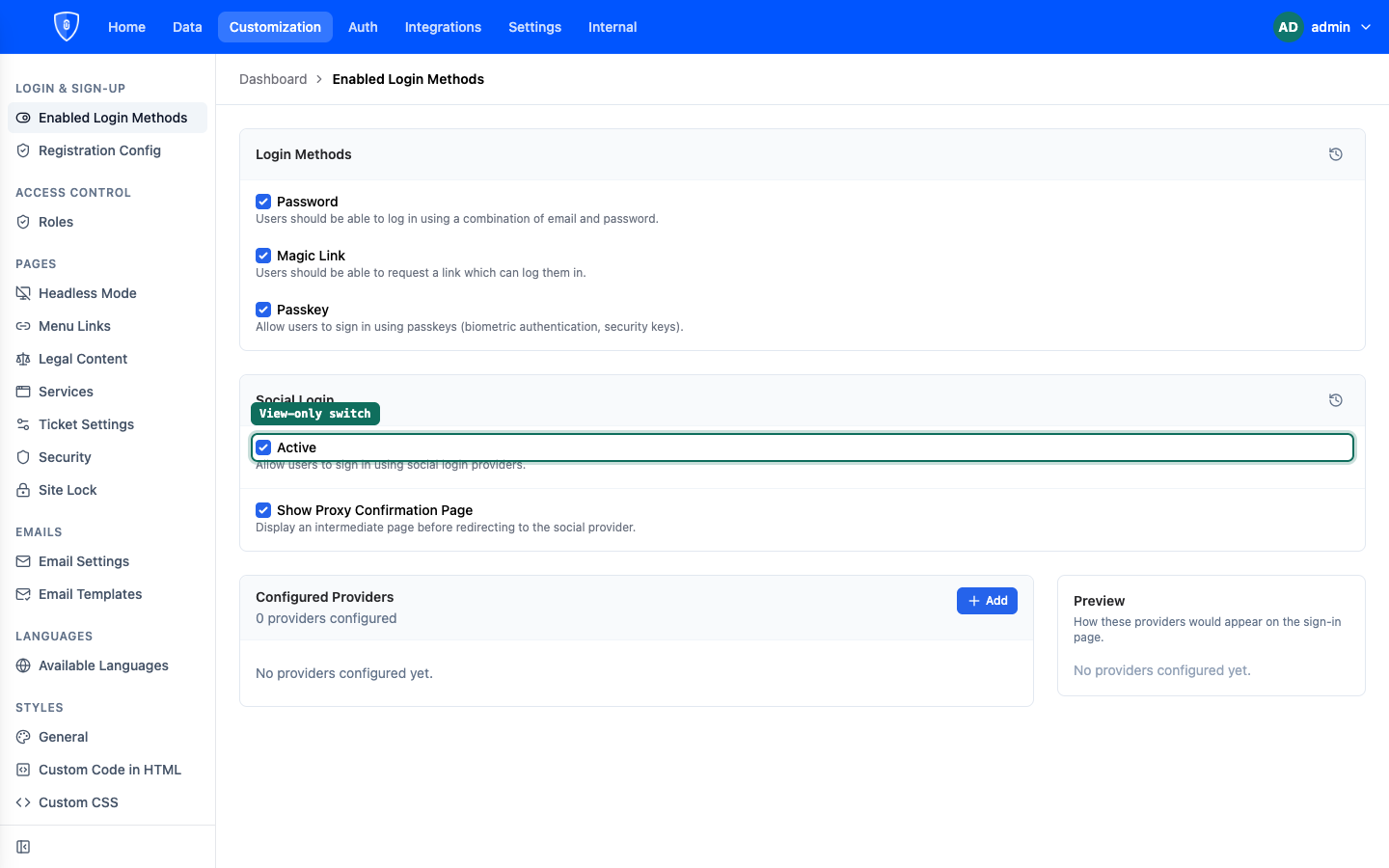
Customization → Enabled Login Methods — the four switches, and the one that is presentation only · highlight on Social Login Active (rows 1.1–1.3)
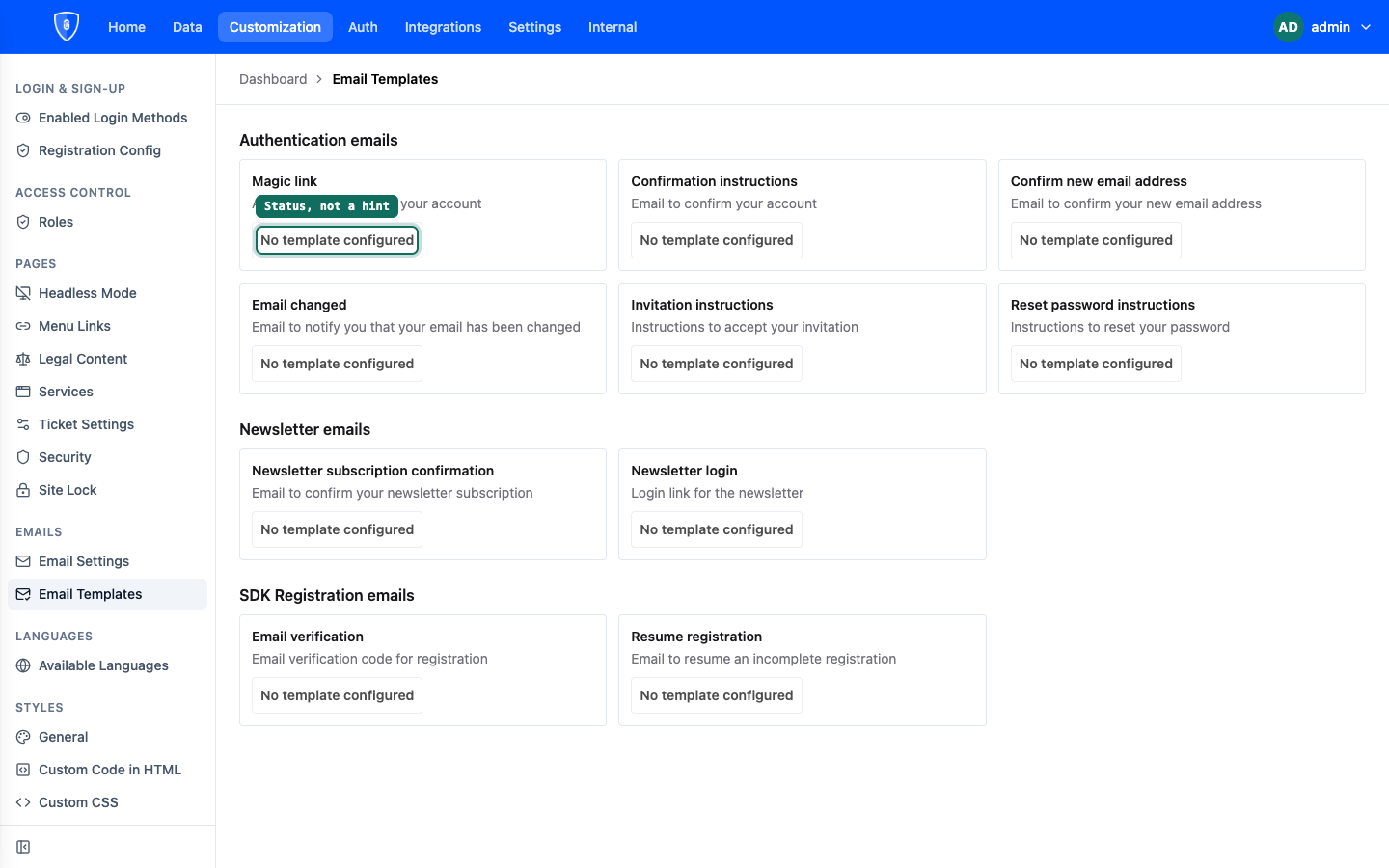
Customization → Email Templates on an untouched brand — ten cards, three groups, every one on the built-in default · highlight on the status line that is easy to read as a hint (row 2.1)
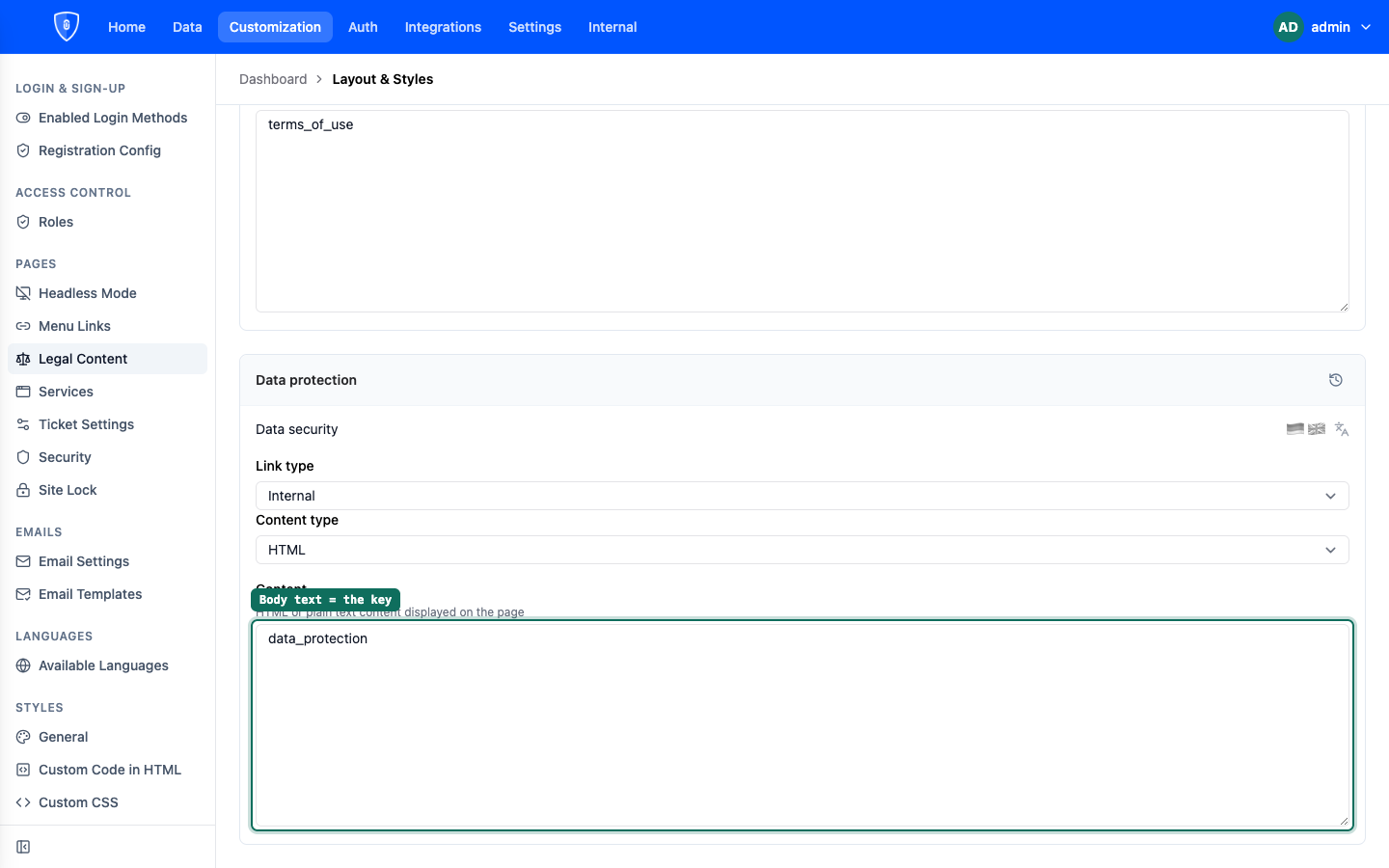
Customization → Legal Content on an untouched brand — the terms and privacy bodies are the names of their own keys · highlight on the privacy body (row 3.1)
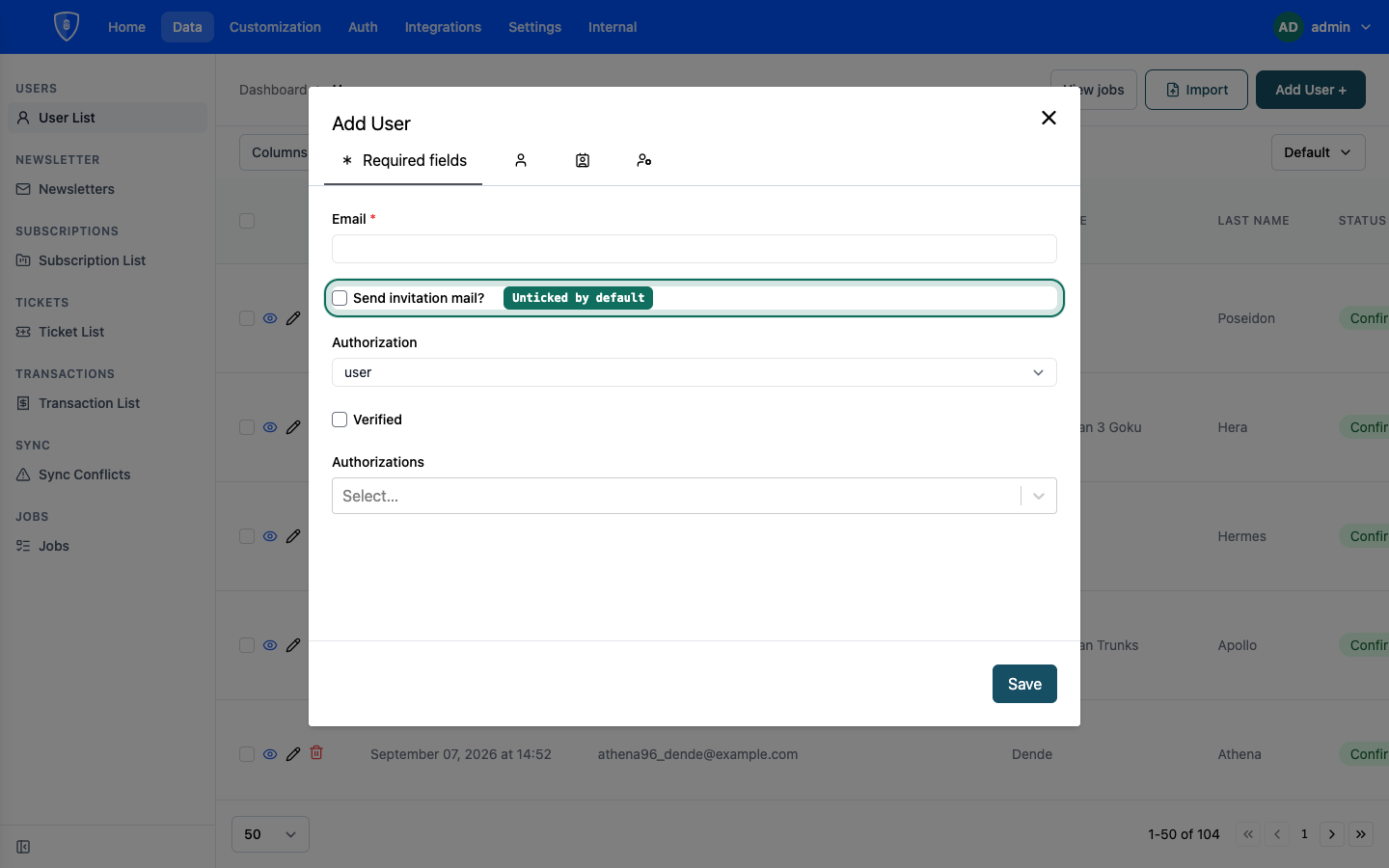
Data → User List → Add User + — the whole of the required-fields tab · highlight on the box that decides whether the person ever hears from you (row 4.1)
Rehearse the customer and failure paths
Run mutations and failure injection on a staging environment with disposable records and designated test recipients. Record the original configuration and restore it after the exercise. In production, verify the already-approved configuration using the agreed launch checks.
- Complete a customer journey. Start in a fresh browser, register or sign in through the chosen flow, open representative customer data, sign out and test the relevant recovery route. Repeat for an existing customer and each materially different brand/language configuration. The resulting identity, access and messages must match the intended customer.
- Exercise one integration failure. In staging, make the receiving system fail, observe failure visibility, restore it and verify recovery without duplicate business actions. For webhooks, use the delivery troubleshooting procedure; retry exhaustion still requires an operator decision and possible reconciliation.
- Rehearse a partial migration if migration is in scope. Use representative rows with a duplicate, an existing record and an invalid value. Demonstrate how the operator identifies committed work and reconciles it before a corrected import. Cancellation is not an undo.
- Practise the handoff. Have the backup operator find the failing application, relevant request/event/job ID, runbook and escalation contact without relying on the original implementer.
Make the cutover decision
Write the cutover runbook as an ordered list of action → owner → expected result → stop condition → recovery action. Include the following decisions:
- Identify the system of record and whether writes must pause while final migration changes are collected and reconciled.
- Record the final approved hosts, redirect URLs, enabled subscriptions and configuration. Test the production configuration separately from staging configuration.
- Do not rotate credentials just because it is launch day. If rotation is required, prepare consumers first, then use the surface-specific rotate/retrieve/propagate/verify sequence. Do not assume a future generated value is available in advance or that old and new credentials overlap.
- Define stop conditions, such as an inaccessible customer journey, incorrect access scope, unexplained migration differences, or a receiver that cannot durably capture events. Assign the person who decides whether to stop, repair forward or invoke a reviewed recovery procedure.
- Describe recovery for each action. Reverting a client release or DNS setting does not reverse imported records, sent messages, external side effects or deleted configuration.
Verify after launch
At the agreed observation points, check a representative customer journey, email delivery, integration backlog/failures and reconciliation exceptions. Endpoint reachability alone does not prove that a background worker or consumer is processing work. Record outcomes against the same release and configuration used for the launch decision.
Resolve or transfer every outstanding exception to a named owner. Complete Communication and support handoff, and rerun affected gates when hosts, credentials, permissions, mappings, customer flows or integrations change.