Authentication and integration checklist
Track identity and system-connection readiness.
Authentication and integration checklist
Complete the sections for the flows and connected systems you are launching. Record the environment, brand, application/provider/registration identifier, developer and operator. Mark each applicable check Passed, Blocked or Accepted exception with a date and evidence link; mark unused branches Not applicable.
This checklist verifies your configured integration. It does not replace the protocol or endpoint reference, and completing it is not proof that an untested environment behaves the same way.
Prerequisites and scope
| ID | Check | Pass criterion / evidence |
|---|---|---|
| P01 | Choose the authentication and data-exchange surfaces | The intended customer journey, client type and data flow match authentication choices and integration choices. |
| P02 | Confirm hosts, brands and environments | Issuer/base URL, callback URLs, allowed origins, brand associations and provider endpoints refer to the intended environment. |
| P03 | Verify operator access | The assigned operator can read/change the required resources in the intended scope, and a representative unauthorized role is refused. Use Roles and feature availability. |
| P04 | Identify credentials and owners | Each credential has the correct surface, consumer, storage/retrieval method and renewal/rotation owner. No secret appears in shared evidence. |
| P05 | Record source and target mappings | Stable user/resource identifiers and brand/service scope are agreed; retries and reconciliation use the appropriate endpoint contract. |
OAuth/OIDC and REST access
Complete this section for the chosen OAuth/OIDC flows or REST API clients. See OAuth application administration, PKCE, confidential clients and machine-to-machine access.
| ID | Check | Pass criterion / evidence |
|---|---|---|
| O01 | Prepare the service and participating brands | The saved application references the intended service and brands. Service administration and application administration have their own access requirements; verify the assigned operator rather than assuming both screens are superadmin-only. |
| O02 | Configure the intended client/flow | Public clients use the supported PKCE flow without a client secret; confidential-client secrets stay on the server. The callback exactly matches the approved URI. |
| O03 | Validate the authentication response | The implementation uses a maintained protocol library and verifies state, issuer, audience, signature, expiry and nonce where required by the flow. A modified or mismatched response is rejected. |
| O04 | Verify scopes and claims | The client requests only needed scopes and receives the expected identity/resource data. A request outside its scope or user authority fails. |
| O05 | Exercise expiry and recovery | Refresh/reauthentication and logout have tested application behavior; an invalid or revoked credential produces a recoverable failure without a loop. |
| O06 | Verify backend operations | The correct token type and endpoint permissions are used. Failed/retried writes do not duplicate business effects; pagination and reconciliation follow their documented limits. |
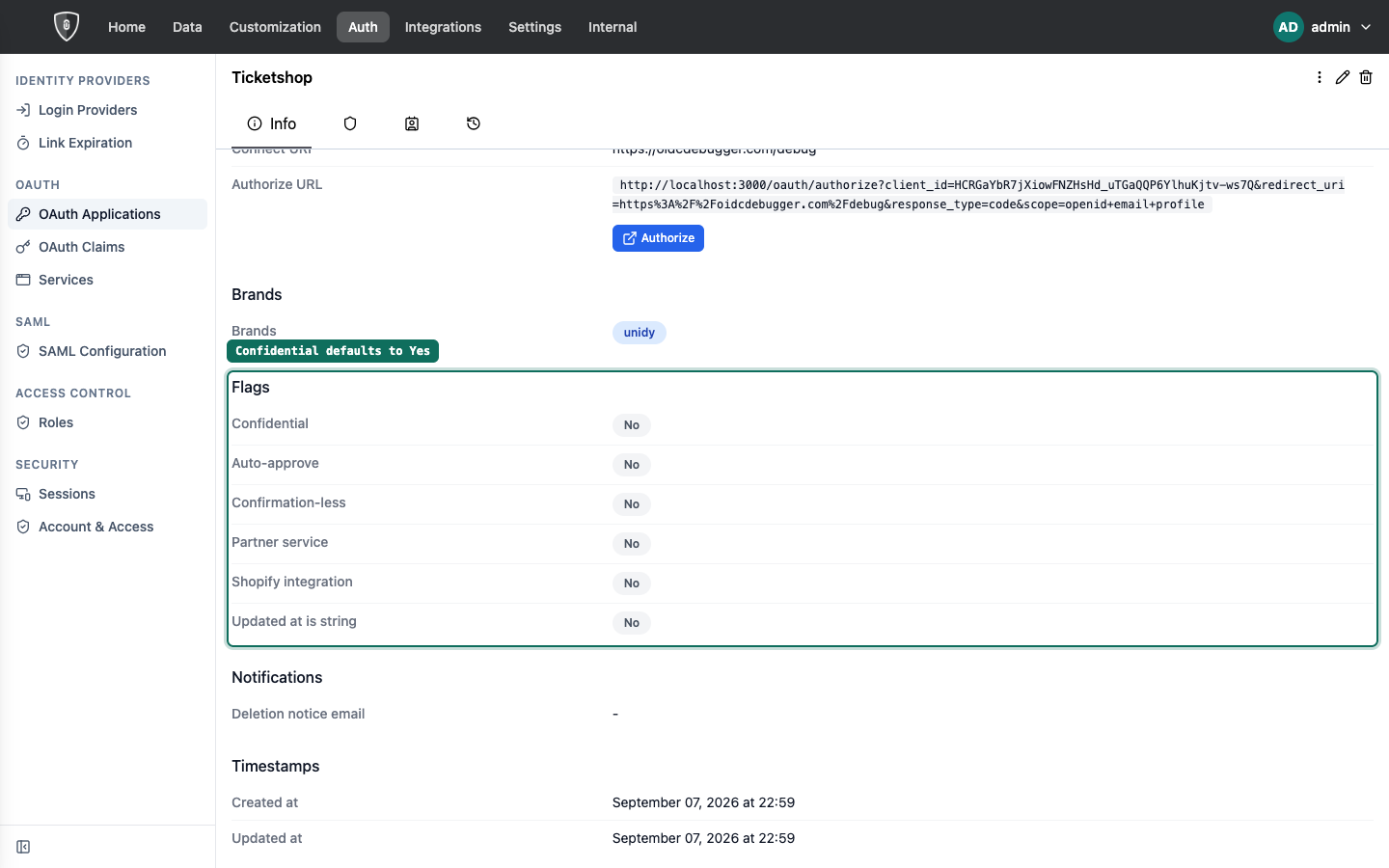
Auth → OAuth Applications → an application → Info — the six flags, three of which decide a row above · highlight on the block that carries Confidential (1.3) and Confirmation-less (1.8). The seeded Ticketshop was created with Confidential: No; a new application is created with it Yes.
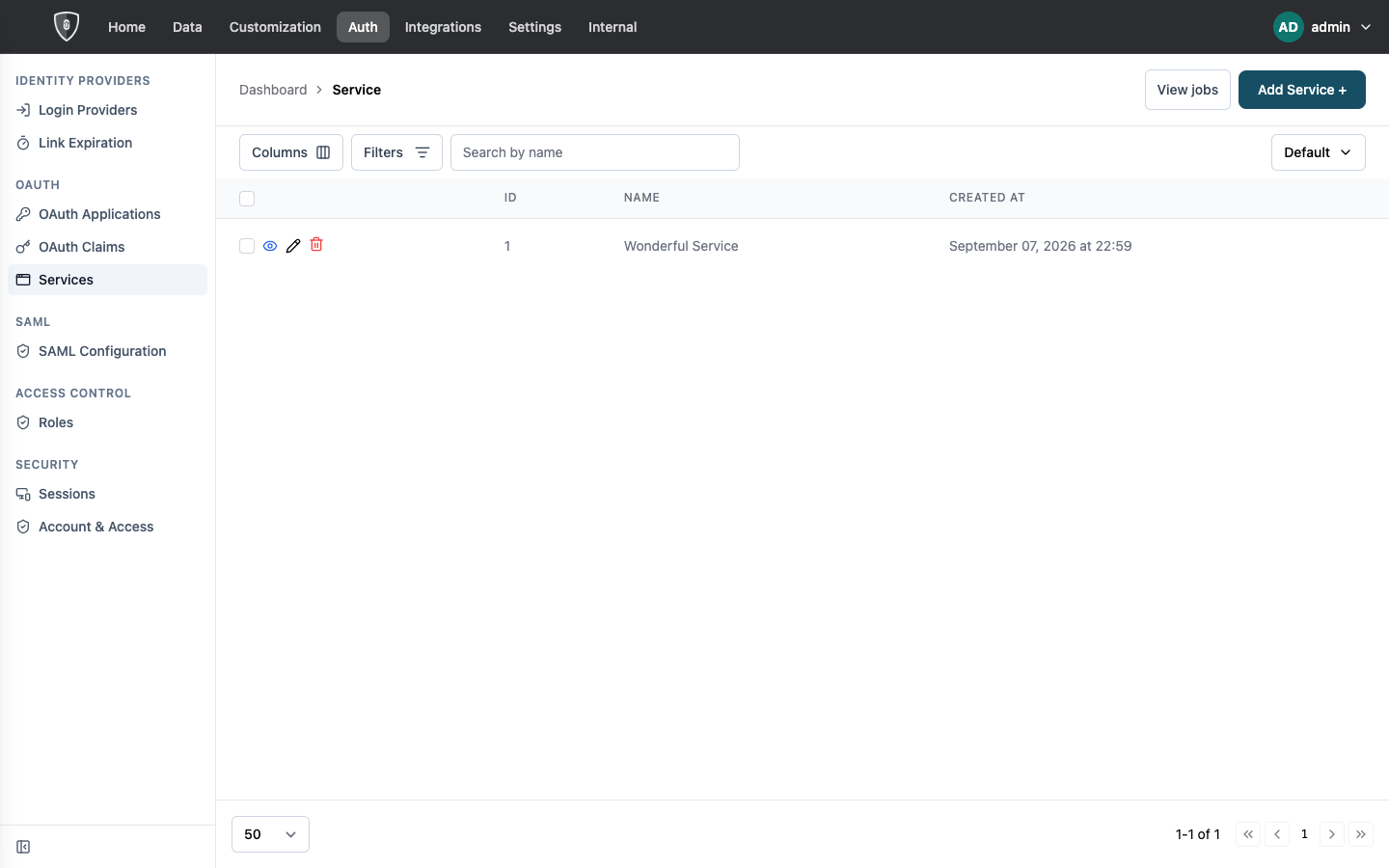
Auth → Services — the whole screen. Three columns and a name, and it gates every OAuth application on the account (1.1) and six of the sixteen webhook event types (4.3).
Use the authentication method documented for the API surface being called. An SDK client key is not an OAuth bearer token, and the existence of another credential type does not make it interchangeable. REST scopes and permissions and Errors, idempotency and retries own those contracts.
Customer application SDK
See SDK credentials and Authentication and session management.
| ID | Check | Pass criterion / evidence |
|---|---|---|
| K01 | Match SDK client, environment and origins | The intended browser origin succeeds; an unapproved origin fails. The deployed application uses the expected SDK client. |
| K02 | Test the real new/existing-customer flows | Sign-in, registration, confirmation and recovery follow the responses of the selected SDK flow, including pending and failed states. Hosted page settings alone do not prove SDK registration behavior. |
| K03 | Test session lifecycle | Expiry, refresh, long inactivity, logout and invalid token state lead to the intended application outcome. Do not treat a single access-token lifetime as an absolute session ceiling. |
| K04 | Test customer-data boundaries | The authenticated customer sees only the intended profile/resources, and unavailable/forbidden operations have a clear UI state. |
| K05 | Record the SDK/package version | The deployed version and its configuration are in the handoff pack, with a link to the relevant release notes. |
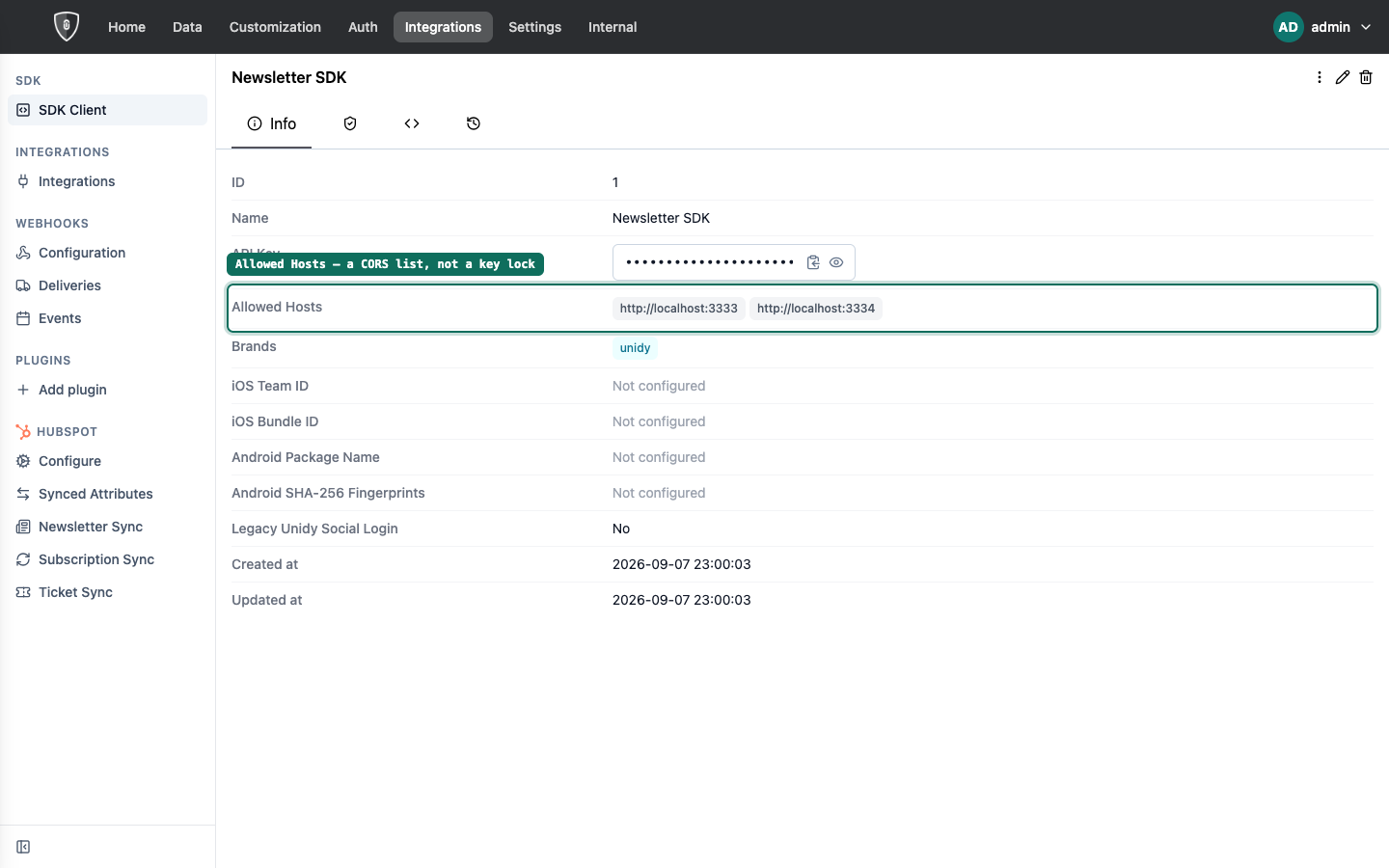
Integrations → SDK → SDK Client → the seeded Newsletter SDK · highlight on Allowed Hosts (2.3, 2.4). The API Key row above it is masked with a reveal button — which is display, not access control (2.1).
SAML and external login providers
Only complete SAML checks for a selected SAML integration. Use SAML overview, Metadata and certificates and Test and troubleshoot SAML.
| ID | Check | Pass criterion / evidence |
|---|---|---|
| S01 | Confirm protocol direction and metadata | Both parties agree which is IdP/SP, entity IDs, callback/ACS destination and the expected identifier/attributes. |
| S02 | Verify signature and certificate handling | The partner accepts the intended signed response/assertion, rejects invalid input and has an assigned renewal owner. Follow the actual certificate's purpose; an SP certificate field is not automatically the platform signing certificate. |
| S03 | Test identity matching and failure paths | A representative existing and new identity reaches the intended account; unexpected identifiers, denied access and expired/invalid responses fail safely. |
| S04 | Verify brand provider configuration | Hosted social buttons appear only for the intended enabled, visible brand links, and a successful provider callback resolves the intended customer. |
| S05 | Verify a deliberate provider disable | Test the actual entry point. Removing a button and disabling authentication are different outcomes; detaching a brand link can permit fallback to a shared provider. |
Hosted login button visibility depends on active brand links. Separately, direct provider resolution can fall back to an unowned shared provider when a brand has no explicit link; a hidden/disabled explicit link prevents that fallback. Use Login and registration settings and the provider reference for the intended configuration. Do not use detachment alone as an authentication off switch.
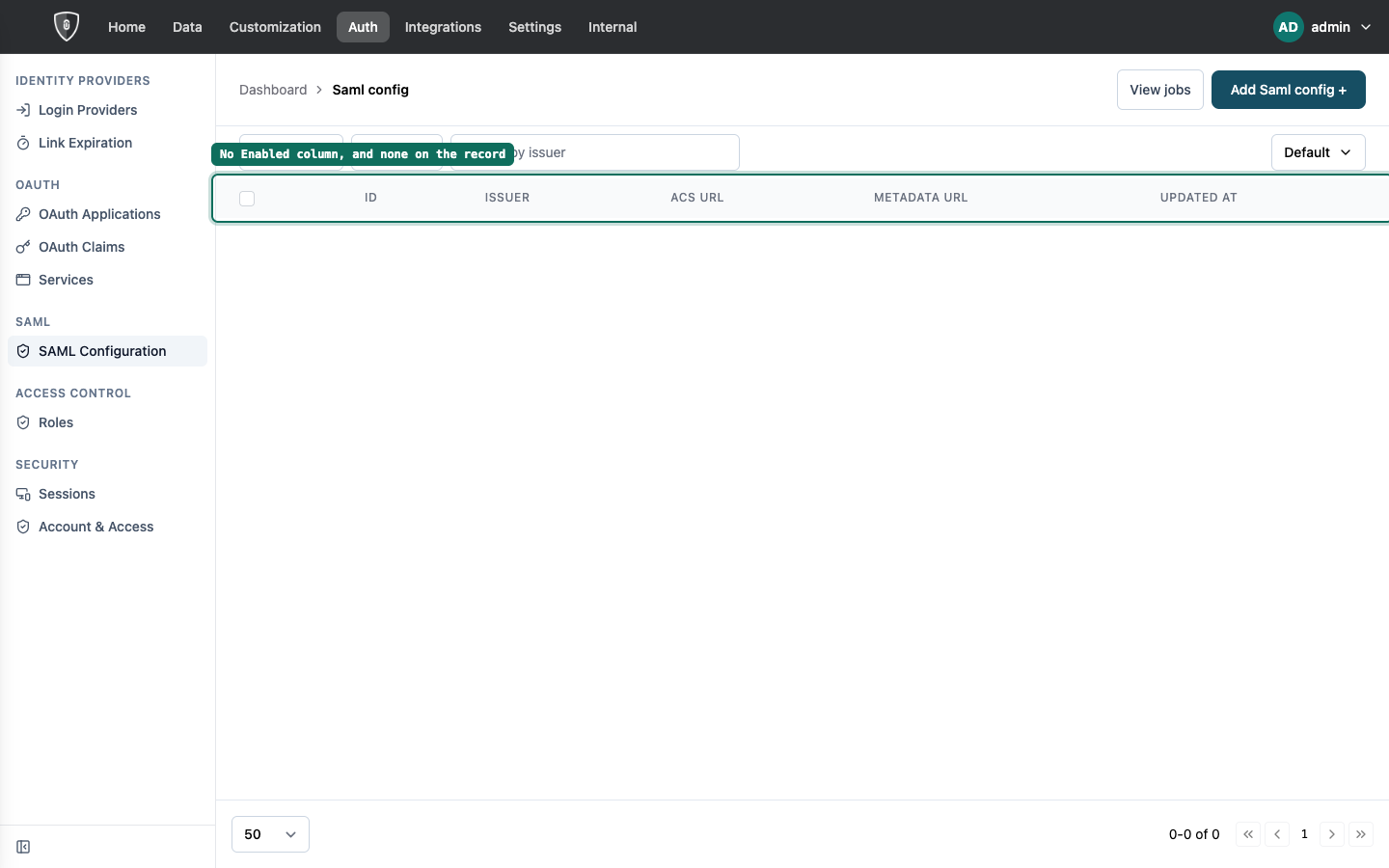
Auth → SAML Configuration — empty on the seeded tenant, which is not the point; the columns are · highlight on the header row, where the absence of an Enabled column is the whole of row 3.2. Compare the Enabled column on Login Providers below.
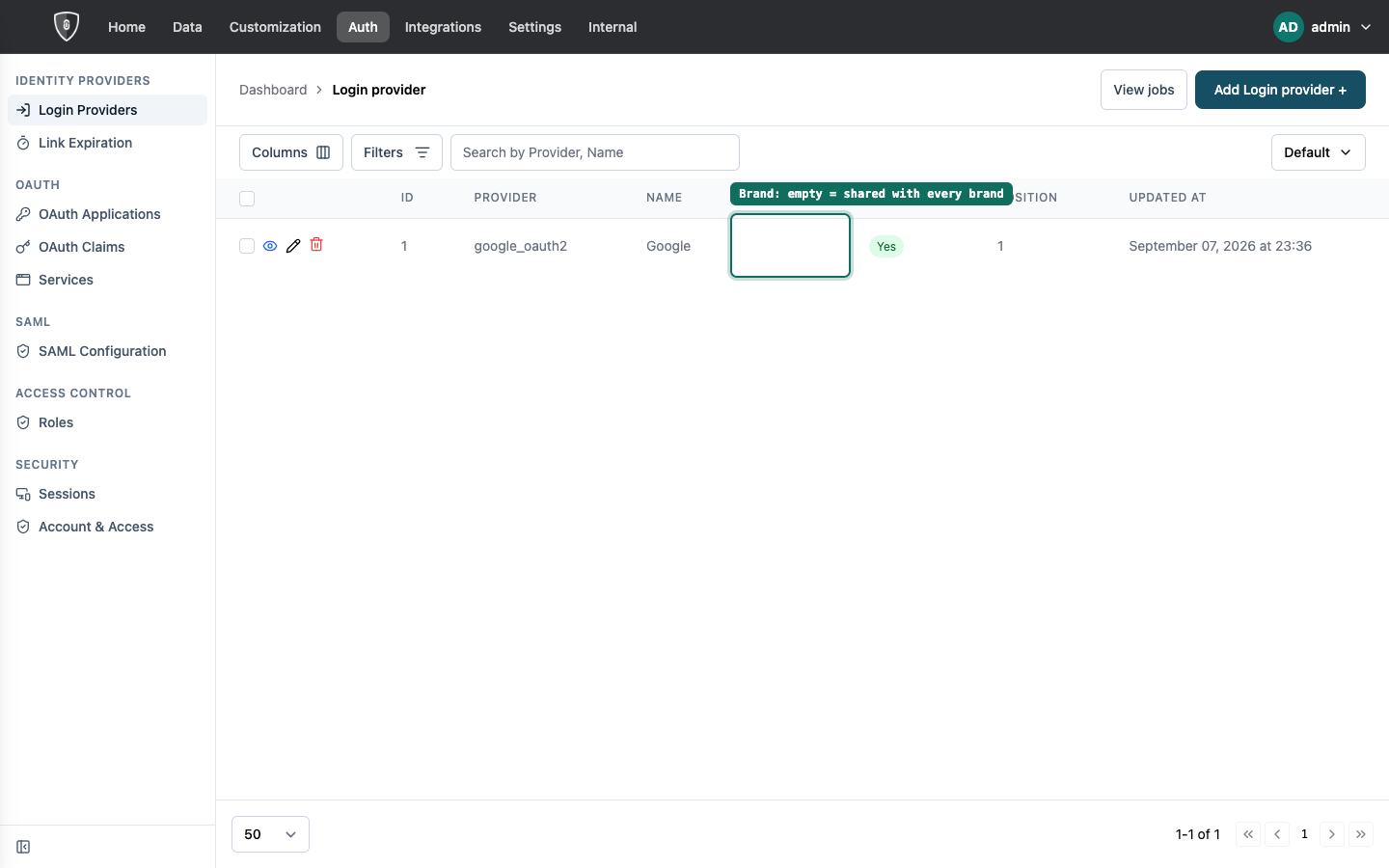
Auth → Login Providers — the tenant-wide catalogue, with the seeded Google row · highlight on its empty Brand cell. Enabled, owned by nobody: this is exactly the state that puts a Google button on a brand reading "0 providers configured" (3.4).
Webhooks and downstream systems
Use Configure and secure a webhook as the signing/response reference and Webhook event reference for event prerequisites and payloads.
| ID | Check | Pass criterion / evidence |
|---|---|---|
| W01 | Register the intended receiver and subscriptions | HTTPS URL, enabled state, brands, event types and required service scope match the receiving system. A registration without matching subscriptions is not sufficient. |
| W02 | Verify the configured signature version | The receiver validates unmodified raw body bytes against the versioned signing contract. New registrations use v2 HMAC with timestamp; legacy v1 uses its legacy digest. Wrong signatures and replay-policy failures are rejected. |
| W03 | Persist before acknowledging | A valid delivery is durably captured before a success response. Subsequent processing can retry without losing the accepted event. |
| W04 | Handle duplicates and ordering | Repeated/out-of-order test deliveries do not duplicate business actions or overwrite a newer accepted state incorrectly. |
| W05 | Exercise receiver failure and recovery | Staging failure is visible, restoration resumes processing where retries remain, and exhausted work has a reviewed recovery/reconciliation procedure. Retries are bounded, not a delivery guarantee. |
| W06 | Verify routing behavior | Prefer a direct HTTPS endpoint. If the deployment relies on a redirect, test the supported single validated 307/308 redirect and do not assume other redirect chains work. |
| W07 | Verify baseline and gaps | The consumer has a baseline and a way to investigate missing changes. Enabling a subscription later does not reconstruct historical events, and current REST state cannot recover every deleted record or intermediate event. |
| W08 | Review pause/retirement behavior | Operators understand that disabling registrations/subscriptions is not a lossless queue pause and can strand in-flight work. Reconcile the affected interval before declaring recovery. |
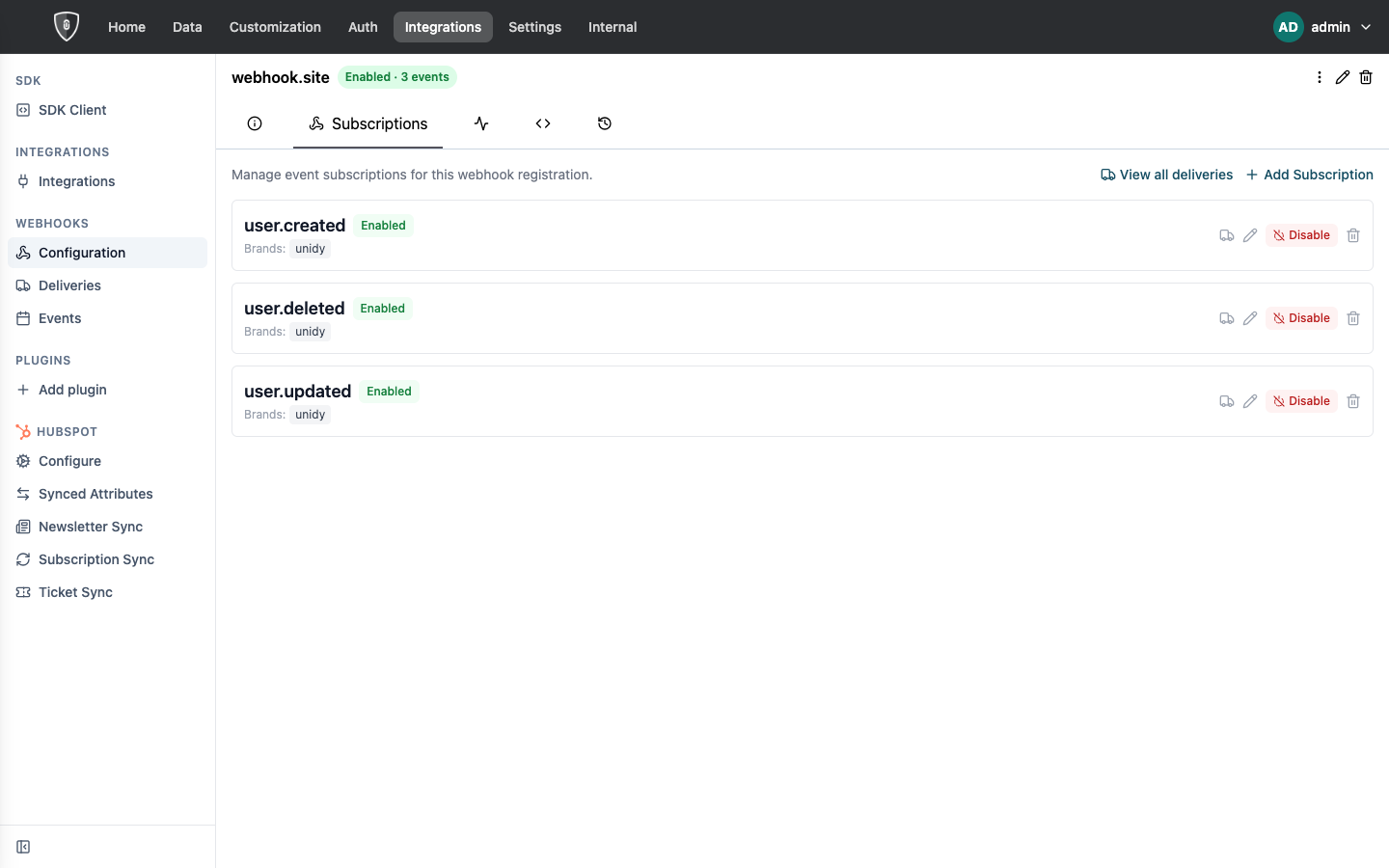
Integrations → Webhooks → Configuration → a registration → Subscriptions — the seeded webhook.site registration and its three subscriptions · no annotation, because the screen is the row: this is the state 4.2 and 4.3 ask you to read. None of the three shows a service, because user.* events do not take one. The per-subscription Disable button is the off switch SAML has no equivalent of (3.2, 6.3).
The current sender schedules up to five retries after the initial attempt, for six total attempts. Queue timing varies; do not use an assumed ten-minute window as a recovery promise. Keep monitoring and operator ownership independent of automatic retries.
Credential cutover and retirement
Rehearse material changes in staging using disposable clients/records and designated recipients. For each credential or connection:
- List its consumers, secure storage location, primary/backup operator and the verification request/customer flow.
- Read the surface-specific procedure and determine whether staged replacement or overlap is actually supported. Prepare hot-reloadable consumers or an agreed maintenance window.
- For a generated replacement, rotate and retrieve it through the supported flow, propagate it securely, then verify every consumer. Do not plan to deploy an unknown future value before rotation.
- Record interruption, failed requests/deliveries and any reconciliation required. Reverting client code does not restore an overwritten credential.
- For retirement, stop new producer/consumer work as agreed, retain required evidence, account for in-flight work and verify that access is removed without affecting still-active integrations.
Certificate expiry/renewal and provider-side revocation need their own owners and procedures. Do not treat every secret, API key and SAML certificate as the same lifecycle.
Deliver the integration handoff pack
Provide the following through the agreed project/secret-sharing systems:
- Environment/base URL/issuer, brand and application/provider/registration identifiers, client type and installed versions.
- Approved callbacks/origins, scopes/claims, event subscriptions and source-to-target identifier mappings.
- Credential owner and retrieval/rotation procedure, without plaintext secrets in the shared document.
- Test results, representative request/event/job IDs, accepted exceptions and the exact configuration tested.
- Monitoring and reconciliation runbooks, failure/expiry/retirement procedures, primary/backup operators and escalation contacts.
Have the receiving operator locate and use the pack during a staging rehearsal. Link acceptance from Testing and go-live and transfer operational details to Communication and support handoff. Rerun the affected checks after changing credentials, hosts, scopes, providers, subscriptions or customer authentication behavior.