Communication and support handoff
Prepare users and transfer ongoing ownership.
Communication and support handoff
Use this checklist to hand an implementation to the people who will operate it. The result is a shared record of named owners, monitored channels, expected responses, and working runbooks.
Agree account-level contacts once, verify customer-facing email and content per brand and language, and record monitoring and recovery ownership per integration. Store the record where both the outgoing and receiving teams can find it; an email template or a dashboard login is not a substitute for an agreed support arrangement.
1 · Name the owners and agree the channels
Complete this table with named people or maintained team aliases. Add a backup for each operational responsibility and confirm that the receiving team accepts it.
| Responsibility | Primary owner | Backup | Contact or runbook |
|---|---|---|---|
| Customer questions and replies to transactional email | To agree | To agree | Monitored support inbox and coverage |
| Brand content, legal text, languages, and email changes | To agree | To agree | Approval and change procedure |
| Application authentication and frontend operation | To agree | To agree | Application runbook and incident channel |
| Webhook receivers, imports, and other integrations | To agree | To agree | Monitoring, reconciliation, and recovery runbooks |
| Credentials and permission administration | To agree | To agree | Restricted credential store and access-review procedure |
| Unidy service escalation | To agree with Unidy | To agree | Agreed support route and fallback |
| Customer-facing incident and maintenance messages | To agree | To agree | Communication owner and publishing channels |
Then record the agreements the table depends on:
- The channel for ordinary requests, the route for urgent incidents, and the fallback when the preferred channel is unavailable.
- Coverage hours and timezone, severity definitions, and the response or update expectations agreed for your service. Do not infer these from an automated alert or the presence of dashboard chat.
- Who communicates planned maintenance, releases, and incidents to your team and to your customers.
- Who can approve production configuration changes, credential cutovers, and recovery actions.
- When ownership will be reviewed, especially after staff changes or the implementation partner's handoff.
Responsibilities covers the broader division between customer, implementation partner, and Unidy.
For migration audiences, invitation timing, and reminders, prepare the User migration communication plan.
2 · Verify what customers receive
Run these checks for every brand and relevant language. Use Email templates and delivery for the message inventory and workflow-specific sending controls.
| Check | Action | Acceptance evidence |
|---|---|---|
| HO-01 | Confirm the sender identity and sending-domain arrangements. | The owner has approved the From address and sender name, and a representative message arrives from the expected identity. A value saved in Email Settings does not establish domain provisioning or delivery. |
| HO-02 | Verify Reply-To with an approved test message and reply. | The reply reaches an inbox someone monitors. When no Reply-To header is set, email clients ordinarily reply to the From address; verify the received headers. |
| HO-03 | Review the applicable transactional messages and their language coverage. | The receiving team knows which approved customization or default is used, who edits it, and how changes are tested. The feature-filtered template grid is not a complete message inventory. |
| HO-04 | Explain the effect of template changes. | The owner understands that disabling a custom template selects a fallback rather than stopping the workflow's email. Saving an enabled template or a shared component can affect subsequent messages. |
| HO-05 | Review public legal and support information. | Legal links, help text, and contact details are approved in each offered language and lead to current destinations. See the Customer-experience checklist. |
| HO-06 | Check integration-specific communication settings. | Notifications addressed to a partner or an integration error inbox reach the agreed operator. Record any provider-specific ownership, such as Eventim webhook error contacts. |
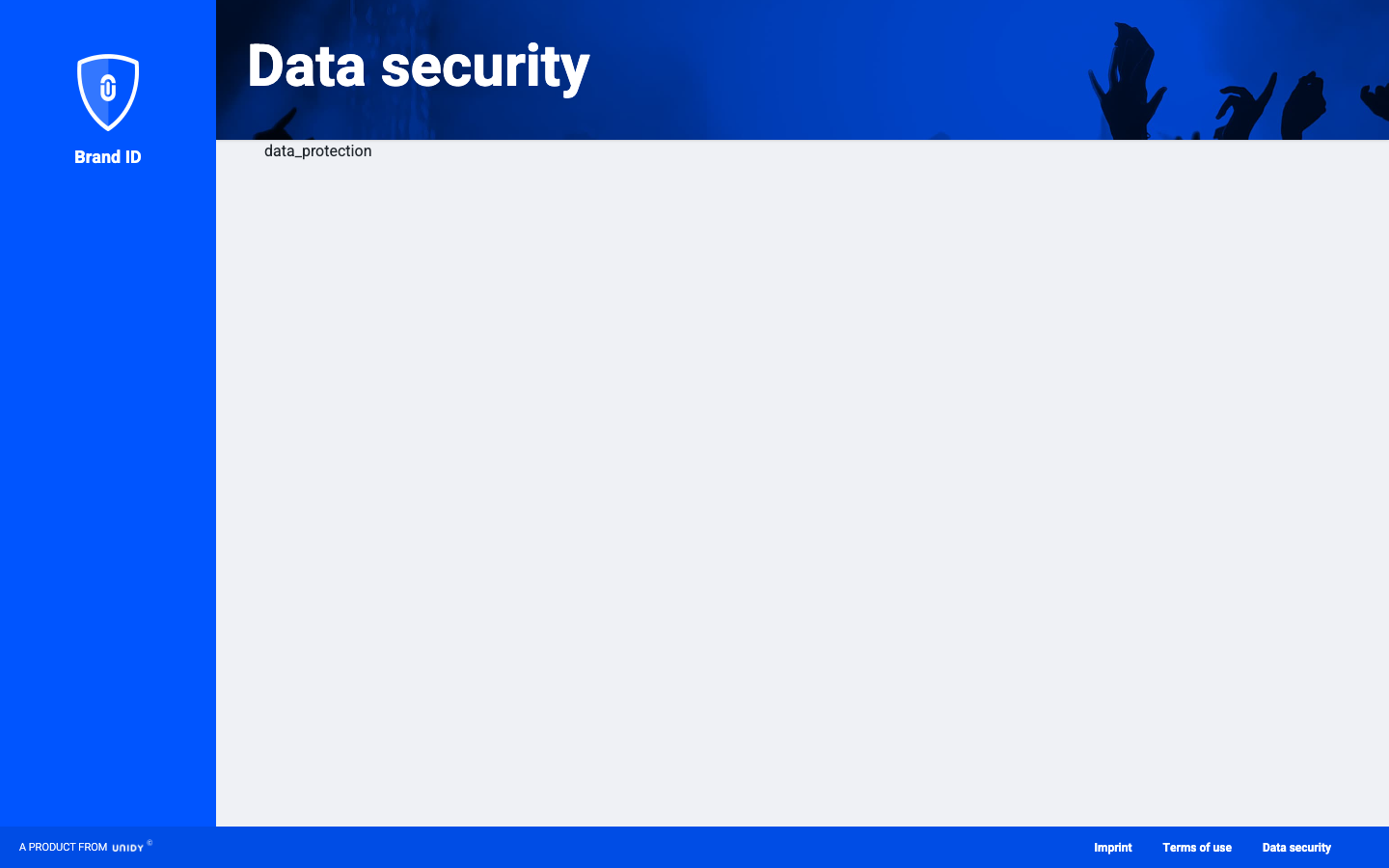
The seeded brand's public privacy page, signed out, at /data_protection — the body is the literal string data_protection, because English ships no default for that key and the record is seeded with its own key name. Row 1.4; the mechanism and the check are page 60's.
Use staging and test recipients for message or configuration rehearsals. The editor's forced test can render a disabled template or a language ordinary delivery would not select; also test representative real workflows. In production, inspect approved configuration and retained message evidence unless a production send or change is explicitly included in the agreed test plan.
3 · Agree monitoring and incident response
For each integration, record the signal, the person or team watching it, the alert destination, and the response action. Include endpoint reachability, application errors, processing delay, and reconciliation appropriate to the integration.
| Check | Action | Acceptance evidence |
|---|---|---|
| HO-07 | Identify who monitors failed webhook delivery and receiver processing. | Dashboard delivery records and receiver logs are available to the operator; alert destinations and escalation routes are agreed. The dashboard does not configure customer recipients for Unidy's webhook monitoring alerts. Confirm service arrangements with Unidy. |
| HO-08 | Monitor useful health signals without treating them as an end-to-end test. | The runbook distinguishes dependency reachability from successful sign-in, background work, and integration processing. |
| HO-09 | Rehearse a receiver failure and recovery in staging. | The agreed alert reaches the operator, evidence identifies the failed event or delivery, and the documented retry or reconciliation procedure restores the expected result. Do not assume exhausted retries are automatically replayed. |
| HO-10 | Agree the incident report format and communication owner. | The receiving team can report impact, scope, timing, identifiers, evidence, and actions already taken without exposing credentials or unnecessary personal data. |
Health endpoint limits
GET /up returns HTTP 200 when its dependency checks pass and 500 when a checked dependency fails. These are dependency-reachability checks. A successful response does not establish that workers are running, queues are progressing, or a customer journey works.
GET /up/details returns per-dependency results in JSON. Inspect the result fields when using it; its HTTP status alone is not a failing-dependency alert. Keep normal monitoring checks unfiltered rather than excluding services to obtain a passing result.
Pair reachability checks with appropriate application and consumer signals. Agree any synthetic customer journeys and their test accounts before enabling them.
Information to include in an incident
Account / affected brand / environment / application:
Impact and affected customer or integration scope:
First observed and latest observed times, including timezone:
Expected behavior / observed behavior:
Relevant event, delivery, request, or dashboard-job identifiers:
Evidence links and sanitized error messages:
Recent changes and actions already taken:
Incident owner / contact channel / next agreed update:
Send secrets through the agreed credential-sharing mechanism, not an incident ticket. Use restricted evidence locations for personal data and keep only what the investigation requires.
4 · Preserve evidence and recovery instructions
Dashboard records are useful diagnostic evidence, but they are not an indefinite archive. Record where your team stores the evidence it needs and who owns retention and access.
| Evidence | Current cleanup behavior | Handoff action |
|---|---|---|
| Webhook events and associated deliveries | Events older than two months are eligible for cleanup; their delivery records are removed with them. | Retain required incident evidence before cleanup and keep the receiver's processing/reconciliation record. See Troubleshoot failed deliveries. |
| Dashboard import and other job records | Completed, failed, or cancelled jobs older than 30 days by creation time are eligible for cleanup, including associated attachments. In-progress jobs are not selected by this rule. | Capture source files, outcomes, error reports, and reconciliation evidence needed after handoff. See Data migration. |
| Resolved sync conflicts | Resolved conflicts older than a year by creation time are eligible for cleanup. This is not a rule deleting every unresolved conflict after a year. | Preserve decisions required for ongoing investigation or your own recordkeeping. See Sync conflicts and jobs. |
These are application cleanup rules, not a statement of contractual data retention or a guarantee that every record remains until a specific instant. Confirm any additional requirements with the responsible team.
| Check | Action | Acceptance evidence |
|---|---|---|
| HO-11 | Capture the required implementation and migration evidence. | The receiving owner can access the approved configuration, acceptance results, import reconciliation, and open decisions. |
| HO-12 | Review recovery instructions and permissions. | The operator knows what can be retried, what requires reconciliation, and who approves destructive actions. An audit history entry is not an automatic restore operation. |
| HO-13 | Verify access without copying credentials into the handoff. | Primary and backup owners have the permissions they need and can locate the credential store and cutover procedure. |
5 · Accept the handoff
Have the receiving team walk through the record with the implementation team. They should be able to locate the runbook, explain the first response to a failed integration, find the contact route, and identify who approves the next production change.
Record each check as passed, not applicable, accepted exception, or blocked. Exceptions need an approver and reason; outstanding work needs an owner and review date. Do not treat an unanswered contact or monitoring question as a completed handoff.
Account / brands / integrations covered:
Handoff date / record location:
Outgoing owner / receiving owner / backup:
Agreed support channels / coverage / escalation reference:
Runbooks / monitoring / evidence locations:
Check ID | Result | Evidence | Follow-up / owner / review date
Accepted exceptions and approvers:
Receiving team's acceptance / date:
Next ownership review:
Update this record after ownership changes, a new brand or integration, a monitoring change, or an incident that exposes a missing step. Re-run affected customer-experience checks when customer-facing settings change.
Quick routing
- Change a message or understand why it was sent: Email templates and delivery.
- Investigate a failed webhook: Troubleshoot failed deliveries, then the agreed integration owner.
- Find the owner of a configuration or platform request: Responsibilities, then the contacts recorded above.
- Approve the release as a whole: Testing and go-live.