Customer-experience checklist
Track registration, content, branding, email, and localization.
Customer-experience checklist
Use this checklist to approve the sign-in, account, content, and email experience for one brand. Repeat it for each brand, supported language, and customer-facing application in the launch. A dashboard setting is preparation; the result a customer sees is the acceptance evidence.
Record the brand, environment, hostname, application, languages, build or release, test date, and reviewer before starting. Include both a new customer and an existing customer whose profile represents the data you will launch with.
Choose the surface you are testing
For hosted pages, test the brand's own hostname. For an SDK or other custom frontend, test that application's registration, sign-in, profile, and error handling separately. Hosted-page switches do not establish how every SDK registration flow behaves. Use the Authentication and integration checklist for protocols, credentials, and system connections.
Start with a customer pass
- Open a fresh browser profile without a dashboard session or preview cookies. Load the intended customer entry point.
- Register a test customer, confirm their address where required, sign out, and sign in again. Also sign in as a representative existing customer and exercise the supported recovery path.
- Follow the account navigation and every legal or support link, including links available while signed out.
- Trigger representative transactional emails to approved test recipients. Read the subject and body, follow their links, and check the reply destination. Repeat for the languages and workflows in scope.
- Repeat the critical journey on a narrow mobile viewport and with keyboard navigation. Check readable content, visible focus, field labels, error messages, and the way validation recovers after a correction.
Record failures against the checks below. Mark each check passed, not applicable, accepted exception, or blocked, with a date and evidence link. An exception needs an approver and reason; unfinished work needs an owner and next review date.
Keep rehearsals separate from production approval
Run registrations, email sends, template changes, provider changes, and CSS publishing in a staging or disposable brand with test accounts and recipients. Record the starting configuration and restore it afterwards. For production sign-off, read back the approved configuration and inspect the live pages. Any production write or test message needs an agreed test plan and recipients.
1 · Sign-in and registration
| Check | Action | Pass criterion and reference |
|---|---|---|
| CX-01 | Exercise each supported login method from the actual customer frontend. | The expected methods are available, successful authentication reaches the right application, and cancellation or failure leaves a usable recovery path. See Login and registration settings. |
| CX-02 | Check the brand's configured social-provider links and the signed-out hosted page. | Each intended hosted button has a visible brand link to an enabled provider. A provider existing elsewhere in the account is not sufficient evidence that its button appears here. |
| CX-03 | Verify any requirement to block a social provider at the authentication endpoint as well as in the interface. | The configured brand link is hidden, or an approved provider disable is applied, and the blocked flow no longer succeeds. The hosted Social Login switch controls buttons. Detaching a link can allow fallback to a shared provider, so detaching alone is not a security off switch. Disabling a shared provider can affect other brands. |
| CX-04 | Exercise registration, confirmation, recovery, and an existing customer's next sign-in after changing login methods or required profile fields. | The intended journeys still work on each supported surface. Required-field prompts are expected and actionable. Do not infer all SDK behavior from hosted Password settings. |
| CX-05 | Follow the external registration destination, if configured. | New customers reach the intended registration service and can return to the application; existing customers can still sign in. |
| CX-06 | Check emailed-link expiry and expired-link recovery against the configured policy. | The customer can request a replacement where supported. Confirmation-link lifetime and the unconfirmed-account grace period are separate concerns; do not assume changing one changes the other. |
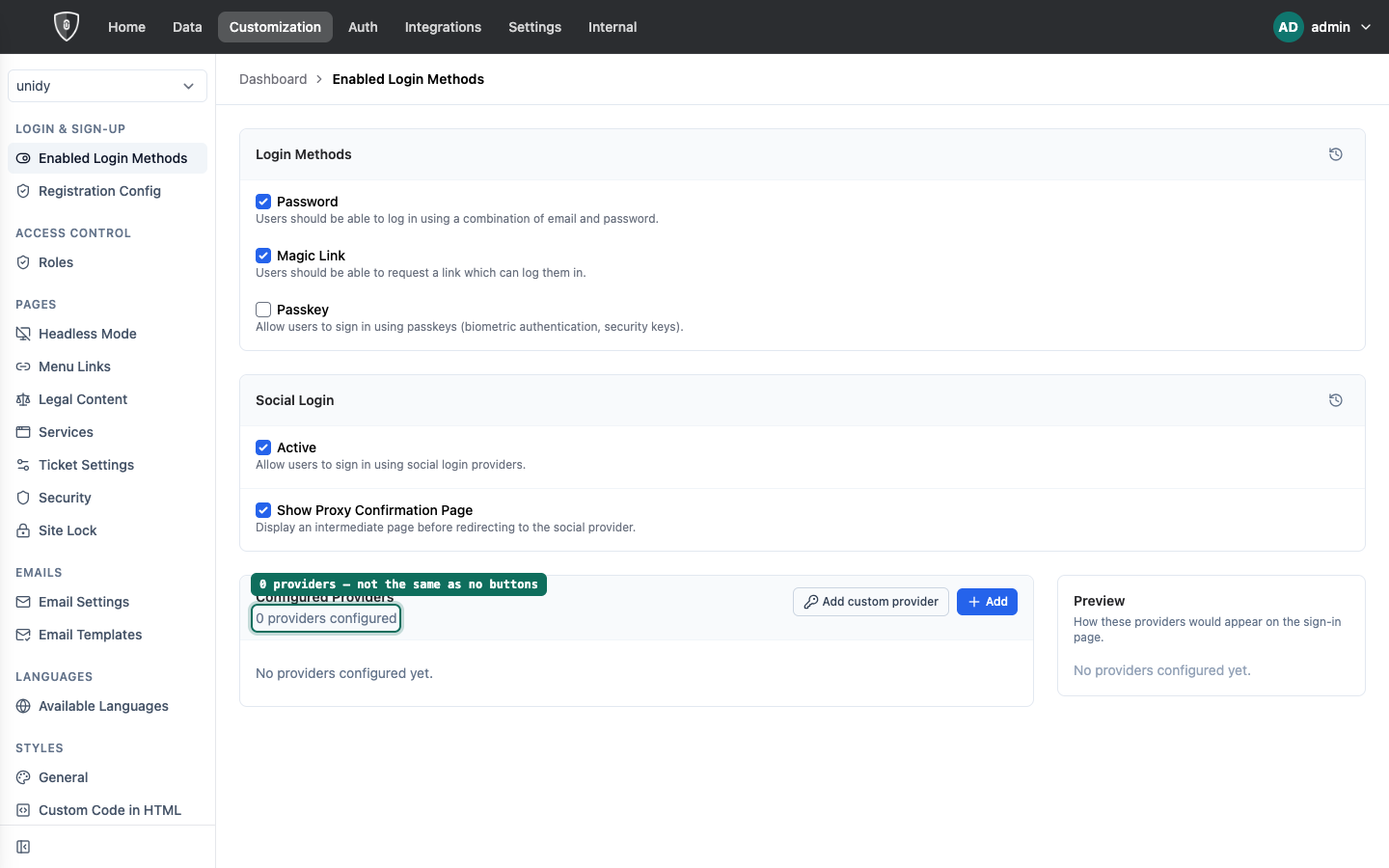
Customization → Enabled Login Methods on the seeded brand — Password and Magic Link on, Passkey off, Social Login → Active on · highlight on the count that reads like a warning and is actually the answer (rows 1.2–1.4)
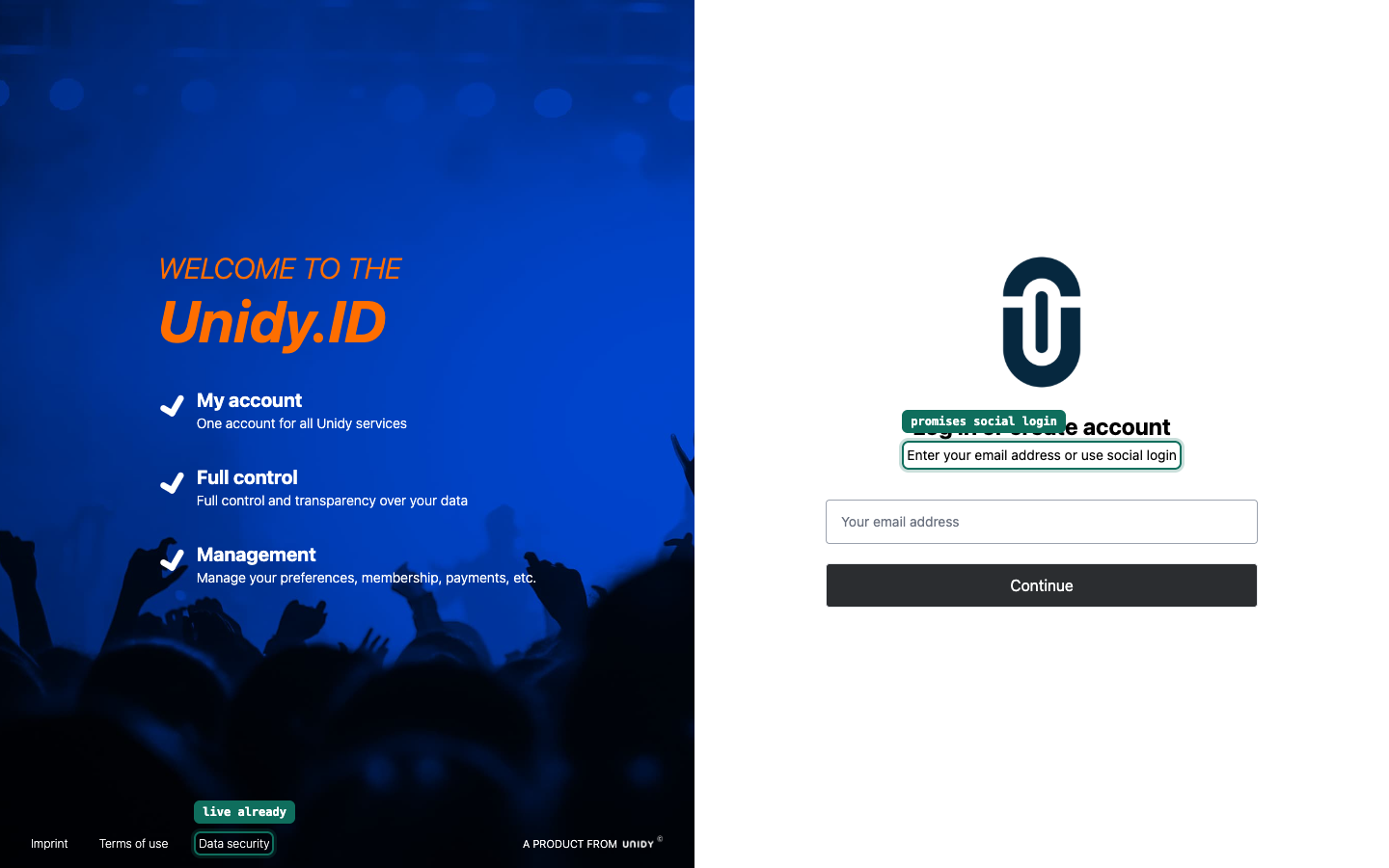
The same brand's own sign-in page, signed out, at the same moment — no social buttons at all · highlights on the subtitle that promises them anyway (row 1.2) and on a footer legal link that has been public since the hostname resolved (row 2.1)
2 · Legal content and navigation
| Check | Action | Pass criterion and reference |
|---|---|---|
| CX-07 | Open imprint, terms, and privacy links on the real hostname, both signed out and signed in. | The approved content replaces placeholders and describes the correct organization and service. Review each offered language. See Pages, navigation, and legal content. |
| CX-08 | Follow every visible navigation link as a representative customer. | Labels, order, destinations, and access are correct for that customer. Menu configuration alone does not establish visibility: features, connected services, and customer state can also affect it. |
| CX-09 | Test custom destinations and service links. | Custom links reach their intended destinations. Standard links follow their supported destinations; a saved URL on a standard link is not proof that navigation uses it. |
| CX-10 | Check the boundaries of headless mode or Site Lock if used. | The launch plan accounts for surfaces that remain available, including legal and authentication pages where applicable. Site Lock is not API authorization. Keep any staging access credentials in the agreed credential store. |
| CX-11 | Review customer-facing help text and contact details. | Support links and contact information reach a monitored channel; no example address or telephone number remains. The content owner has approved the wording. |
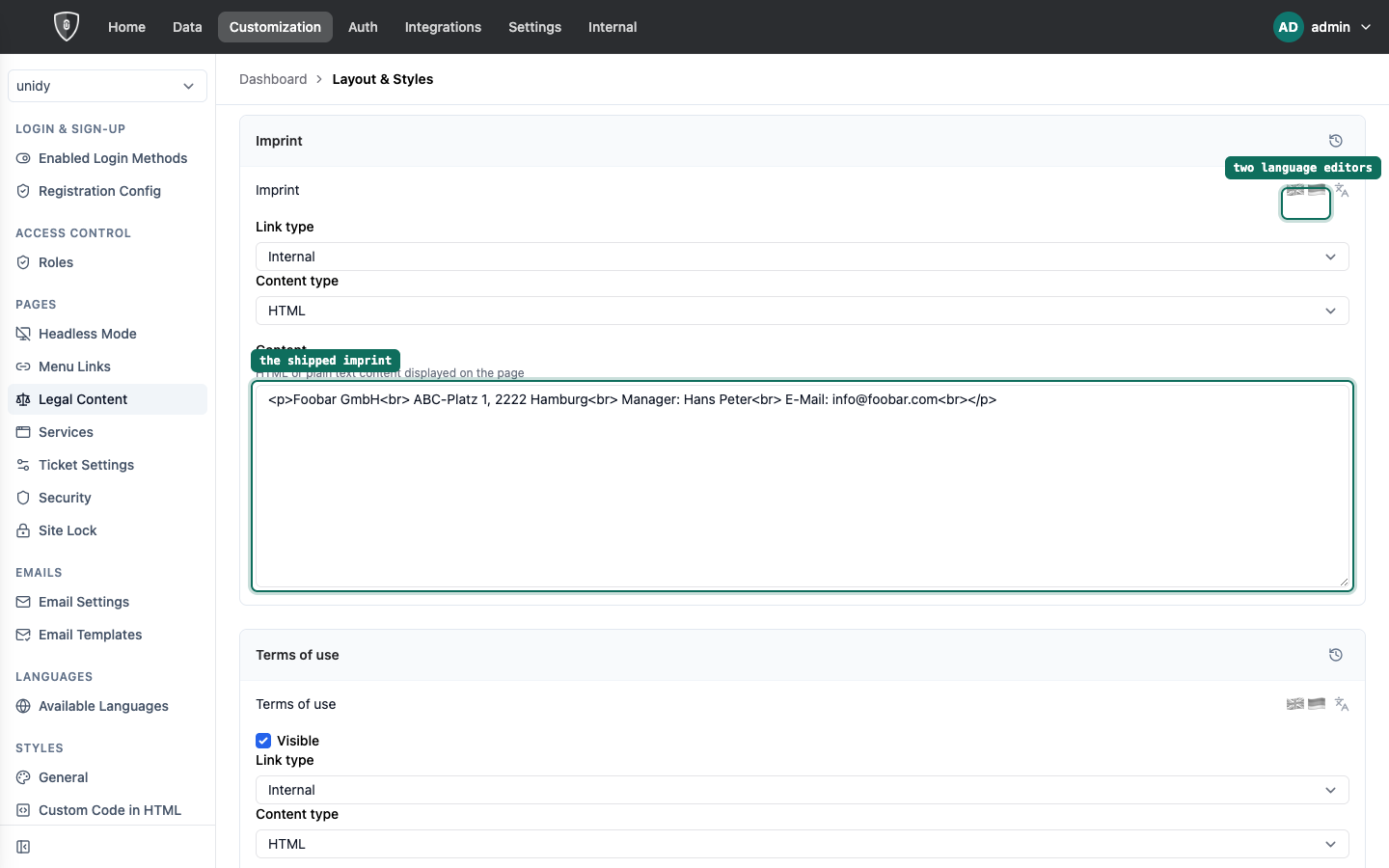
Customization → Legal Content on an untouched brand — the in-page heading still reads Layout & Styles · highlights on the two language editors this card offers (row 2.2) and on the imprint Unidy fills in for you (row 2.1). The terms_of_use and data_protection cards below hold the names of their own keys.
3 · Branding, styles, and accessibility
| Check | Action | Pass criterion and reference |
|---|---|---|
| CX-12 | Review the logo, favicon, page title, images, and share preview on the customer pages. | The correct brand appears and images remain legible at mobile sizes. See Branding, HTML, and CSS. |
| CX-13 | Review injected HTML and scripts with the application's technical owner. | Approved code loads without breaking login, forms, navigation, or the project's privacy and accessibility requirements. Test error and recovery screens as well as the normal path. |
| CX-14 | Check CSS draft, published, and enabled states separately. | The intended CSS is published and enabled. Saving a draft alone does not publish it; an enabled block with a newer draft can still serve its previous published content. |
| CX-15 | Clear preview state and visit both matching and non-matching pages. | CSS applies only where intended. Personal preview can bypass the block's enabled state and match condition, so a preview is not proof of production selection. Include shared CSS that affects the brand. |
| CX-16 | Complete the critical journey on representative mobile sizes and with a keyboard. | No clipped controls or essential horizontal scrolling; labels, focus, contrast, error messages, and dialog navigation meet the project's acceptance criteria. Verify custom frontend accessibility separately. |
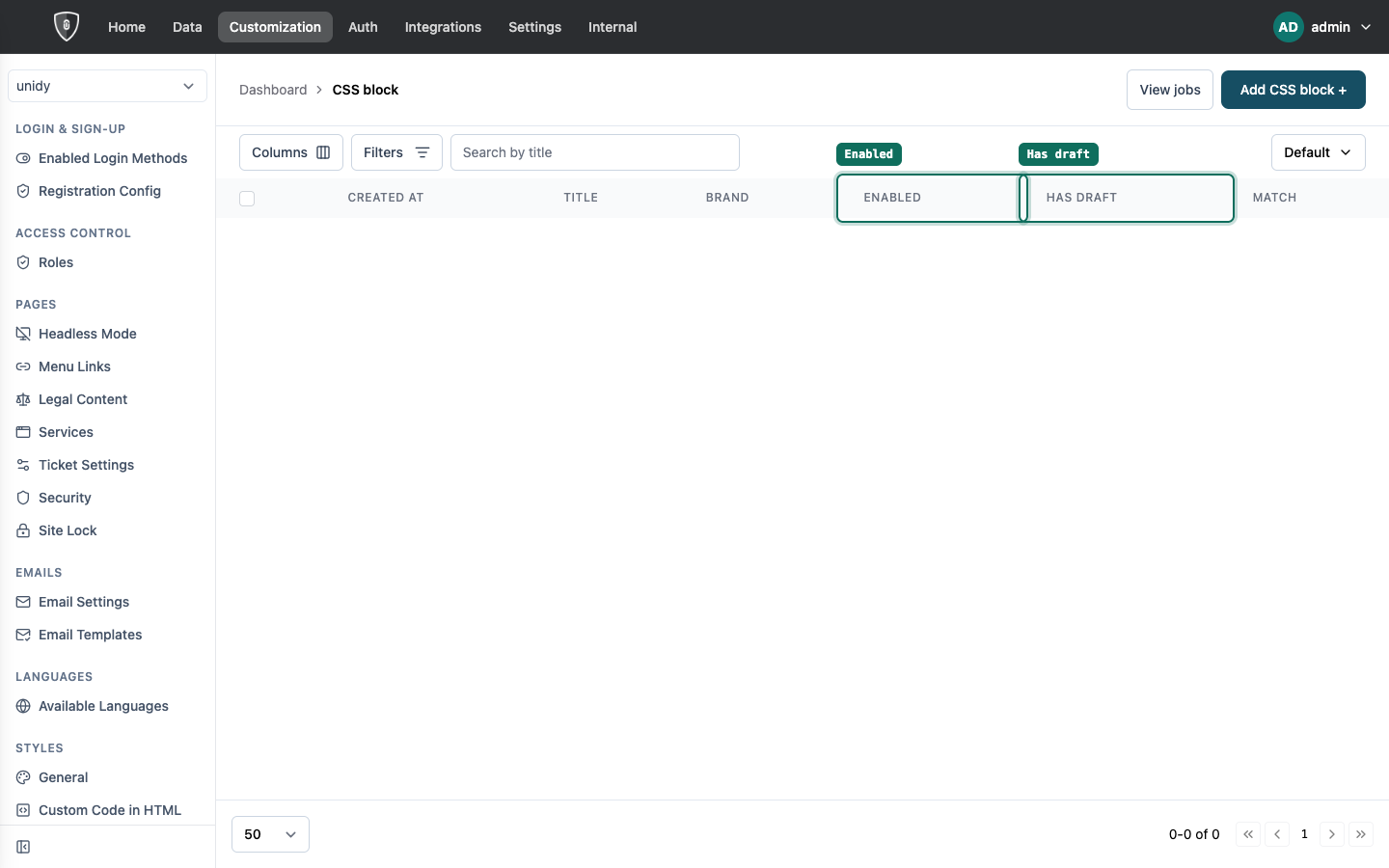
Customization → Custom CSS — empty on the seeded brand, so the columns read cleanly · highlights on the two that carry the three states of row 3.2. A block can be published and off, or on and stale, and only these two columns say which.
4 · Transactional email
Use Email templates and delivery as the canonical inventory of messages, triggers, templates, layouts, and components. The dashboard grid is feature-filtered; its card count is not the full list of possible messages.
| Check | Action | Pass criterion and reference |
|---|---|---|
| CX-17 | List the workflows that send mail for this brand and the languages they must support. | Each applicable message has an approved custom template or an explicitly accepted default. Include enabled newsletter and ticket-transfer workflows where relevant. |
| CX-18 | Review sender name, From address, and Reply-To for this brand. | The sending domain has been agreed with the responsible team, a representative message arrives, and replies reach the intended monitored inbox. Confirm the actual headers, not just the template body. |
| CX-19 | Save changes before sending an editor test; then exercise the real workflow in staging. | The saved subject, body, links, and variables render correctly. Editor tests can use a disabled custom template and a forced language; they do not prove ordinary delivery will select that template or language. |
| CX-20 | Verify the enabled state before approving ordinary delivery. | A new saved customization is enabled when it should replace the default. Saving an already enabled template changes what subsequent messages use. Shared layout or component changes are reviewed across every affected template. |
| CX-21 | Verify any requirement to suppress a message against its workflow. | The supported workflow control produces the intended outcome. Disabling or deleting a custom template changes fallback selection; it does not itself stop the email. |
| CX-22 | Follow the links in a received email as the intended test customer. | Links use the intended host, reach the correct action, and handle expiry or reuse clearly. Check each active brand/language/template combination; use real workflow evidence for representative critical journeys. |
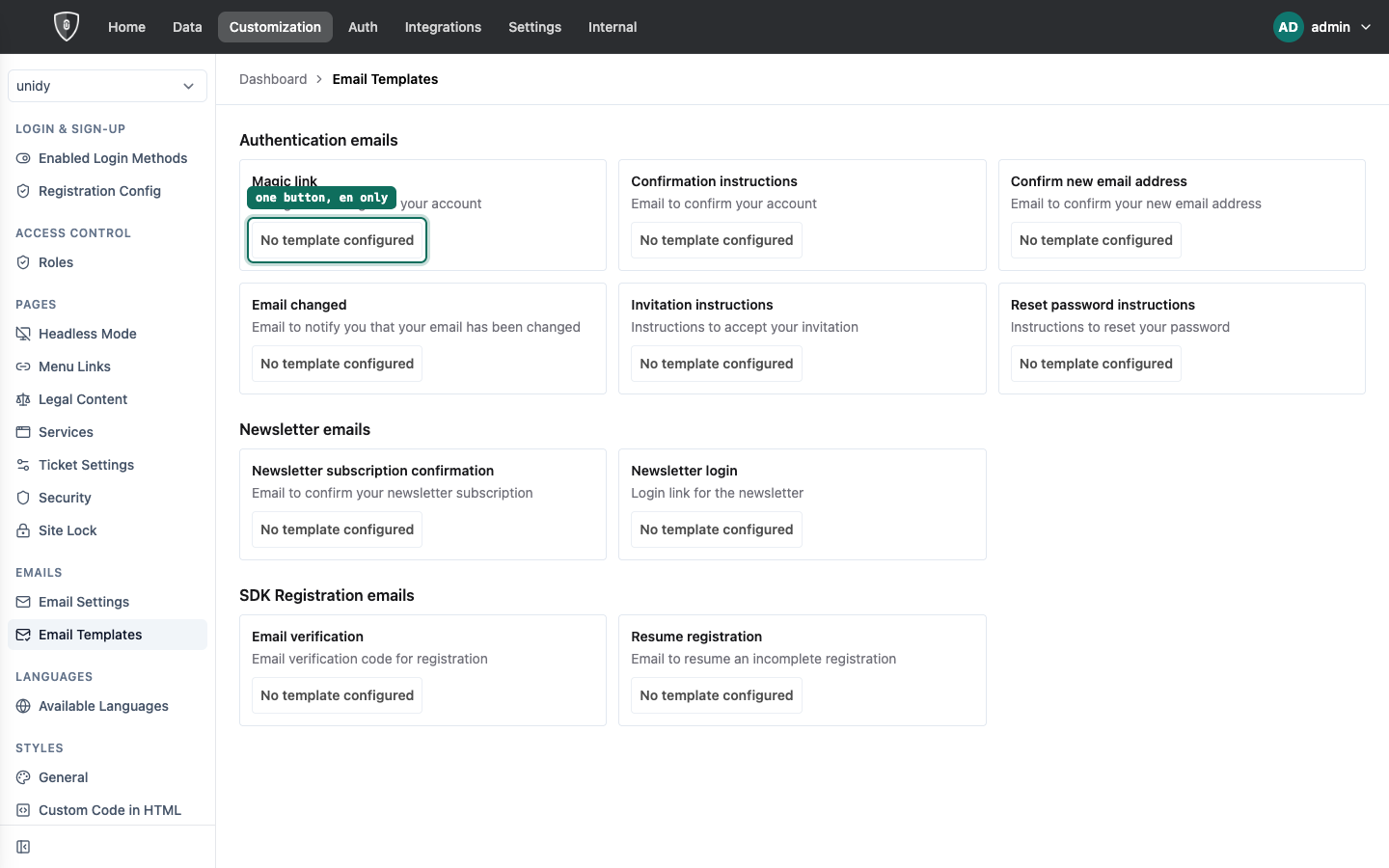
Customization → Email Templates on an untouched brand — ten cards, three groups, every message here is Unidy's · highlight on a card's single language button (rows 4.1, 4.3, 4.5). The neighbouring Legal Content screen offers two languages on the same brand; this one offers one.
5 · Languages and translations
| Check | Action | Pass criterion and reference |
|---|---|---|
| CX-23 | Check the default language, available languages, multilingual setting, and device-language behavior together. | A fresh visitor and a returning customer get the intended language; every offered language works on the actual frontend. See Languages and translations. |
| CX-24 | Read per-record content in each offered language. | Legal content, category and newsletter names, profile labels, and customer-facing descriptions are translated or have an approved fallback. Enabling a language does not create translations. |
| CX-25 | Trigger ordinary mail with representative customer language preferences. | The selected template and wording are appropriate. A single-language brand ordinarily uses its default language; forced editor tests are an exception and must not substitute for this check. |
| CX-26 | Re-test after adding or removing a language. | Existing customer preferences resolve acceptably, navigation remains usable, and the email/content inventory covers the revised language set. |
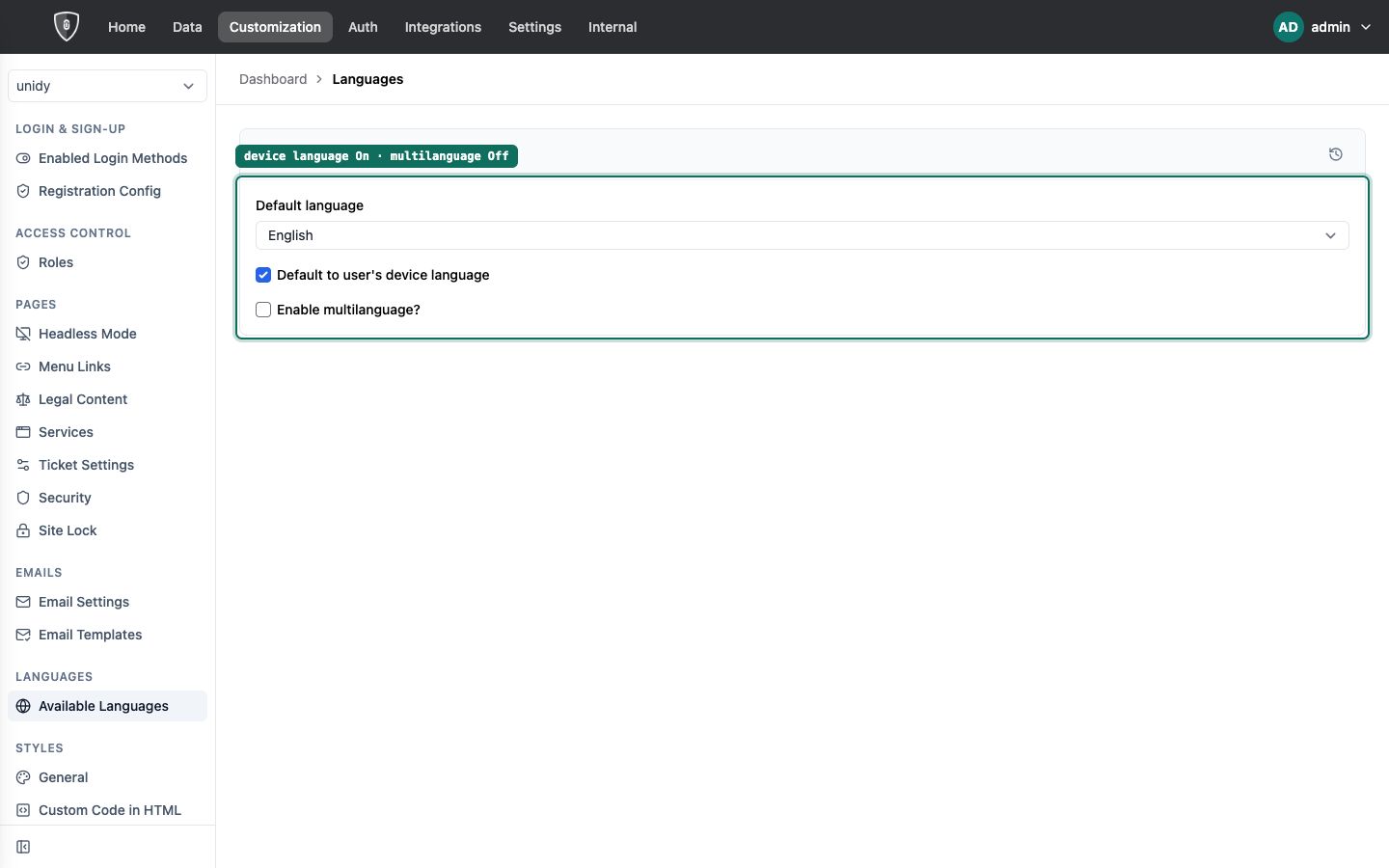
Customization → Available Languages — the whole screen, because there are only three controls until the master switch is on · highlight on the pair from row 5.1. This brand also stores two available languages behind that unticked box (row 5.3).
6 · Acceptance and handoff
| Check | Action | Pass criterion and reference |
|---|---|---|
| CX-27 | Confirm the final hostname, brand, configuration, and evidence record. | Evidence identifies the tested environment and surface, including whether a check was a staging rehearsal or production readback. No unresolved blocker is recorded as passed. |
| CX-28 | Have the delivery owner approve the outcome and hand it to operations. | Open exceptions have owners and review dates. The receiving team can find the current content, email configuration, test record, and support contacts. Complete Communication and support handoff. |
Copy this acceptance record into your project tracker:
Brand / environment / hostname:
Hosted or custom application / release:
Languages / representative customer cases:
Reviewer / review date:
Check ID | Result | Evidence | Exception or follow-up | Owner / review date
Approval / approver / date:
Operations handoff location / receiving owner:
Re-run affected checks after changes to login methods, required profile fields, providers, legal content, navigation, CSS, templates, shared email components, languages, or the hostname. Re-run the full customer pass after a significant frontend change. Save, reset, preview, and history explains how to inspect changes; history is evidence, not automatic rollback.
Related
- Testing and go-live — combine customer experience with the rest of the release decision.
- Authentication and integration checklist — confirm system connections and authentication contracts.
- Responsibilities — agree ownership of future changes.